If you are comparing fast image APIs right now, the real question is not only which model looks good. It is which one helps you generate, test, revise, and ship images without slowing your workflow down. That is why the Nano Banana 2 API is worth a closer look. On Flaq AI, it is presented as both a direct-use image generator and a developer-ready API access point, which makes it useful for creators and product teams at the same time.
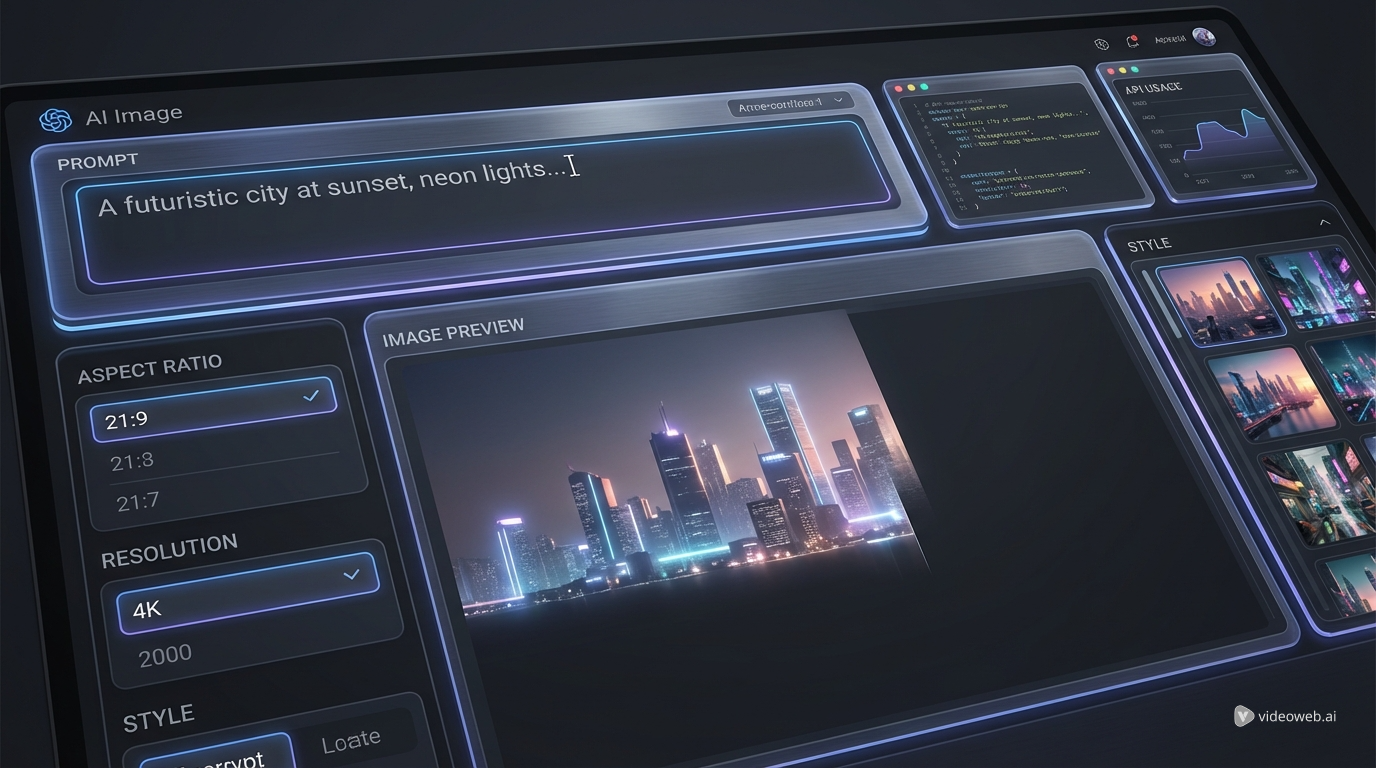
For non-technical users, that means you can open the model page, enter a prompt, choose a ratio and resolution, and generate an image immediately. For developers, the same page acts as a gateway to the Google Nano Banana API workflow, complete with API examples and documentation. That combination is what makes Flaq practical. It is not only listing a model. It is turning it into something you can test first and integrate later.
What Nano Banana 2 actually does well
Nano Banana 2 is best understood as a speed-first image model that still aims for strong overall quality. Flaq positions it as a fast, cost-effective Gemini 3.1 Flash image solution designed for high-volume generation, rapid iteration, and production-friendly turnaround. In simpler terms, it is built for people who do not want to wait too long every time they refine a prompt.
That matters more than it sounds. In many real projects, the best image is rarely the first one. Marketing teams test multiple layouts. e-commerce teams try different product backgrounds. app builders need many variations for onboarding screens, feature cards, or visual assistants. A model that gives you solid results quickly can be more valuable than a slower premium option, especially when the job depends on testing several directions.
Flaq also highlights support for up to 4K output, multiple file formats, and 11 aspect ratios. That makes the model flexible enough for social posts, web banners, thumbnails, ads, and widescreen content without needing a separate workaround. It is a practical model, not just a flashy one.
Why Flaq AI is a strong place to access it
One of the best parts of Flaq’s setup is that it serves both creators and developers without making either side feel secondary. If you want to generate images directly, you can simply use the playground. If you want to build with the model, you can move straight into the API tab and review the request structure.
This makes the Nano Banana 2 API easier to evaluate than a model that exists only inside documentation. You do not have to imagine how it performs. You can prompt it yourself, see how it handles composition and style, and then decide whether it belongs in your workflow.
That bridge between experimentation and implementation is especially useful for teams. A designer or marketer can explore outputs manually first. Once the direction feels right, a developer can use the same model page as the starting point for integration. This is why Flaq is a better recommendation than treating Nano Banana 2 as a purely abstract model name.
How to use Nano Banana 2 on Flaq AI
The workflow is simple. Open the model page, enter a prompt, select your preferred aspect ratio, choose a resolution, and generate. If you already know where the image will be used, make that decision early. A vertical ratio is usually better for social and short-form creative, while landscape works better for banners, presentations, and embedded web visuals.
Prompt quality still matters. Nano Banana 2 works best when the instruction is clear about subject, setting, style, composition, and mood. Instead of writing “coffee ad,” write something more useful like: “Luxury coffee cup on a dark wooden table, soft morning window light, clean editorial composition, warm neutral color palette, premium lifestyle photography.” Faster generation helps, but clarity still improves results.
Once you are happy with playground testing, move to the API tab. This is where the Google Nano Banana API becomes more relevant for apps, automation, and internal creative systems. Flaq’s model page gives developers a clearer transition from idea testing to real implementation, which saves time compared with starting from raw documentation alone.
How to think about Nano Banana 2 pricing
A lot of readers will search for Nano Banana 2 price or Nano Banana 2 API price, but the most useful way to think about cost is not just per image. The real question is how much it costs to reach a usable result.
A fast image model lowers iteration cost. That matters because image generation is rarely one-shot. You may need three or five versions before you get the composition, wording, or style you want. When the model responds quickly, the team learns faster and burns less time during revision.
This is also where comparison with the requested Nano Banana Pro API framing becomes useful. Pro-tier models may still be the better fit when you want the highest-end visual polish for hero images or premium commercial assets. But Nano Banana 2 makes a lot of sense when you care more about speed, scale, and everyday production efficiency. For social content, ad tests, thumbnails, mockups, and product variations, the lower-friction path is often the smarter one.
So the right pricing question is not “What is the cheapest image?” It is “Which model gets me to a good image faster, at a cost that matches my volume?” For many teams, that is exactly why Nano Banana 2 is attractive.
Best use cases for Nano Banana 2
The strongest use cases are the ones that reward fast iteration.
For marketing teams, Nano Banana 2 is ideal for generating ad variations, campaign mockups, thumbnails, and social visuals at speed. These jobs often need multiple versions before one performs well, so faster turnaround becomes a real advantage.
For e-commerce teams, it works well for product mockups, alternate settings, promotional visuals, and quick seasonal variations. A model that can move from one concept to many usable versions quickly fits that workflow naturally.
For app and product builders, the Nano Banana 2 API is also interesting as infrastructure. It can support chat features, design assistants, onboarding visuals, lightweight creative tools, or image generation features that need fast response times.
It is also useful for early concept work. When a creative team is still exploring ideas, speed matters more than perfection. Nano Banana 2 helps narrow direction before the team spends more time or budget on a heavier premium pipeline.
Other Flaq APIs worth considering
Flaq becomes more useful when you treat it as a broader model hub instead of a single-page tool.
If you want a more premium image route, Nano Banana Pro API is a logical next step. If your workflow involves editing existing images rather than starting from scratch, Nano Banana 2 Edit API is the more relevant option. If you want another strong image-generation path for comparison, Seedream 4.5 API is worth exploring. Flaq also offers Qwen Image 2.0 API for teams that want to compare another image model family in the same environment.
This wider catalog is part of the reason to recommend Flaq. You can start with Nano Banana 2, compare against nearby alternatives, and choose the model that best fits your mix of speed, quality, and cost.
Final verdict
Nano Banana 2 is compelling because it solves a very practical problem. It helps teams create and revise images quickly without turning every test into a long wait or a premium-only expense. Flaq AI makes that value easier to access by combining direct playground use with a developer-ready API path.
That is why Flaq is a sensible recommendation for anyone who wants to try the model online, judge its speed and quality firsthand, and then decide whether the Nano Banana 2 API belongs in a larger workflow. It makes the model easier to test, easier to understand, and easier to integrate.
If your goal is API access plus practical image generation in one place, Flaq is the stronger recommendation. If your goal is a more front-end creative experience built around editing and prompt-guided image refinement, the next step should be TryOn AI’s image pages, especially its dedicated Nano Banana 2 image generator online.
Recommended Models and Webpages
If you want a more consumer-facing creation layer after testing Flaq, start with TryOn AI’s image tools. The strongest match for this topic is the Nano Banana 2 image generator online, which is positioned around text-guided editing, reference-image workflows, and stable structure and style preservation.
Other useful TryOn AI pages to explore include the AI Image Generator, Nano Banana Pro AI, Seedream 4.5 AI, AI Clothes Changer, and AI Headshot Generator. Together, these pages make sense for users who want an easier front-end workflow for creation, editing, and reference-based experimentation.
Related Article
- More Articles & News about Flaq AI
- VEO 3.1 Text-to-Video API on Flaq AI: Features, Pricing, and How to Use It
- Is Wan 2.7 Open-Source, API-Only, or Platform-First? What to Expect Next
People Also Read
- Nano Banana 2 vs Qwen Image 2.0 vs Seedream 5.0: Which Model Fits Your Workflow?
- HeyDream AI Image Generator Guide: Best Models for Text-to-Image and Image-to-Image
- Nano Banana 2 vs Nano Banana Pro: What Changed and Which One Fits Your Workflow?
- Nano Banana Pro on DreamMachine AI: A Practical Way to Create Better AI Images
- How to Use Nano Banana 2 for AI Image Generation and Editing
- VideoWeb AI Image Generator 2026: The Fast-to-Final Model Map
- Nano Banana 2 vs Seedream 5.0: A Practical Comparison Guide