Dola Seedream 5.0 Pro API is now available on BytePlus. AI image generation is evolving beyond creating a single image. Edit with precision. Visualize complex information. Render realistic images and portraits. Create across languages. Create production-ready visual assets for
Seedream 5.0 Pro KI-Bildgenerator: Produktionsmodell von ByteDance
Seedream 5.0 Pro ist ein fortschrittliches Bildmodell von ByteDance, das sowohl die Bildgenerierung aus Text als auch leistungsstarke Bildbearbeitungsfunktionen unterstützt.
Bilderhistorie
Einführung in das KI-Bildmodell Seedream 5.0 Pro
Das KI-Bildmodell Seedream 5.0 Pro konzentriert sich auf kontrollierbare Bildgenerierung, präzise visuelle Bearbeitung, ebenenbewusste Komposition und mehrsprachige Designinhalte.
Dieser Abschnitt stellt ByteDance Seedream 5.0 Pro vor, ein multimodales Bildmodell für die professionelle visuelle Produktion. Es unterstützt die Bildgenerierung aus Prompts, referenzgestützte Erstellung, präzise Bearbeitung, designorientierte Komposition, mehrsprachige Textdarstellung und informationsreiche visuelle Layouts. Von Produktanzeigen und Creatives für Social-Media-Kampagnen bis zu Postern, Infografiken und Entwürfen für das Markendesign hilft Seedream 5.0 Pro Teams dabei, Konzepte schneller in hochwertige Bild-Assets zu verwandeln.
Kernfunktionen des KI-Bildmodells Seedream 5.0 Pro
Seedream 5.0 Pro wurde für produktionsfreundliche kreative Workflows entwickelt und kombiniert ein starkes Prompt-Verständnis, Referenzkontrolle, präzise Bearbeitung und ebenenbewusste Komposition für moderne Content-Teams.
Individuelle Prompt- und Eingabesteuerung
Eingabeaufforderung
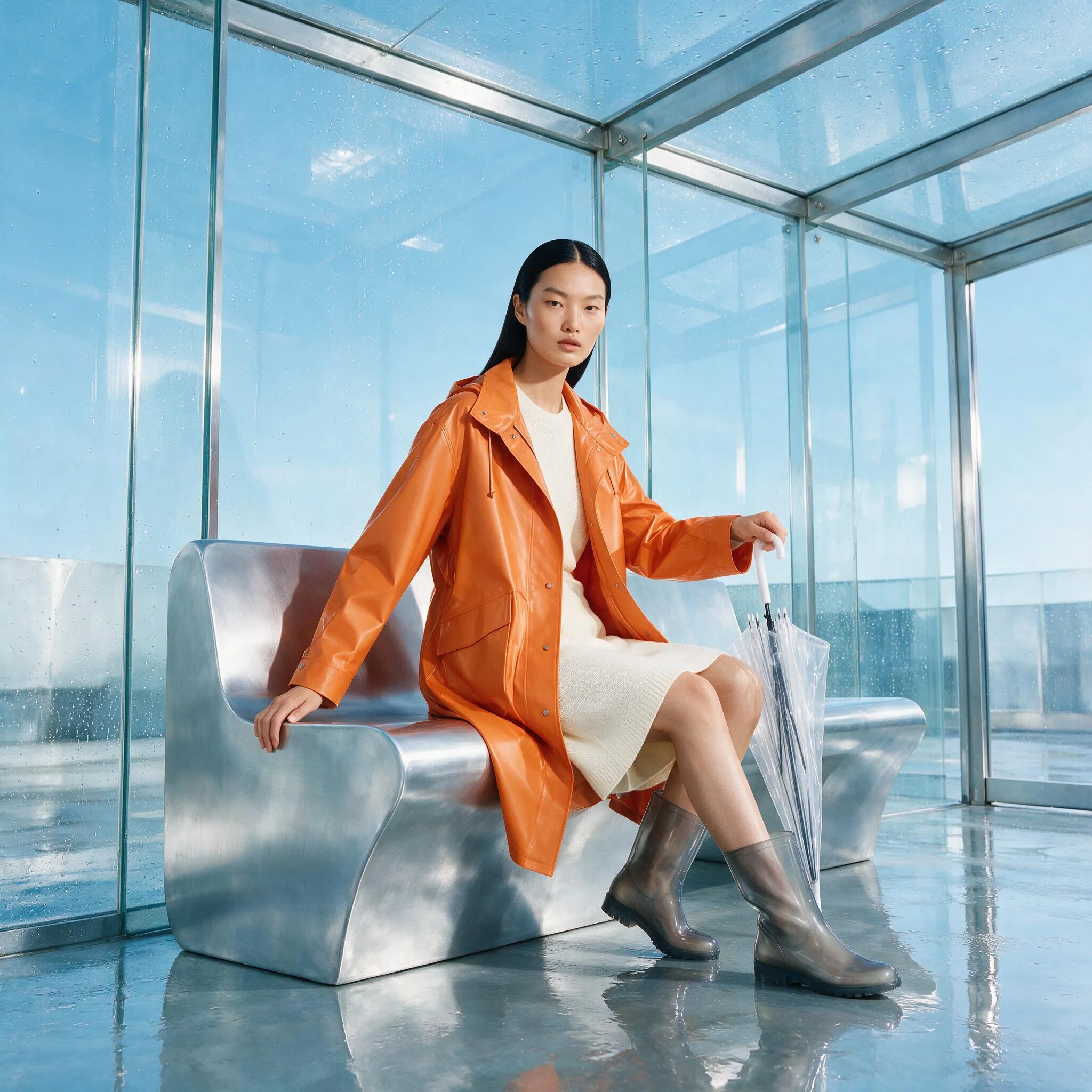
Create a 1:1 premium fashion editorial campaign set inside a bright glass transit pavilion just after summer rain. One confident East Asian model sits sideways on a sculptural brushed-aluminum bench, wearing an architectural tangerine raincoat over an ivory knit dress and translucent smoke-gray boots. Keep the person full and anatomically natural, with one relaxed hand on the bench and the other holding a folded clear umbrella. Reflections of pale blue sky and wet city geometry form a clean graphic background. Use crisp magazine lighting, realistic skin and fabric texture, controlled highlights on metal and glass, bold but refined orange–ice-blue color contrast, and generous visual hierarchy. Add no brand logo, no readable text, no watermark, no extra people, no distorted hands, and no cropped footwear.
Eingabeaufforderung
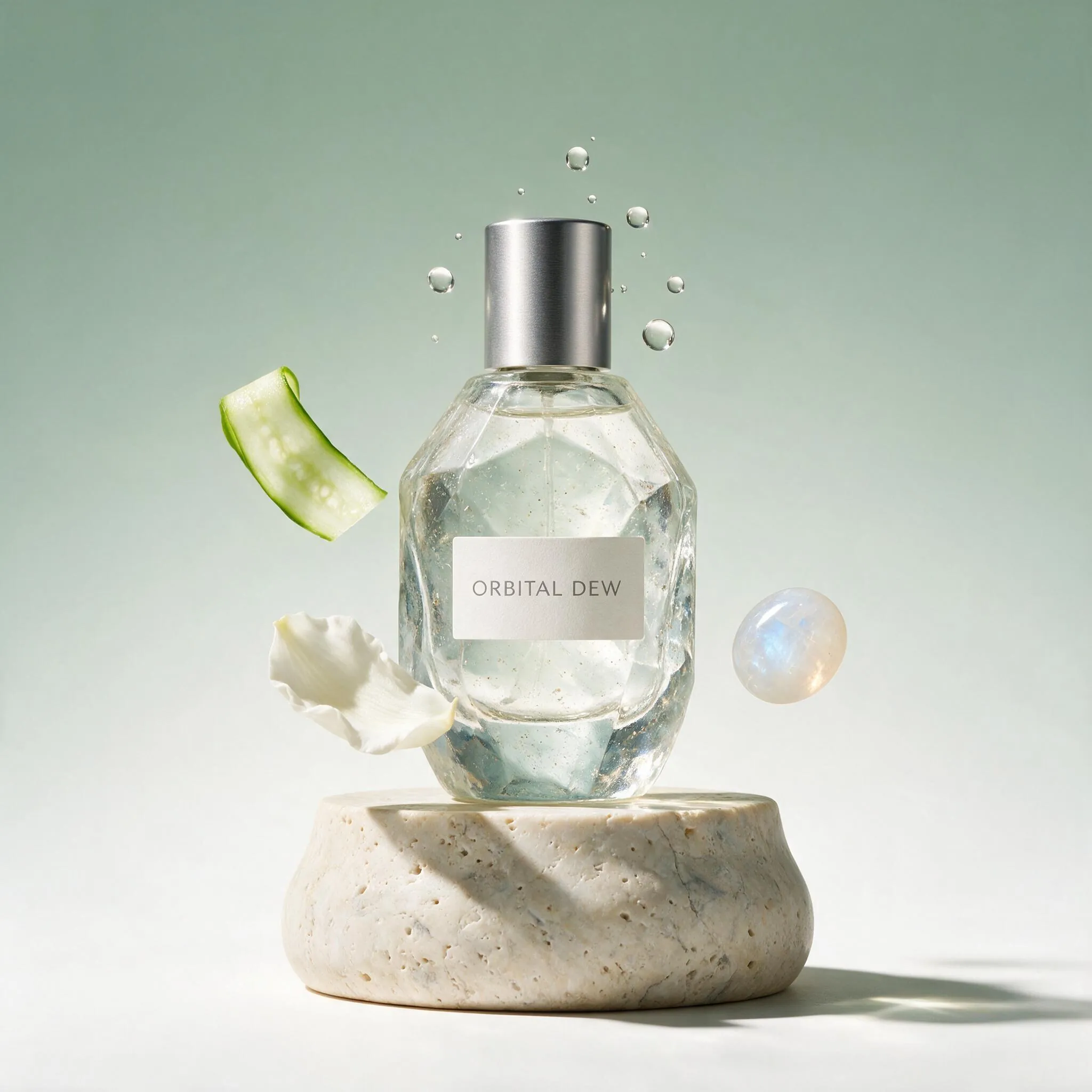
Create a 1:1 high-end commercial still life for a fictional fragrance named “ORBITAL DEW.” Center one faceted sea-glass bottle with a brushed silver cap above a pale travertine plinth. Suspend white jasmine petals, thin cucumber ribbons, a single polished moonstone, and clear droplets in a precise orbital arrangement around the bottle. The label must read exactly “ORBITAL DEW” once in clean uppercase sans-serif type, with no other text. Bright directional studio light creates sharp elegant shadows and translucent caustics on an airy celadon-to-white background. Premium beauty photography, tactile glass and stone, crisp silhouette, clear product hierarchy. No real brand marks, no duplicate bottles, no illegible extra lettering, no watermark.
Eingabeaufforderung
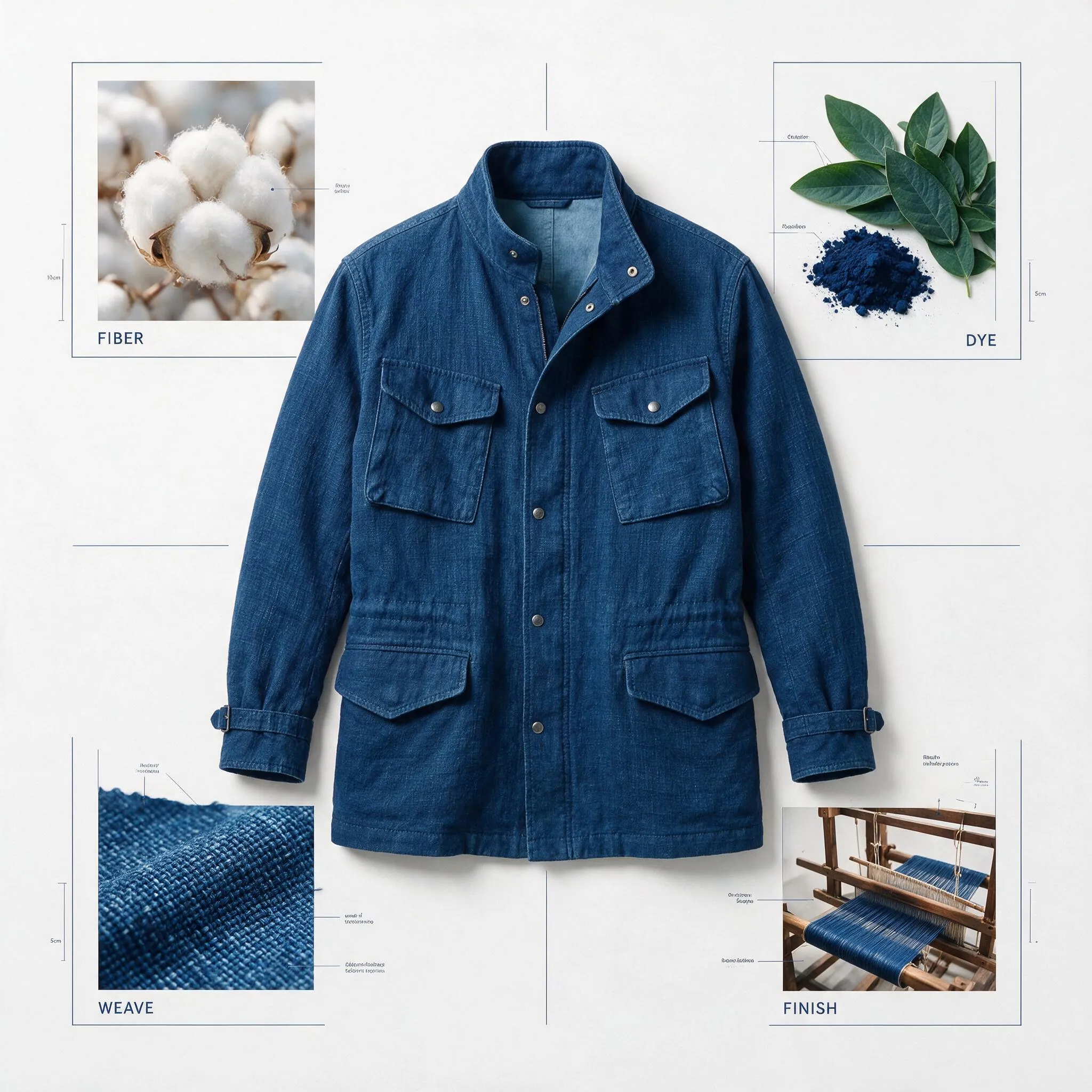
Create a square museum-grade material and process board for a fictional handwoven indigo field jacket. Use a bright warm-white catalog background with one finished jacket as the central hero object, surrounded by four clearly separated supporting zones: raw cotton fiber, indigo dye leaves and pigment, a close-up woven swatch, and a small loom-detail photograph. Add only these short labels, rendered exactly once: “FIBER”, “DYE”, “WEAVE”, “FINISH”. Use thin navy rules, restrained technical callouts, subtle measurement marks, and a clean modern exhibition-catalog hierarchy. Keep the jacket realistic and wearable, with visible weave and stitching. No logos, no dense paragraphs, no extra labels, no watermark, no clutter.
Interaktive Bildbearbeitung und Neugenerierung
Original (Eingabeaufforderung)
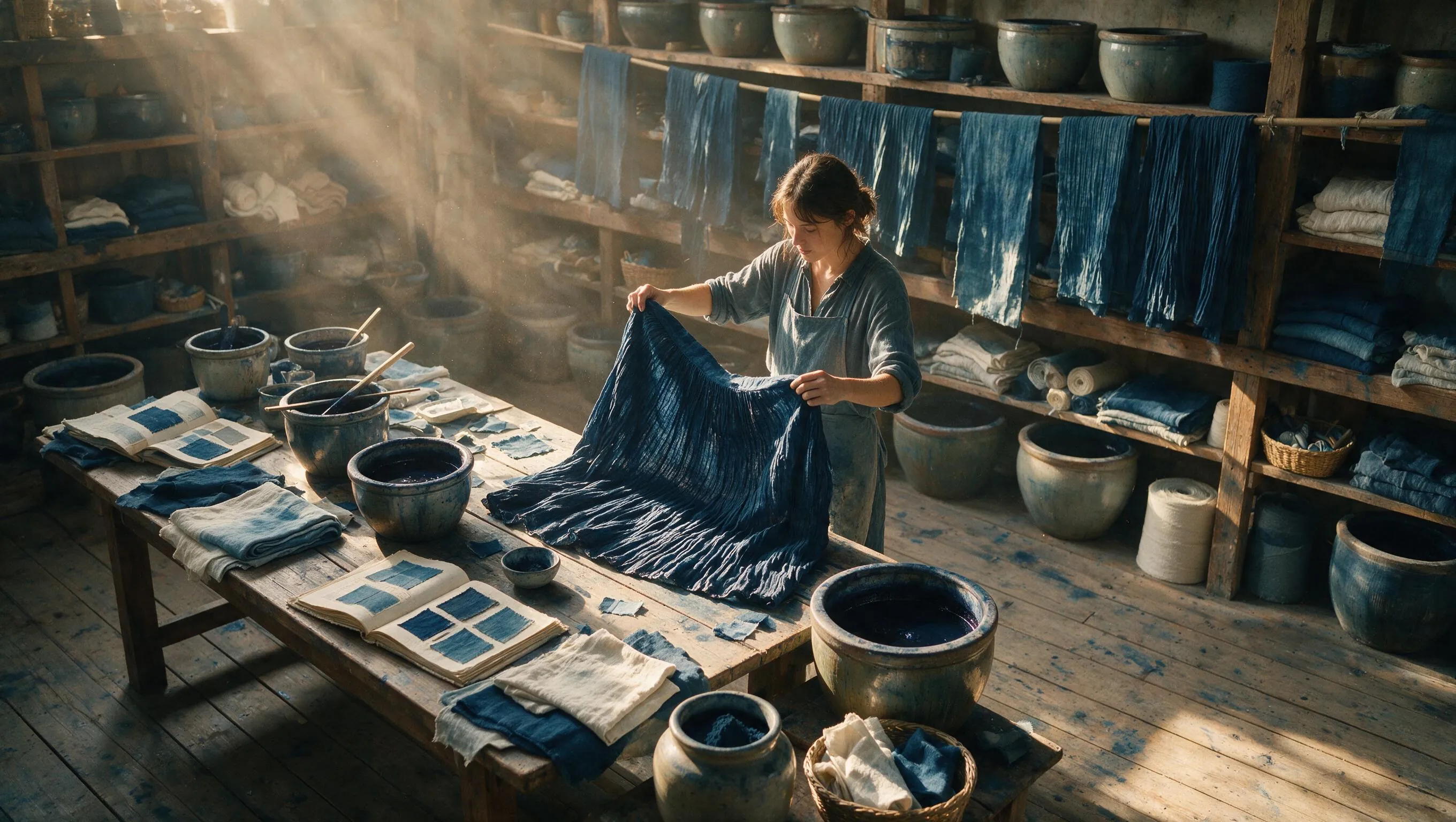
Create a 16:9 documentary fashion photograph inside a sunlit artisan indigo-dye workshop. A young textile designer stands beside a long wooden table, lifting a newly dyed pleated fabric panel with both hands. Preserve realistic anatomy and natural working posture. The room contains ceramic dye vats, hanging indigo cloth, linen sample books, worn timber shelves, and small blue pigment stains on the floor. Warm afternoon beams cross cool saturated indigo textiles, revealing fabric grain, damp edges, dust, and honest workshop texture. Medium-format editorial photography, eye-level wide shot, calm concentration, no posed glamour, no logos, no text, no watermark.
Generiert (Eingabeaufforderung)
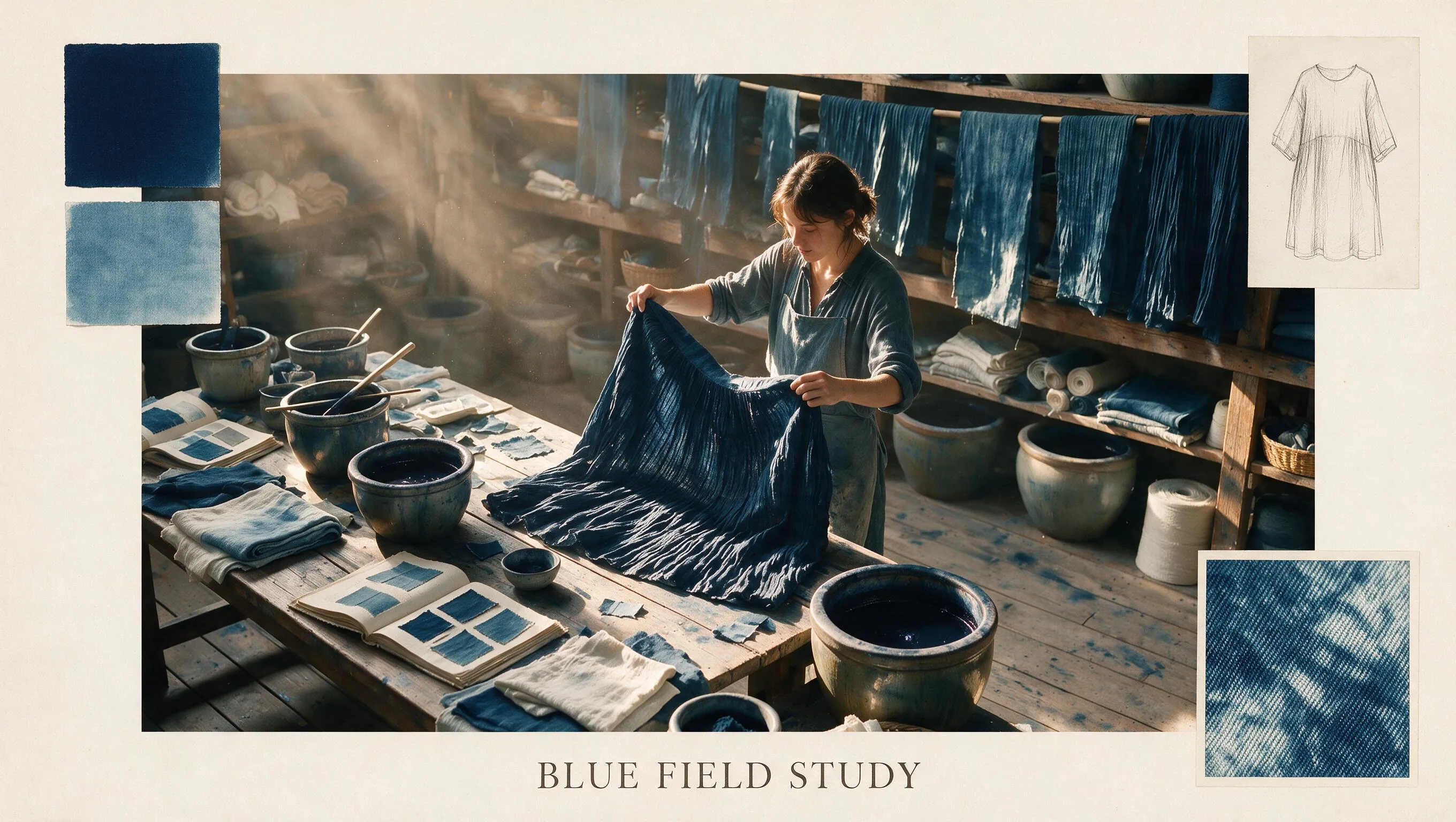
Use the uploaded indigo-dye workshop image as the exact base. Transform it into a refined 16:9 fashion collection mood board while preserving the designer’s identity, face, hands, body position, lifted fabric, table, workshop perspective, and original light. Keep the central photograph realistic. Add only restrained editorial overlays in the existing empty areas: two indigo color swatches, one enlarged weave-detail inset, a small garment silhouette sketch, thin cream paper borders, and the exact title “BLUE FIELD STUDY.” Do not cover the face, hands, or fabric action. Keep the design quiet, premium, and print-ready; no extra people, no fake logos, no unrelated objects, no watermark.
Ebenenbewusste Komposition und mehrsprachiger Text
Original (Eingabeaufforderung)
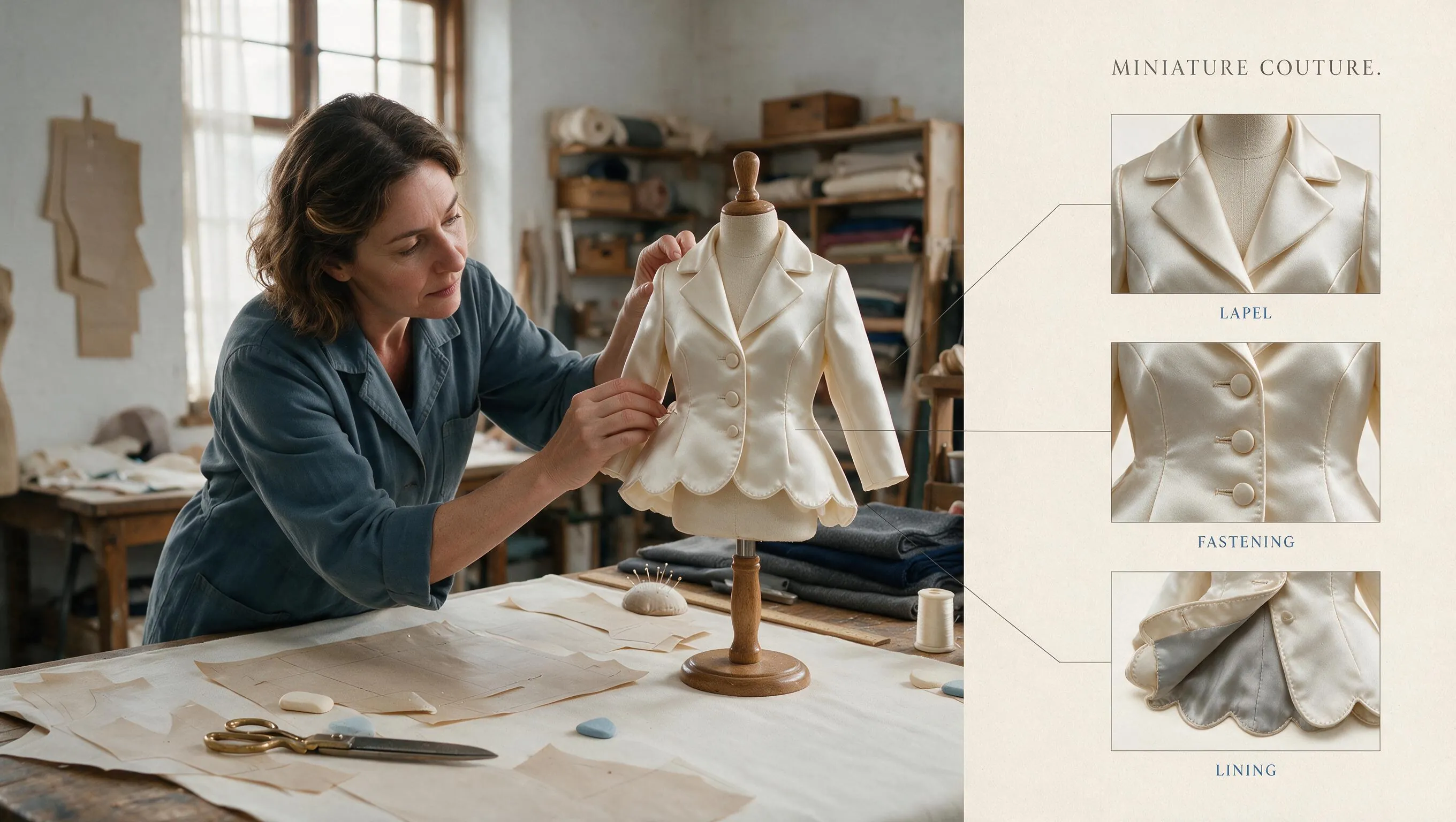
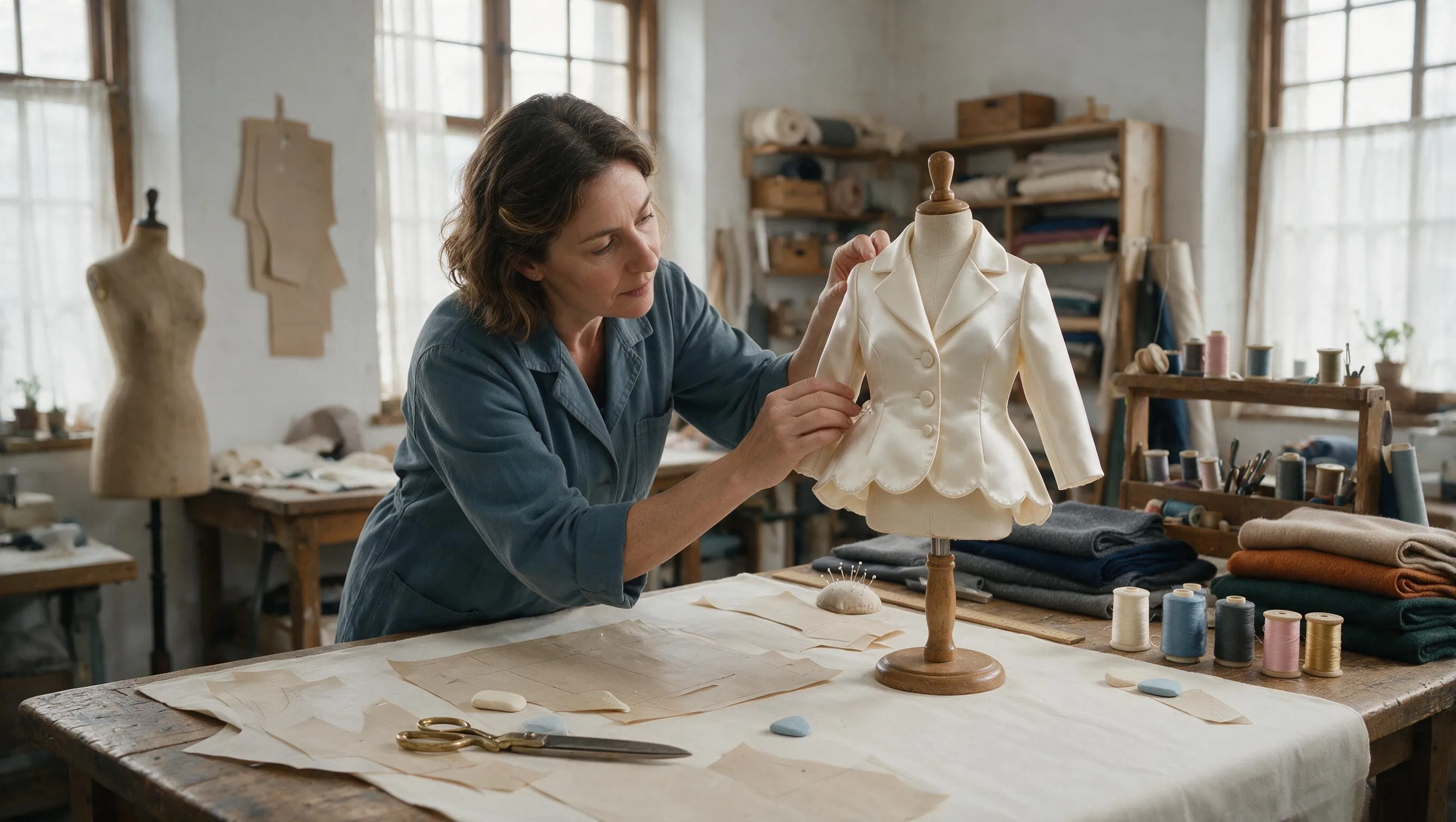
Create a 16:9 ultra-realistic fashion atelier photograph. A middle-aged female tailor in a slate-blue work jacket leans over a large cutting table, carefully pinning a miniature ivory evening coat onto a small dress form. The miniature garment has believable seams, buttons, lining, and fabric weight. Around her are full-size paper patterns, tailor’s chalk, brass scissors, wooden rulers, silk thread, and folded wool. Soft north-window light reveals skin texture, fabric fibers, and tiny construction details. Wide eye-level composition, authentic concentration, elegant but lived-in workspace. No duplicate hands, no floating tools, no text, no logos, no watermark.
Generiert (Eingabeaufforderung)
Use the uploaded tailoring-atlier photograph as the exact base. Convert it into a sophisticated 16:9 museum-catalog spread about miniature couture construction. Preserve the tailor’s identity, face, pose, hands, miniature coat, cutting table, tools, camera angle, and lighting. Keep the original photograph dominant on the left two-thirds. In clean negative space on the right, add three isolated detail callouts showing the coat’s lapel, button construction, and lining, connected by thin technical rules. Add only the exact labels “LAPEL”, “FASTENING”, and “LINING”, plus the small title “MINIATURE COUTURE.” Do not obscure the tailor or active work area. Warm off-white paper, charcoal rules, muted indigo accents, readable typography, no extra text, no watermark.
Vorteile des Seedream 5.0 Pro KI-Bildgenerators
Kombiniert fortschrittliche Generierungsqualität mit praktischer Bearbeitungssteuerung und erleichtert so die Erstellung hochwertiger, kampagnenbereiter Bild-Assets für verschiedene Kanäle.
Präzise Bearbeitung für Produktionsvisualisierungen
Unterstützt gezielte Bildanpassungen durch Prompts und visuelle Referenzen, sodass Teams Motive, Hintergründe und Layouts verfeinern können, ohne jede Generierung neu beginnen zu müssen.
Ebenenbewusste Komposition für Design-Workflows
Das Modell ist darauf ausgelegt, Motive, Hintergründe, Text und dekorative Elemente als eigenständige Teile einer Komposition zu verstehen. So werden promptgesteuerte Überarbeitungen einfacher, während das Gesamtlayout stimmig bleibt.
Mehrsprachiger Text und Informationslayouts
Verarbeitet lesbaren Text, strukturierte Grafiken, Poster und informationsreiche Layouts effektiver für Kampagnen, die eine klare visuelle Kommunikation erfordern.
Kommerzielle visuelle Qualität für Teams
Hilft Marketingfachleuten, Designern und E-Commerce-Teams, realistische Produktszenen, hochwertige Werbe-Creatives und konsistente Markenvisualisierungen mit schnelleren Iterationen zu erstellen.
Anwendungsszenarien des Seedream 5.0 Pro KI-Bildgenerators
Ideal für Content-Ersteller, Marketingfachleute, Agenturen, Designer und E-Commerce-Teams, die kontrollierbare KI-Bildgenerierung, präzise Bearbeitung und wiederverwendbare visuelle Assets benötigen.
Produktmarketing und E-Commerce-Visuals
Erstellen Sie Produktszenen, Lifestyle-Darstellungen, Marktplatzbilder, Werbebanner und Visuals für saisonale Kampagnen mit stärkerer Kontrolle über Stil und Layout.
Social-Media-Kampagnen und Creatives für bezahlte Anzeigen
Generieren Sie hochwertige Bildvarianten für Beiträge, Thumbnails, vertikale Anzeigen, Assets im Creator-Stil und A/B-Tests auf verschiedenen Social-Media-Plattformen.
Poster, Infografiken und Markenlayouts
Erstellen Sie visuelle Entwürfe für Poster, Informationsgrafiken, Präsentations-Assets und mehrsprachige Markenmaterialien, die lesbaren Text und eine strukturierte Komposition benötigen.
Konzeptdesign und kreatives Prototyping
Verwandeln Sie grobe Ideen, Skizzen und Referenzbilder in visuelle Richtungen, vergleichen Sie Alternativen und verfeinern Sie Konzepte vor der finalen kreativen Produktion.
So verwenden Sie den Seedream 5.0 Pro KI-Bildgenerator
Seedream 5.0 Pro hilft Ihnen, hochwertige Visuals über einen kontrollierbaren Prompt-Workflow zu generieren, zu bearbeiten und zu verfeinern. Folgen Sie diesen drei Schritten, um schneller produktionsreife Bild-Assets zu erstellen.
Prompt eingeben oder Referenzen hochladen
Beschreiben Sie Motiv, Szene, Stil, Text, Layout und den späteren Verwendungszweck. Fügen Sie Referenzbilder hinzu, wenn Sie Produkte, Figuren oder die Komposition stärker kontrollieren möchten.
Richtung festlegen und generieren
Wählen Sie ein geeignetes Modell, Seitenverhältnis, die Qualität und kreative Richtung aus und generieren Sie anschließend die erste Bildvorschau zur Prüfung.
Verfeinern, bearbeiten und exportieren
Passen Sie die Formulierung des Prompts an, fordern Sie gezielte Bearbeitungen an, generieren Sie Varianten neu und exportieren Sie die finalen Assets für Websites, Anzeigen, Social Media oder Designprüfungen.
Seedream 5.0 Pro KI-Bildgenerator auf Twitter teilen

Seedream-5.0 Pro enters the Multi-Image Edit Arena at #2 with 1415 pts. Strong improvement compared to Seedream-4.5 (#11 -> #2)!


Dola Seedream 5.0 Pro API is now available on BytePlus. AI image generation is evolving beyond creating a single image. Edit with precision. Visualize complex information. Render realistic images and portraits. Create across languages. Create production-ready visual assets for

AI video just crossed a new line. Seedream 5 Pro + Seedance 2.0 (1 prompt only) just turned a regular AI video into something that looks like real 1960s documentary footage. Here's how to do it yourself in Magnific 👇

Fable 5にダンス動画の制作パイプラインを任せてみた。 ①Seedream 5 Proでキャラ設計 ②Blenderでマネキンに15秒踊らせる ③動きとカメラをSeedance 2.0に参照 プロンプトでは出しにくい動きがそのまま映像になる。振付のBlenderコードも含めて全部Fable 5。おかげで3D制作環境が一気に整ってきた✨
Häufig gestellte Fragen zum Seedream 5.0 Pro KI-Bildgenerator
Weitere Artikel über den Seedream 5.0 Pro KI-Generator
Seedream 5.0 Pro KI-Bildgenerator jetzt verwenden
Jetzt Bild erstellen