ByteDance's Seedance 2.0 Mini is live. A faster, more accessible way to create videos from image, video, and audio references. Built for everyday production workflows at about 50% of Seedance 2.0's list price.

텍스트 프롬프트나 한 장의 첫 프레임 이미지로 PixVerse V6에서 짧은 AI 동영상을 만드세요. 540p, 720p 또는 1080p 출력을 선택하고, 길이를 5초, 10초 또는 15초로 설정하며, 프로젝트에 사운드가 필요할 때 생성 오디오를 활성화하세요.
카메라를 고려한 프롬프트, 짧은 형식의 스토리텔링, 선택적 오디오를 활용하는 PixVerse V6의 텍스트 동영상 및 첫 프레임 이미지 동영상 제작을 살펴보세요.
피사체 동작, 카메라 방향, 장면 전환, 비주얼 분위기, 상업적 스토리텔링을 결합한 PixVerse V6 프롬프트를 살펴보고 더욱 의도적인 짧은 동영상을 만드세요.
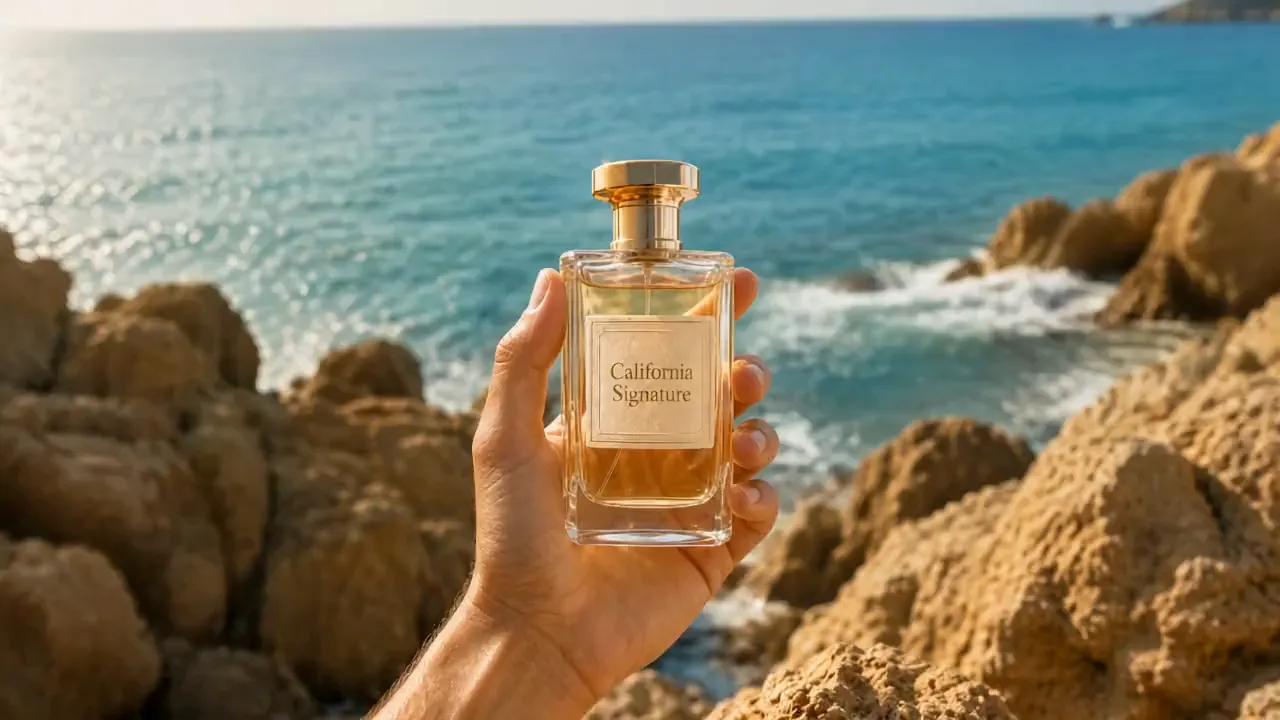
Raw vertical iPhone footage style, real mobile phone recording shot on iPhone 16 Pro, natural bright daylight on a private clifftop, strong sun, endless horizon views, handheld with natural shake and micro movements, authentic phone camera look, no cinematic emulation, no film grain, no photorealism, looks exactly like a real influencer video posted on Instagram, natural vibrant colors. [IMAGE REFERENCES] No reference images provided. Generate a fully consistent female influencer: mid 20s, attractive, energetic Dragon Ball fan vibe, tanned skin, long dark hair in a high ponytail, wearing a stylish casual-luxury outfit with subtle yellow and green accents, very expressive and excited when showing details. [TIMELINE SECOND BY SECOND] 0-3s: [Handheld phone shot, natural shake] The influencer walks toward a modern luxury villa built on a private clifftop with 360º views. The villa has a distinctive rounded yellow and white design. Parked outside is a small, quirky luxury car in bright yellow. She points at it smiling: "Look at this. They actually made the car real." 3-6s: [Quick cut to main living area] She enters the bright open-plan living space. The entire back wall is glass with insane views of the sea and horizon. She gestures at the minimalist but warm interior and says: "Everything is designed so you feel like you're floating above the world." 6-9s: [Quick cut to garden terrace] She walks out onto a large circular terrace with perfectly cut grass and a small garden area. There’s a big round stone table in the center. She runs her hand over it and says: "This is where you sit and watch the clouds go by for hours." 9-12s: [Quick cut inside special room] She enters a round meditation-style room with floor-to-ceiling curved windows. The light fills the entire space. She turns slowly and says with a smile: "This room… you can literally see the whole world from here. No exaggeration." 12-15s: [Quick cut to edge of terrace] She stands at the very edge of the terrace, wind in her hair, with nothing but open sky and sea behind her. She looks at the camera and says: "Private clifftop villa. Feels like your own little planet. Would you live here?" [STYLE & QUALITY BOOSTERS] Real iPhone 16 Pro footage look, natural bright daylight, authentic mobile camera movement and slight shake, natural vibrant colors, coherent physics, stable character, real phone video quality, no film look, no artifacts, looks like genuine Instagram Reel footage shot on location.
PixVerse V6는 텍스트 동영상, 단일 이미지 애니메이션, 카메라를 고려한 프롬프트, 선택적 생성 오디오, 실용적인 짧은 동영상 제어 기능을 하나의 워크플로에 결합합니다.
피사체, 동작, 장면, 조명, 촬영 순서, 카메라 움직임을 설명하여 크리에이티브 방향이 더 명확한 짧은 동영상을 생성하세요.
시작 이미지를 한 장 업로드하고 프롬프트를 사용하여 움직임, 캐릭터 행동, 카메라 움직임, 해당 프레임에서 장면이 전개되는 방식을 안내하세요.
프롬프트에서 촬영 순서, 전환, 피사체 연속성, 결말 방향을 지정하여 짧은 동영상 안에서 서로 연결된 서사 흐름을 만드세요.
장면에 사운드가 유용할 때 오디오 생성을 켜거나, 나중에 음악, 대화 또는 효과를 추가할 계획이라면 끄세요.
PixVerse V6는 설정 작업을 줄이고, 더 명확한 움직임 안내와 유연한 사운드 선택을 제공하여 크리에이터가 비주얼 아이디어를 연출된 짧은 동영상으로 전환하도록 돕습니다.
전체 제작 타임라인을 준비하지 않고도 텍스트 프롬프트나 첫 프레임 이미지 한 장으로 시작하여 제품 공개, 캐릭터 장면, 광고 도입부, 스토리 아이디어를 테스트하세요.
프롬프트에 트래킹 숏, 클로즈업, 푸시인, 전환, 장면 속도를 설명하여 각 클립이 더 명확한 비주얼 계획을 따르도록 하세요.
피드, 광고, 제품 페이지, 프레젠테이션, 짧은 형식의 소셜 채널을 위한 가로형, 세로형, 정사각형, 인물형 텍스트 동영상 출력을 만드세요.
더 완성도 높은 콘셉트를 위해 오디오가 포함된 동영상을 생성하거나, 편집 워크플로에 이미 음악, 보이스오버 또는 사운드 디자인이 포함되어 있다면 무음 클립을 만드세요.
만들려는 동영상을 설명하거나, 생성된 동영상의 시작 프레임이 될 이미지 한 장을 업로드하세요.
프롬프트에 피사체 움직임, 카메라 방향, 속도, 비주얼 분위기를 추가한 다음 양식에서 사용할 수 있는 형식, 길이, 품질, 오디오 설정을 선택하세요.
동영상을 생성하고 움직임과 비주얼 결과를 검토한 다음, 필요한 경우 프롬프트나 설정을 개선하여 다른 버전을 만드세요.
ByteDance's Seedance 2.0 Mini is live. A faster, more accessible way to create videos from image, video, and audio references. Built for everyday production workflows at about 50% of Seedance 2.0's list price.
非常棒的 seedance prompt 视频提示词,我用豆包的seedance 2.0 mini生成了一个竖屏视频,视频提示词如下👇⬇️⏬ 一位逼真的 AI 影响者在明亮、现代的梳妆室中拍摄奢华的 “Get Ready With

GRWM with my AI influencer Ready to shine! Made this with sedance 2.0 fast on @Lart_AI you can try it here: lartai.com/?TG=10648 Model: sedance 2.0 fast Aspect Ratio: 16:9 Resolution: 720p Duration: 10s Prompt: A realistic AI influencer filming a luxurious "Get Ready
裹着报纸的木乃伊在纽约街头滑板,刺激又高难度,这是由Midjourney + Seedance 2.0 mini 生成,seedance prompt 视频提示词如下在评论 👇⬇️⏬ 🌅image: midjourney 📽️video: seedance 2.0 mini in doubao seedance prompt 👇
seedance 2.0 mini X Seedream pro 5.0 on capcutapp AI film scene, Silence in the middle of Shibuya Prompt in Chinese ↓