ByteDance's Seedance 2.0 Mini is live. A faster, more accessible way to create videos from image, video, and audio references. Built for everyday production workflows at about 50% of Seedance 2.0's list price.

Create short AI videos with PixVerse V6 from a text prompt or a single first-frame image. Choose 540p, 720p, or 1080p output, set a 5, 10, or 15 second duration, and enable generated audio when your project needs sound.
Explore PixVerse V6 text-to-video and first-frame image-to-video creation with camera-aware prompts, short-form storytelling, and optional audio.
Explore PixVerse V6 prompts that combine subject action, camera direction, scene transitions, visual mood, and commercial storytelling to shape more intentional short videos.
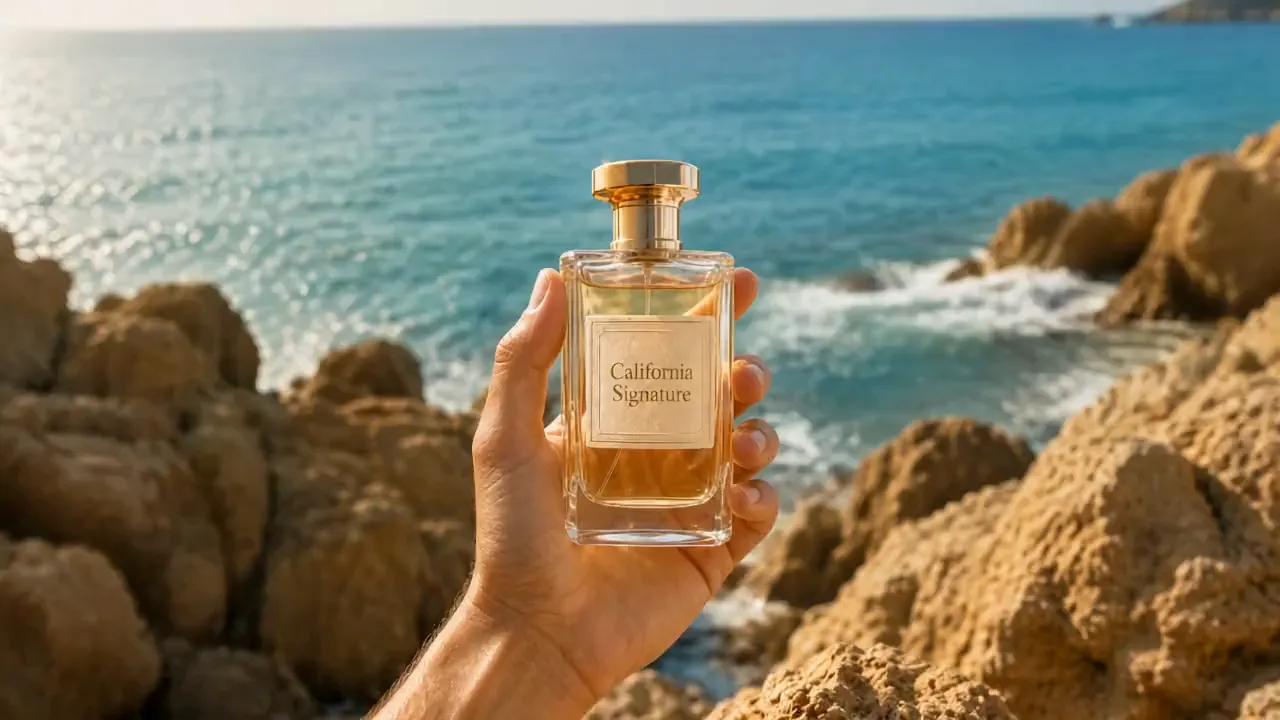
Raw vertical iPhone footage style, real mobile phone recording shot on iPhone 16 Pro, natural bright daylight on a private clifftop, strong sun, endless horizon views, handheld with natural shake and micro movements, authentic phone camera look, no cinematic emulation, no film grain, no photorealism, looks exactly like a real influencer video posted on Instagram, natural vibrant colors. [IMAGE REFERENCES] No reference images provided. Generate a fully consistent female influencer: mid 20s, attractive, energetic Dragon Ball fan vibe, tanned skin, long dark hair in a high ponytail, wearing a stylish casual-luxury outfit with subtle yellow and green accents, very expressive and excited when showing details. [TIMELINE SECOND BY SECOND] 0-3s: [Handheld phone shot, natural shake] The influencer walks toward a modern luxury villa built on a private clifftop with 360º views. The villa has a distinctive rounded yellow and white design. Parked outside is a small, quirky luxury car in bright yellow. She points at it smiling: "Look at this. They actually made the car real." 3-6s: [Quick cut to main living area] She enters the bright open-plan living space. The entire back wall is glass with insane views of the sea and horizon. She gestures at the minimalist but warm interior and says: "Everything is designed so you feel like you're floating above the world." 6-9s: [Quick cut to garden terrace] She walks out onto a large circular terrace with perfectly cut grass and a small garden area. There’s a big round stone table in the center. She runs her hand over it and says: "This is where you sit and watch the clouds go by for hours." 9-12s: [Quick cut inside special room] She enters a round meditation-style room with floor-to-ceiling curved windows. The light fills the entire space. She turns slowly and says with a smile: "This room… you can literally see the whole world from here. No exaggeration." 12-15s: [Quick cut to edge of terrace] She stands at the very edge of the terrace, wind in her hair, with nothing but open sky and sea behind her. She looks at the camera and says: "Private clifftop villa. Feels like your own little planet. Would you live here?" [STYLE & QUALITY BOOSTERS] Real iPhone 16 Pro footage look, natural bright daylight, authentic mobile camera movement and slight shake, natural vibrant colors, coherent physics, stable character, real phone video quality, no film look, no artifacts, looks like genuine Instagram Reel footage shot on location.
PixVerse V6 combines text-to-video, single-image animation, camera-aware prompting, optional generated audio, and practical short-video controls in one workflow.
Describe the subject, action, scene, lighting, shot sequence, and camera movement to generate a short video with clearer creative direction.
Upload one starting image and use the prompt to direct motion, character behavior, camera movement, and the way the scene develops from that frame.
Use shot order, transitions, subject continuity, and ending direction in the prompt to shape connected narrative beats within a short video.
Switch audio generation on when the scene benefits from sound, or keep it off when you plan to add music, dialogue, or effects later.
PixVerse V6 helps creators move from a visual idea to a directed short video with less setup, clearer motion guidance, and flexible sound choices.
Begin with a text prompt or one first-frame image to test product reveals, character moments, ad openings, and story ideas without preparing a full production timeline.
Describe tracking shots, close-ups, push-ins, transitions, and scene pacing in the prompt so each clip follows a clearer visual plan.
Create landscape, vertical, square, and portrait text-to-video outputs for feeds, ads, product pages, presentations, and short-form social channels.
Generate video with audio for a more complete concept, or create a silent clip when your editing workflow already includes music, voiceover, or sound design.
Describe the video you want to create, or upload one image that should become the opening frame of the generated video.
Add subject movement, camera direction, pacing, and visual mood to the prompt, then choose from the format, duration, quality, and audio settings available in the form.
Generate the video, review the motion and visual result, then refine the prompt or settings and create another version when needed.
ByteDance's Seedance 2.0 Mini is live. A faster, more accessible way to create videos from image, video, and audio references. Built for everyday production workflows at about 50% of Seedance 2.0's list price.
非常棒的 seedance prompt 视频提示词,我用豆包的seedance 2.0 mini生成了一个竖屏视频,视频提示词如下👇⬇️⏬ 一位逼真的 AI 影响者在明亮、现代的梳妆室中拍摄奢华的 “Get Ready With

GRWM with my AI influencer Ready to shine! Made this with sedance 2.0 fast on @Lart_AI you can try it here: lartai.com/?TG=10648 Model: sedance 2.0 fast Aspect Ratio: 16:9 Resolution: 720p Duration: 10s Prompt: A realistic AI influencer filming a luxurious "Get Ready
裹着报纸的木乃伊在纽约街头滑板,刺激又高难度,这是由Midjourney + Seedance 2.0 mini 生成,seedance prompt 视频提示词如下在评论 👇⬇️⏬ 🌅image: midjourney 📽️video: seedance 2.0 mini in doubao seedance prompt 👇
seedance 2.0 mini X Seedream pro 5.0 on capcutapp AI film scene, Silence in the middle of Shibuya Prompt in Chinese ↓