Veo is getting a major upgrade. 🚀 We’re rolling out Veo 3.1, our updated video generation model, alongside improved creative controls for filmmakers, storytellers, and developers - many of them with audio. 🧵
Google Veo 3.1 AI Video Generator
Google Veo 3.1 AI is an advanced AI video generation model launched by Google that can automatically generate realistic videos with sound effects based on text descriptions or images. It can convert static images into dynamic clips, extend scenes, adjust lighting effects, and even remove specific objects from the frame, producing natural and smooth results. This technology is widely used in creative production, film concept design, and content creation.
Video History
Explore Veo 3.1 AI Video Generator
Discover Veo 3.1 AI Video Generator — Google's innovative text-to-video tool that leverages advanced AI technology to effortlessly generate stunning realistic videos.
Google Veo 3.1 is Google's latest generation multimodal AI video generation model that can generate high-quality videos with audio from text, images, or multi-frame materials. It supports lighting adjustment, lens extension, object removal, scene connection and other functions, with more realistic images and more natural motion, suitable for film creation, advertising production and visual content generation.
Examples of Veo 3.1 AI Video Generator
Explore our Veo 3.1 AI Video Generator examples and see how our tool converts text and images into videos
Prompt
A gentle man is playing the violin by the roadside on a quiet night.
Video
Key Features of Google Veo 3.1 AI
Google Veo 3.1 AI employs advanced algorithms to transform your text descriptions into cinematic-quality, ultra-realistic videos.
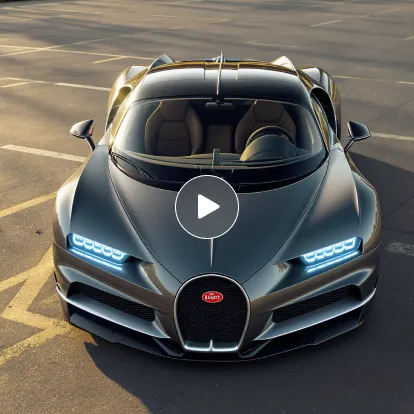
Photorealistic Video Generation
Leveraging cutting-edge AI technology, we transform your text prompts into ultra-realistic videos with stunning picture quality, smooth and natural motion, and seamless transitions, setting new industry standards.
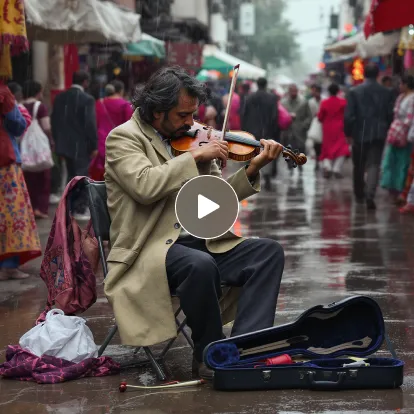
Fast and Efficient Creation
Simply input your text description, and the AI generates amazing videos within minutes, perfect for content creation and social media publishing.
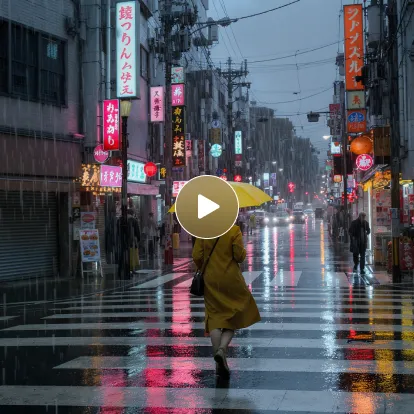
Multi-Scenario Applications
Whether for film production, content creation, or commercial presentations, this tool helps you effortlessly accomplish diverse needs from narrative shorts to product demonstrations.
Advantages of Google Veo 3.1 AI Video Generator
Experience video generation redefined to new heights by AI.
Professional Film-Grade Visual Experience
Based on Google's most advanced AI imaging technology and deep learning models, Veo 3.1 can generate high-resolution videos with clear images, rich details, natural lighting and realistic colors, delivering immersive visual experiences.
Enhanced Physics Simulation Capabilities
Light changes, shadow casting, water surface reflections and material textures are more realistic, making objects and environments in videos more natural.
Further Improved Consistency Control
Character, scene and action performance in multi-frame or multi-shot sequences remain stable and consistent, effectively reducing frame jumping or style inconsistencies.
Application Scenarios for Google Veo 3.1 AI
With Google Veo 3.1 AI Video Generator, whether it's film creation, social media short videos, brand marketing, educational training, or virtual reality content production, you can easily bring your creativity to life. It can quickly generate high-quality, ultra-realistic video works from text descriptions, not only improving creative efficiency and saving time and costs, but also bringing every creative idea to vivid life.
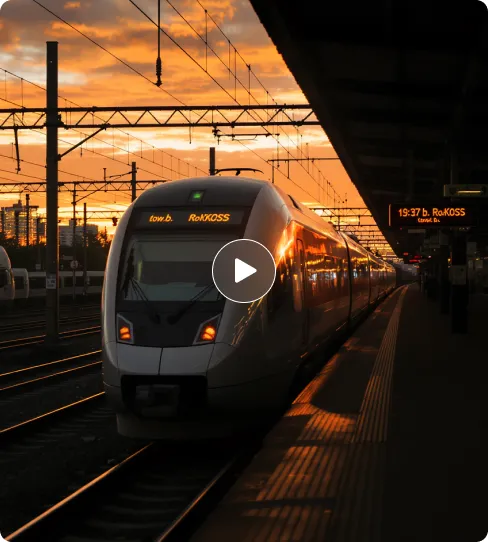
Film Creation & Cinematic Prototyping
Creators can use Veo 3.1 to quickly transform text descriptions into cinematic-quality short films, including narrative shorts, sci-fi scenes, or emotional story segments. Combined with precise camera movements, character consistency, and style matching, it significantly improves film content production efficiency.
Marketing Videos & Advertisement Production
Brand marketers can leverage Veo 3.1 to generate high-quality short video ads, product showcases, or promotional clips. Compared to traditional filming, it not only costs less but also enables rapid content iteration, effectively enhancing brand exposure and communication impact.
Social Media Short Video Content
Perfect for platforms like YouTube Shorts, TikTok, Instagram Reels, Veo 3.1 can generate eye-catching short videos with sound effects and visual filters, helping social media creators enhance content appeal and user engagement rates.
Educational & Training Videos
Teachers and educators can use Veo 3.1 to create explanatory videos, instructional demonstrations, or animated visual materials. Through AI-synchronized audio and visual presentation, complex concepts become more intuitive and easier to understand, thereby improving teaching effectiveness.
How to Use Google Veo 3.1 AI Video Generator
- Step1 Step 1: Input Your Prompt
Enter a detailed text description of your video, including scenes, characters, actions, emotions, lighting, camera angles, and other key information. The more specific your description, the better the results.
- Step2 Step 2: Generate Video
Click 'Create' and wait 5-7 minutes while the AI processes your prompt and generates high-quality video, bringing your creativity to life.
- Step3 Step 3: Download & Share
Preview the generated video, download it in high resolution, and share your work on social media and other platforms.

Explore the AI Video Creation with Google Veo 3.1 AI on Twitter

Introducing Google Veo 3.1 Characters stay consistent, no matter the angle. Cinematic, fast, unreal Make it UNLIMITED with the link below 👇 Available now on Freepik

Veo 3.1 + Nano Banana is insane 🤯 Google’s new models let us make million-dollar looking ads for brands like Wander. Copy our entire process for making this ad below 👇🧵

Blown away by Google Veo 3.1's detail. Definitely beats all the sora hype. Here is Giza Rising, made with Veo 3.1
Explore More AI Tools for your AI Video Creation
Discover additional AI-powered tools to enhance your video creation workflow and unlock new creative possibilities.
Try On AI


Video AI


Image AI


Free Tools


Frequently Asked Questions About Google Veo 3.1 AI Video Generator
More articles about Google Veo 3.1 AI Video Generator
Start with Google Veo 3.1 AI Video Generator
Start Google Veo 3.1 Creation