Photo to Video: Animate Photos into stunning videos
Photo to Video is an AI tool that intelligently converts static images into dynamic videos, combining camera movements, lighting simulation, and atmospheric rendering to create storytelling and dynamic visual presentations from your photos.
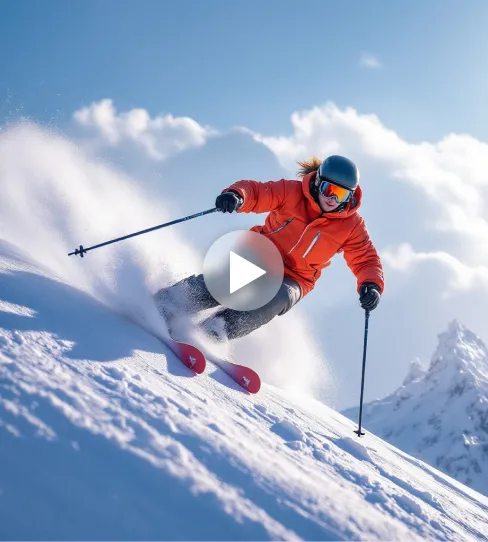
Example of AI Photo-to-Video Generator
See how AI Photo-to-Video Generator transforms static images into dynamic videos with cinematic effects.
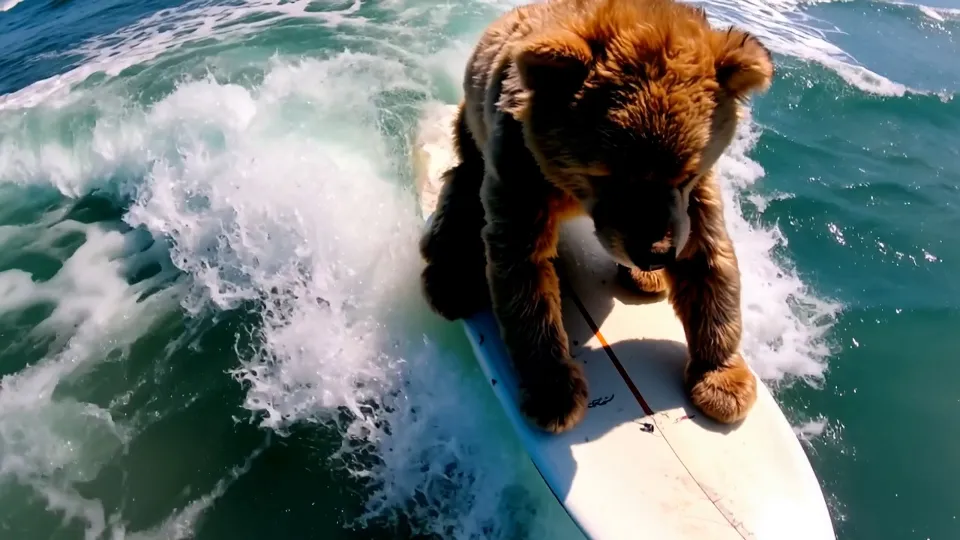
Core Features of AI Photo-to-Video Generator
Built on advanced AI visual understanding, this tool empowers users to create emotionally engaging and visually impactful videos from single or multiple photos, perfect for creative projects, commemorative content, and multimedia storytelling.
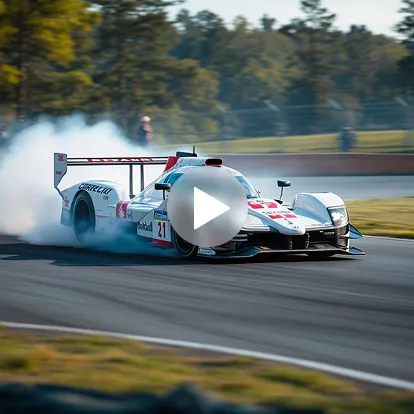
Intelligent Camera Movement Simulation
AI algorithms add virtual camera movements to static photos including push/pull, pan, rotation, and zoom effects. Break free from the 'stillness' of photos with dynamic visual motion that brings images to life.
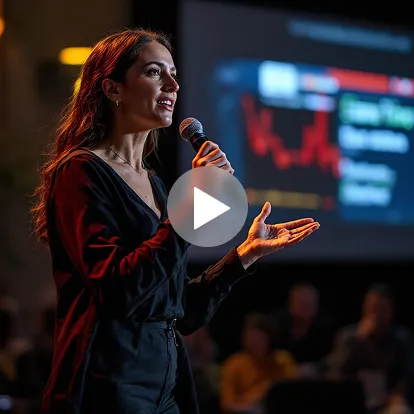
Multi-Image Sequencing & Transition Effects
Support sequential video construction from multiple images with natural transitions, fade-in/fade-out effects, and blur-stretch transitions for smooth narrative flow and dynamic storytelling.
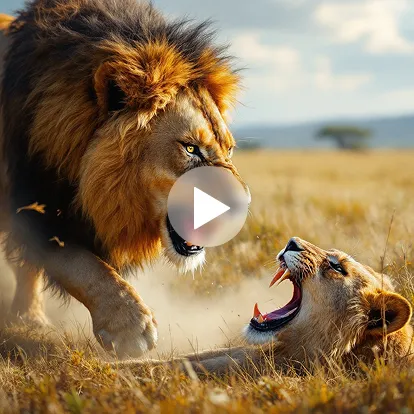
Dynamic Lighting & Visual Filters
Add AI-powered visual effects including flowing sunlight, flickering lights, nostalgic grain, and artistic filters to create more visually compelling and emotionally resonant video content.
AI Photo-to-Video: Transforming Static Images into Storytelling Powerhouses
Photo to Video gives every static image the ability to express stories, evoke emotions, and deliver impactful content, especially designed for non-professional users' creative expression.
No Video Shooting or Editing Experience Required
Simply upload photos and generate dynamic videos with one click. User-friendly operation suitable for all skill levels, making professional video creation accessible to everyone.
High Freedom Visual Control
Freely customize camera rhythm, transition styles, and filter effects to create personalized works. Full creative control over the final output with intuitive customization options.
Multi-Platform Size & Aspect Ratio Compatibility
Generate videos optimized for TikTok, Instagram, Bilibili, Xiaohongshu, and other platforms with proper dimensions and aspect ratios. No need for secondary cropping or resizing.
Typical Application Scenarios for AI Photo-to-Video Generator
Widely applied in content creation, social media sharing, brand marketing, and emotional commemoration, helping image content unlock new value and engagement potential.
Social Media Video Content Generation
Quickly transform life photos into short videos perfect for travel reviews, food records, daily vlogs, and lifestyle content. Boost interaction rates and viewing experience on social platforms.
Emotional Commemoration & Holiday Card Creation
Combine photos of family and friends into touching videos for birthdays, anniversaries, holidays, and special occasions. Convey emotional warmth and create meaningful digital keepsakes.
Brand Display & Product Image Animation
Transform brand product images, user-generated content, or static advertising materials into dynamic videos for e-commerce detail pages, social media ads, and promotional campaigns.
Photography Portfolio & Personal Promotion
Photographers can convert static portfolios into dynamic video showcases, increasing visual impact and appeal. Perfect for resumes, portfolio presentations, and professional exhibitions.
How to Use AI Photo-to-Video Generator
- Step1 Upload Your Photo
Select any image from your device (supports JPG, PNG, WEBP formats). Our AI works with portraits, landscapes, objects, and artwork.
- Step2 Choose Animation Style
Select your preferred motion effect and video duration. Preview different animation options to find the perfect style for your content.
- Step3 Generate and Download
Let AI create your video in seconds. Download in high quality and share across social platforms or use in your projects.

Explore More AI Video Tools
Discover additional AI-powered tools to enhance your video creation workflow and unlock new creative possibilities.
Try On AI


Video AI


Image AI


Free Tools


FAQs of AI Photo-to-Video Generator
More articles about AI Photo to Video Generator
Higgsfield AI Review: Cinematic AI Video Generation and AITryOn Workflow Guide
Read this Higgsfield AI Review for cinematic video generation, motion control, product-to-video workflows, prompt examples, limits, and AITryOn alternatives.
Seedance 2.0 for UGC Videos: Real Creator Scenarios, Better Prompts, and a Smarter Workflow
Create better UGC videos with Seedance 2.0 using real creator scenarios, detailed prompts, and a smarter workflow on AITryon.
How to Make Scroll‑Stopping Product Ads with AI UGC Maker on VirtualTryOn AI
Make scroll-stopping UGC product ads fast with VirtualTryOn AI’s AI UGC Maker—plus ready-to-use scripts and a workflow to scale winning hooks.
Virtual Try On AI Photo‑to‑Video Generator (2026): The Best Image‑to‑Video AI Explained
Animate any photo into a realistic clip with Virtual Try On AI. Compare Veo, Wan, Sora, Kling, and more to pick the best image-to-video AI in 2026.
How to Design the Best Halloween Costume for 2025 with AI
Create your dream Halloween 2025 costume using AI! Try on, design, and animate your spooky looks with AITryOn’s creative AI tools.
How to Use AITryon’s Photo to Video Tool with the Latest Video AI Models
Turn static photos into cinematic ads with AITryon’s Photo to Video tool. Access Veo3, Kling, and Higgsfield AI alternatives in one platform.
Bring Fashion to Life: How to Transform Fashion Image into Video with Try-On AI
Discover how to transform fashion images into stunning videos with virtual try-on AI. Instantly visualize outfits, styles, and scenes—perfect for brands, creators, and digital shoppers.
How to Create Impressive Videos Using AI Tryon Photo-to-Video Tool
AI Tryon has revolutionized the world of video creation by enabling seamless transitions from static images to dynamic video content.
AI Tryon Video Review: The Ultimate Photo to Video Solution?
Discover how Video AI Tryon transforms static photos into dynamic, cinematic videos with advanced AI-powered camera movements, lighting effects, and seamless transitions. Learn why this photo-to-video solution is ideal for creators and marketers seeking professional-quality videos without editing skills.