If you’ve ever watched a TikTok ad and thought, “Why does this simple, creator-style clip feel more convincing than a polished commercial?”—you’ve already understood the power of UGC.
UGC-style ads (user-generated content) work because they feel like a recommendation, not a billboard. The challenge is that real UGC takes time: hiring creators, shipping products, reshoots, and endless revisions.
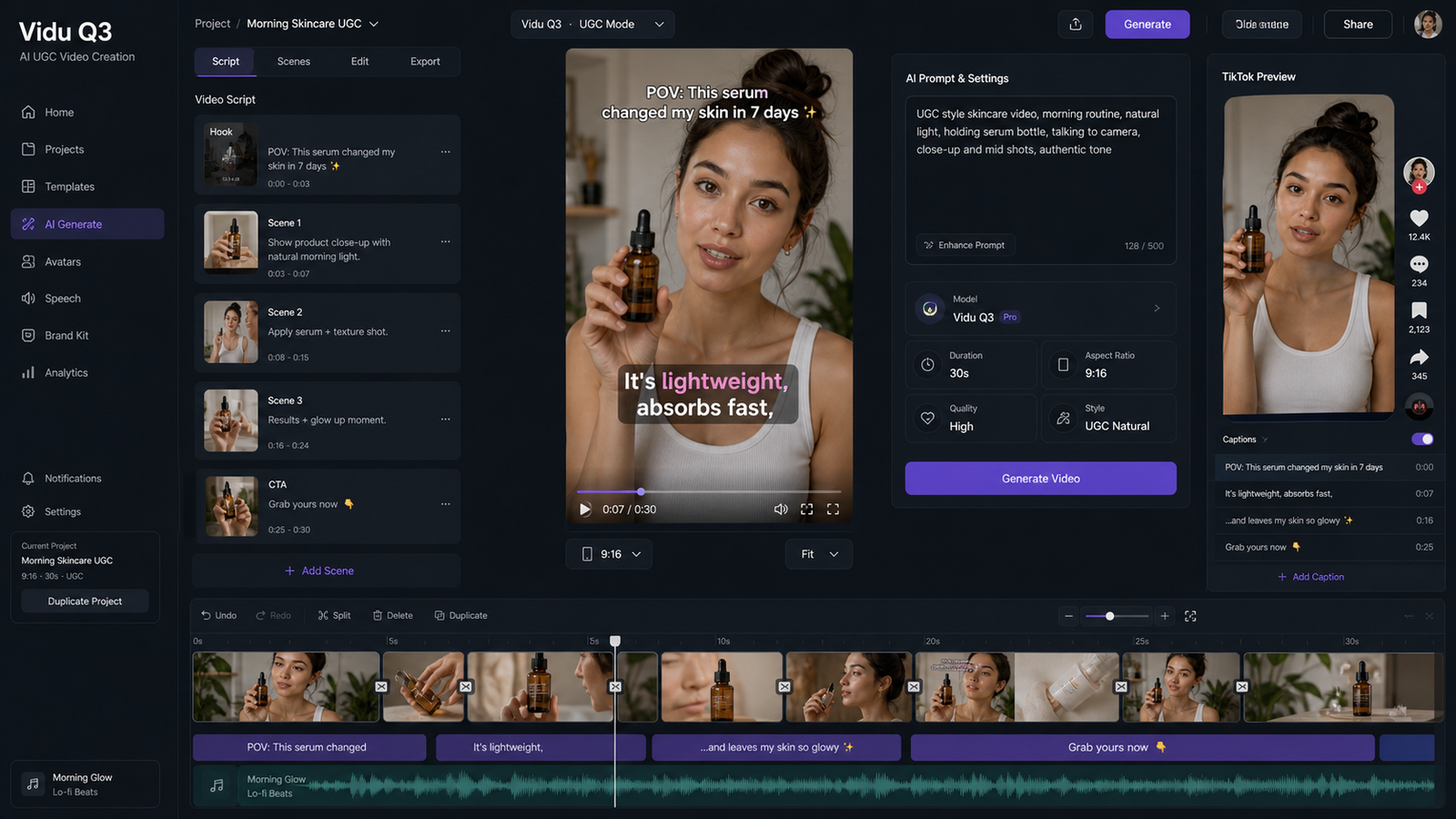
That’s where VirtualTryOn AI’s AI UGC maker comes in. It lets you generate UGC-style product ad videos faster—using an image, a script, and optional audio—so you can test more hooks, iterate quickly, and scale what works.
In this guide, you’ll learn a viewer-first workflow: how to plan your ad, how to generate it, and how to polish it so it feels native on TikTok/Reels/Shorts—plus a recommended “stack” of other VirtualTryOn AI tools for product ads.
Why UGC-Style Product Ads Convert (and What You’re Really Making)
When most people say “UGC ad,” they usually mean a short creator-style video that:
- opens with a hook in the first 1–2 seconds,
- shows a product benefit in plain language,
- feels like an honest recommendation,
- and ends with a simple call to action.
You’re not trying to make a movie. You’re trying to win a scroll.
That’s why a good video ads maker isn’t just about visuals—it’s about speed and iteration. You want something that behaves like an AI video ads maker and an online video ads maker at the same time: fast enough to produce variations, but controlled enough to keep the product message consistent.
And that’s exactly where a dedicated UGC maker shines.
What AI UGC Maker Is (In Plain English)
VirtualTryOn AI’s AI UGC maker is a tool for creating UGC-style product ad videos using:
- an image (your “current frame”),
- a script/prompt,
- and optional audio (upload your own or generate one).
The output is a creator-style clip you can use for ads, landing pages, product pages, or social.
Think of it as a UGC video maker that helps you create the format audiences trust—without starting from scratch each time.
Pick the Right Tool on VirtualTryOn AI (Quick Decision Guide)
Before we go step-by-step, here’s the simplest way to choose tools inside VirtualTryOn AI:
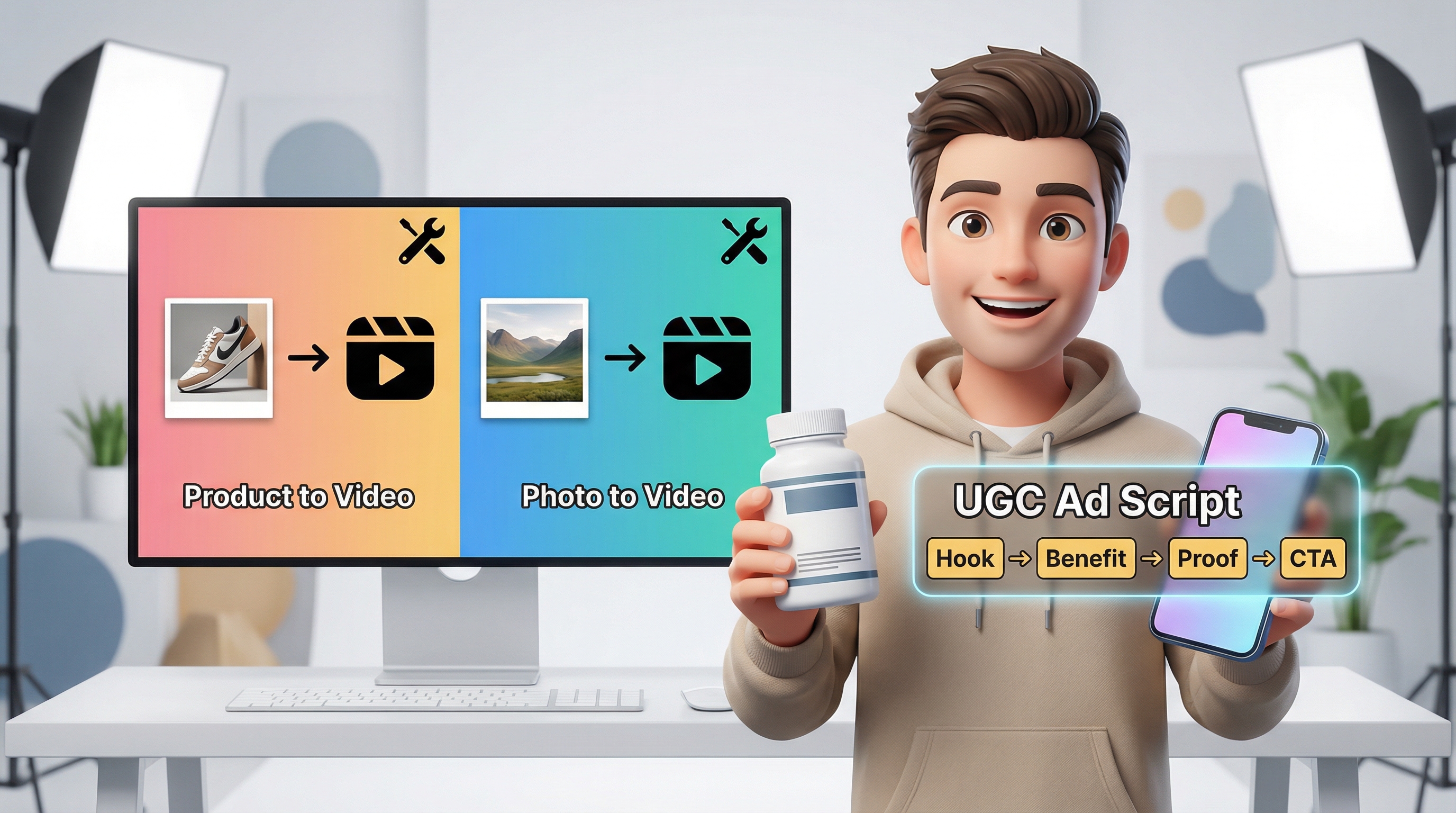
- Choose AI UGC maker when you want a speaking creator vibe: testimonial, review, explainer, objection-handling.
- Choose AI Product to Video when you want a product-focused scene with consistent style (great for product showcases).
- Choose Photo to Video when you want cinematic camera motion and atmosphere from a static image.
Quick comparison chart
| Tool | Best for | Output style | When to use it |
|---|---|---|---|
| AI UGC maker | Talking UGC ads | Creator testimonial vibe | “I tried this and…” / explainers / hooks |
| AI Product to Video | Product showcases | Product-first visuals | PDP ads, feature demo clips |
| Photo to Video | Cinematic motion | Camera moves & atmosphere | Brand storytelling, transitions, hero shots |
The best workflow usually combines tools: generate your strongest “product look” with try-on or product tools, then bring the best frame into UGC Maker.
What You Need Before You Generate (2-Minute Prep Checklist)
This tiny prep step saves you a lot of credits.
1) Pick your ad goal
Choose one:
- Acquire new customers (cold traffic)
- Retarget website visitors
- Drive a seasonal promo
- Launch a new product
2) Gather your assets
- 2–5 product photos (clean, high-res)
- 1 lifestyle image (optional but helpful)
- Any branding rules (tone, claims, forbidden phrases)
3) Write one clear claim + three benefits
Example:
- Claim: “Keeps white shoes bright in 60 seconds.”
- Benefits: faster, safer on materials, looks new.
4) Decide duration + platform
- 9:16 (TikTok/Reels/Shorts)
- 15s for testing, 30s for deeper explanation
Step-by-Step: Make a Product Ad Using AI UGC Maker
Open VirtualTryOn AI’s AI UGC maker and follow this simple process.
Step 1 — Choose your format (ratio + resolution)
Start with:
- 9:16 for short-form ads
- 540p or 720p for testing (faster iteration)
You can upscale later after the message works.
Step 2 — Upload the image (your “current frame”)
Use an image that makes the product easy to understand.
Best practices:
- clean subject silhouette
- good lighting
- minimal clutter
- product clearly visible
Step 3 — Add audio (optional)
You can:
- upload audio (if you already have a voiceover), or
- generate audio inside the tool.
If your ads are for social, consider making one “sound-on” version and one “caption-first” version.
Step 4 — Paste your prompt + script
Your prompt should include:
- the vibe (creator testimonial / unboxing / quick review)
- motion guidance (subtle breathing, blinking, gentle camera movement)
- what to keep consistent (product shape/logo, background)
- pacing markers (0–2s hook, 2–7s benefits, 7–12s proof, 12–15s CTA)
Step 5 — Generate → review → iterate (one change at a time)
This is the secret to scaling:
- Don’t change everything.
- Change one lever per run.
Best iteration order:
- Hook
- Offer/CTA
- Proof line
- Visual polish
Ready-to-Use Prompts and Scripts (Copy/Paste)
Below are paste-ready templates. Replace the bracketed parts like [PRODUCT] or [TARGET AUDIENCE].
Template 1 — The “I didn’t expect this to work” hook (15s)
Prompt + script:
“UGC creator-style product ad. Use the current frame. Add subtle camera movement (very slow zoom or gentle parallax) and natural micro motion (soft breathing, blinking). Keep the product and logo unchanged, same environment throughout, consistent lighting, no flicker.
0–2s HOOK: ‘I didn’t expect this to work, but…’ 2–7s BENEFIT: ‘This [PRODUCT] helped me [RESULT] in [TIME].’ 7–12s PROOF: ‘Look at this—[SHOW PROOF DETAIL].’ 12–15s CTA: ‘If you’re dealing with [PAIN POINT], try [PRODUCT]—link in bio.’
Caption style: short phrases, big readability, native social tone.”
Template 2 — “3 benefits in 8 seconds” (15s)
Prompt + script:
“Creator-style UGC ad. Slight zoom-in, gentle parallax, natural blinking. Consistent lighting, no flicker, keep product shape and branding crisp.
HOOK: ‘Quick review of [PRODUCT]—here’s why I’m keeping it.’ Benefit 1: ‘It [BENEFIT 1].’ Benefit 2: ‘It [BENEFIT 2].’ Benefit 3: ‘And it [BENEFIT 3].’ CTA: ‘I grabbed mine from the link—highly recommend.’”
Template 3 — Objection handler (great for retargeting)
Prompt + script:
“UGC testimonial vibe. Natural micro expressions, subtle head movement, stabilized handheld feel. Keep outfit and background consistent.
HOOK: ‘If you’re thinking “this is probably a scam,” I did too.’ REASON: ‘But I tried [PRODUCT] because [REASON].’ PROOF: ‘Here’s what changed: [MEASURABLE RESULT].’ CTA: ‘If you’re on the fence, just try it—link in bio.’”
Template 4 — Unboxing / first impression vibe
Prompt + script:
“UGC unboxing style product ad. Soft natural light, slight camera movement, micro motion. Keep product details sharp.
HOOK: ‘Okay, I finally got [PRODUCT]—let’s see if it’s worth it.’ FIRST IMPRESSION: ‘The first thing I noticed is [DETAIL].’ DEMO: ‘When you use it like this… [DEMO LINE].’ CTA: ‘I’m honestly impressed—link in bio.’”
Add this “tighten results” line to any prompt
Paste this at the end if things drift:
“Keep the same product appearance and branding throughout. Maintain one continuous scene with steady lighting (no flicker). Avoid warping, jitter, or sudden style changes.”
Make It Look Native (So It Doesn’t Feel Like an Ad)
Even great visuals can flop if the clip feels too “produced.” Here’s how to keep it native:
1) Write like a person
Avoid:
- “Revolutionary,” “best ever,” “life-changing”
Use:
- “I didn’t expect…”
- “I was skeptical…”
- “Here’s what surprised me…”
2) Keep on-screen text short
Think:
- 3–6 words per beat
- big readability
- safe zones (avoid the UI areas where platform buttons cover text)
3) Make a silent-friendly version
A lot of people watch with sound off.
Create one variant where the captions carry the message even without audio.
4) A/B test hooks like a machine
A simple testing batch:
- 5 hooks × 2 CTAs = 10 variants
Your winning hook is usually worth more than any visual upgrade.
Troubleshooting (Fast Fixes)
“The avatar looks stiff”
Add these phrases:
- “natural micro-expressions”
- “subtle head movement”
- “soft breathing and blinking”
“The product details drift”
Add:
- “keep product shape and logo unchanged”
- “branding must stay crisp and readable”
“The video feels slow”
Shorten your hook and add beats:
- 0–2s hook
- 2–7s benefits
- 7–12s proof
- 12–15s CTA
“It feels too much like an ad”
Make the language more casual:
- replace “buy now” with “I grabbed mine from the link”
- add one real reason or emotion (“I’m picky about…”, “I hate wasting money on…”)
Recommended Stack: Other VirtualTryOn AI Tools to Pair with AI UGC Maker
You’ll get the best results when you treat VirtualTryOn AI like a toolkit, not a single button.
Here’s a simple stack:
- AI Try On / Clothes Changer: generate realistic try-on visuals for fashion ads, then take the best frame into UGC Maker.
- AI Product to Video: build product-first showcase clips and feature demos.
- Photo to Video: create cinematic transitions, hero shots, and mood clips.
- Finish with AI UGC maker: turn your best visuals into a creator-style pitch that sells.
This is how you scale creative: product visuals + creator delivery.
Wrap-Up: Your Fast Workflow (Use This Every Time)
Here’s your repeatable recipe:
- Pick one goal (cold traffic vs retargeting).
- Choose one hook structure.
- Generate with AI UGC maker.
- Make 5 hook variants.
- Keep the winner and upscale/polish later.
If you want a fast video ads maker for UGC-style product clips that still feel natural and creator-made, this workflow is a strong place to start.
And once you’ve got a winning message, use the other VirtualTryOn AI tools to expand your creative library—product showcases, try-on visuals, and cinematic hero clips—then bring them back into your UGC pipeline.