Free Image to Image AI Generator: Create and Edit AI Images
Create AI images with AITryOn's Free Image to Image. Turn text prompts, outfit photos, product images, model references, styling concepts, poster ideas, and layout directions into high-quality visuals for fashion lookbooks, e-commerce campaigns, social media posts, try-on previews, readable poster layouts, thumbnails, design references, and brand marketing.
Supported formats: JPEG, JPG, WEBP, PNG
Free image generation
Your recent free generations are saved in this browser. For higher quality, more credits, and faster production workflows, use the full image generator.
Core Features of Free Image to Image AI Generator
Free Image to Image helps creators, fashion brands, designers, e-commerce sellers, marketers, and content teams create image-ready visuals from text or images, supporting prompt control, reference-guided editing, product identity guidance, layout exploration, and practical creative iteration.
Convert text prompts into AI images. Describe your subject, outfit, product, layout, style, background, audience, and campaign goal, then generate a polished visual.
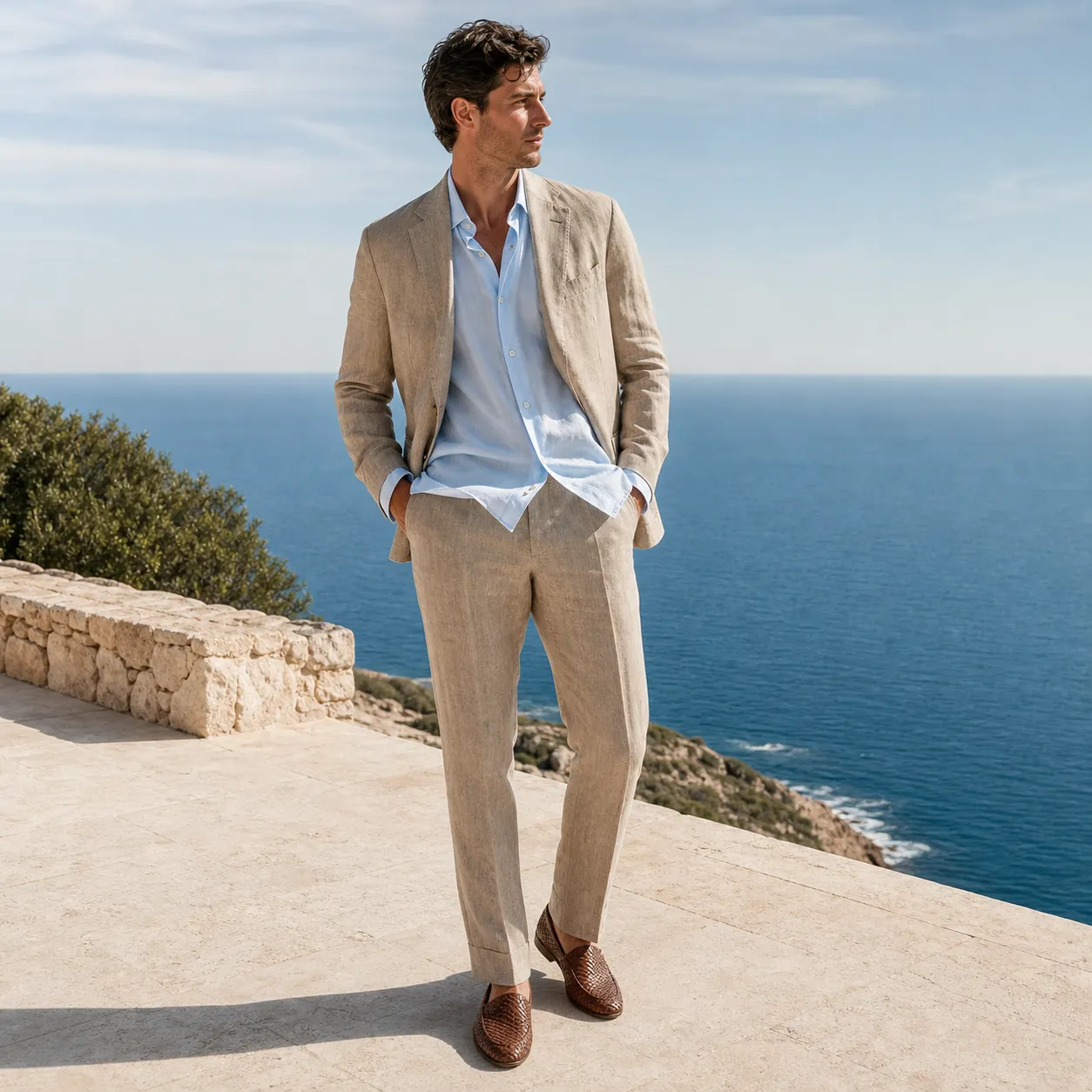
Use case: ads-marketing Asset type: free image-to-image landing-page example Primary request: Create a square high-end outdoor fashion lookbook photograph of one model wearing a sand-colored linen suit, pale blue silk shirt, and woven leather loafers on a bright limestone terrace above the sea. Style/medium: photorealistic editorial campaign photography. Composition/framing: full-body three-quarter pose, clean horizon, wind moving the shirt lightly, generous breathing room. Lighting/mood: clear Mediterranean morning, soft controlled shadows, calm quiet-luxury mood. Materials/textures: realistic linen wrinkles, silk sheen, limestone grain, natural skin texture. Constraints: one person only; no logos; no text; no watermark; natural hands and feet; no cropped footwear.
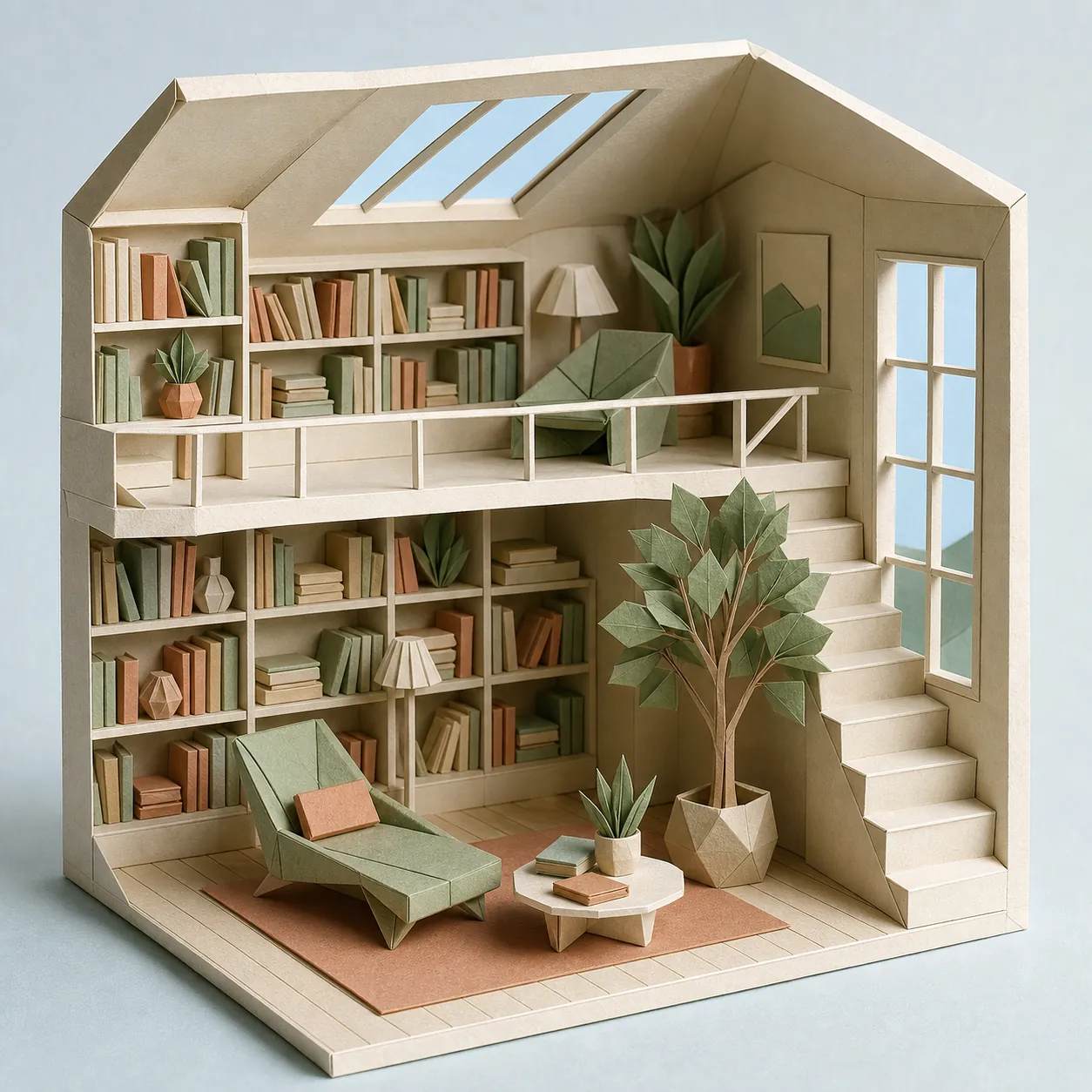
Use case: stylized-concept Asset type: free image-to-image landing-page example Primary request: Create a square architectural cutaway of a serene double-height reading room built entirely from folded paper. Scene/backdrop: open miniature room with folded-paper shelves, stairs, lounge chair, books, window frames, floor, and a small indoor tree. Style/medium: tactile paper sculpture photographed like a real handcrafted maquette. Composition/framing: front three-quarter isometric view; the complete room fits inside the frame. Lighting/mood: bright diffuse skylight with gentle fold shadows. Color palette: warm ivory, sage, muted terracotta, and pale sky blue. Constraints: visible paper fibers and crisp folds; no people; no text; no logos; no watermark; no plastic CGI look.
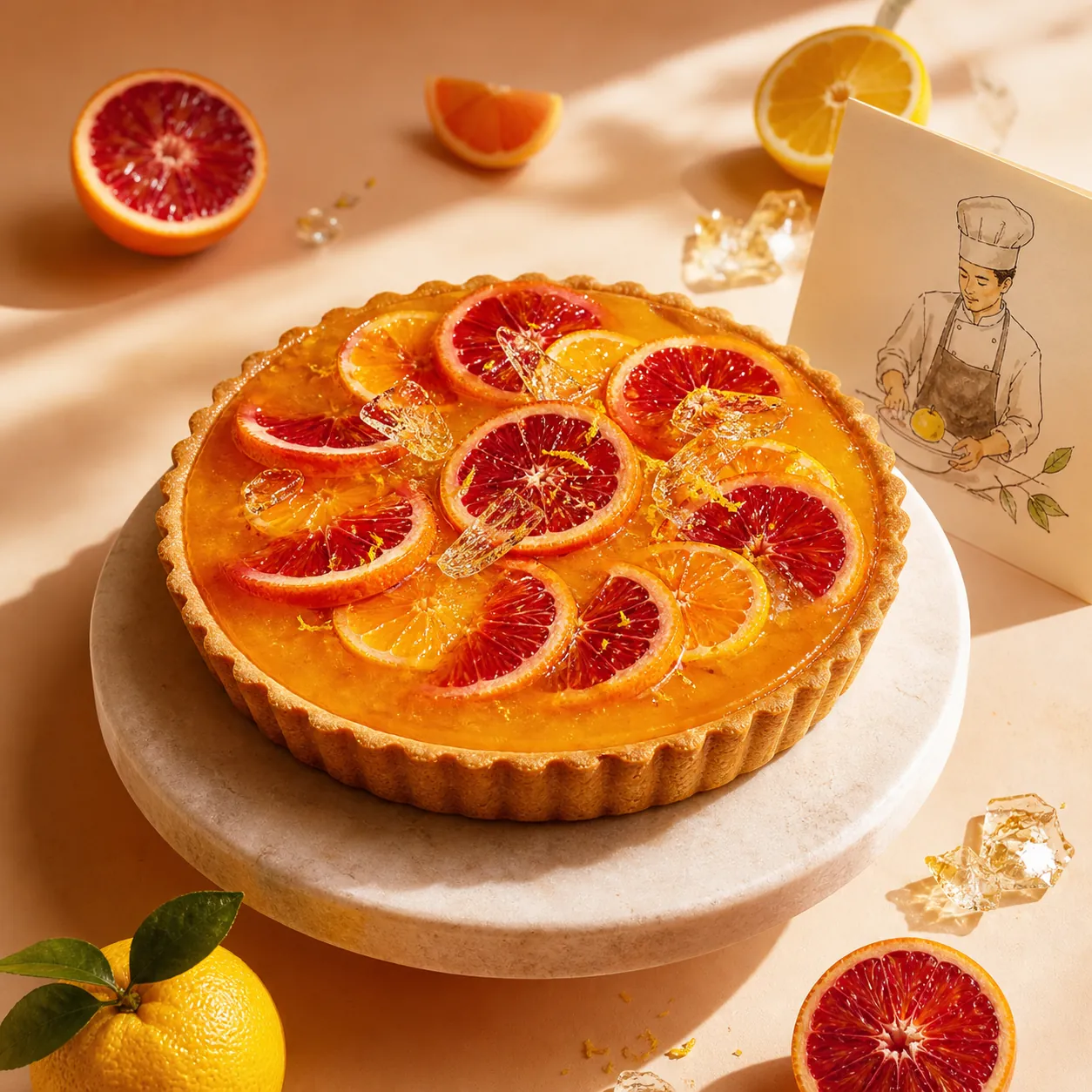
Use case: ads-marketing Asset type: free image-to-image landing-page example Primary request: Create a square premium food campaign for a glossy yuzu-and-blood-orange tart on a pale stone pedestal. Scene/backdrop: sunlit apricot studio with a few citrus slices, translucent sugar shards, and a small hand-painted chef illustration appearing on a folded recipe card beside the tart. Style/medium: luxury food photography combined with one restrained editorial illustration element. Composition/framing: tart centered as the unmistakable hero; clean circular ingredient rhythm; uncluttered edges. Lighting/mood: bright late-afternoon side light, appetizing highlights, soft cast shadows. Constraints: realistic pastry texture; no brand; no readable text; no extra food; no watermark.
Use image-to-image creation to transform clothing photos, portraits, product shots, brand references, or design assets into cleaner visuals with stronger composition and style.
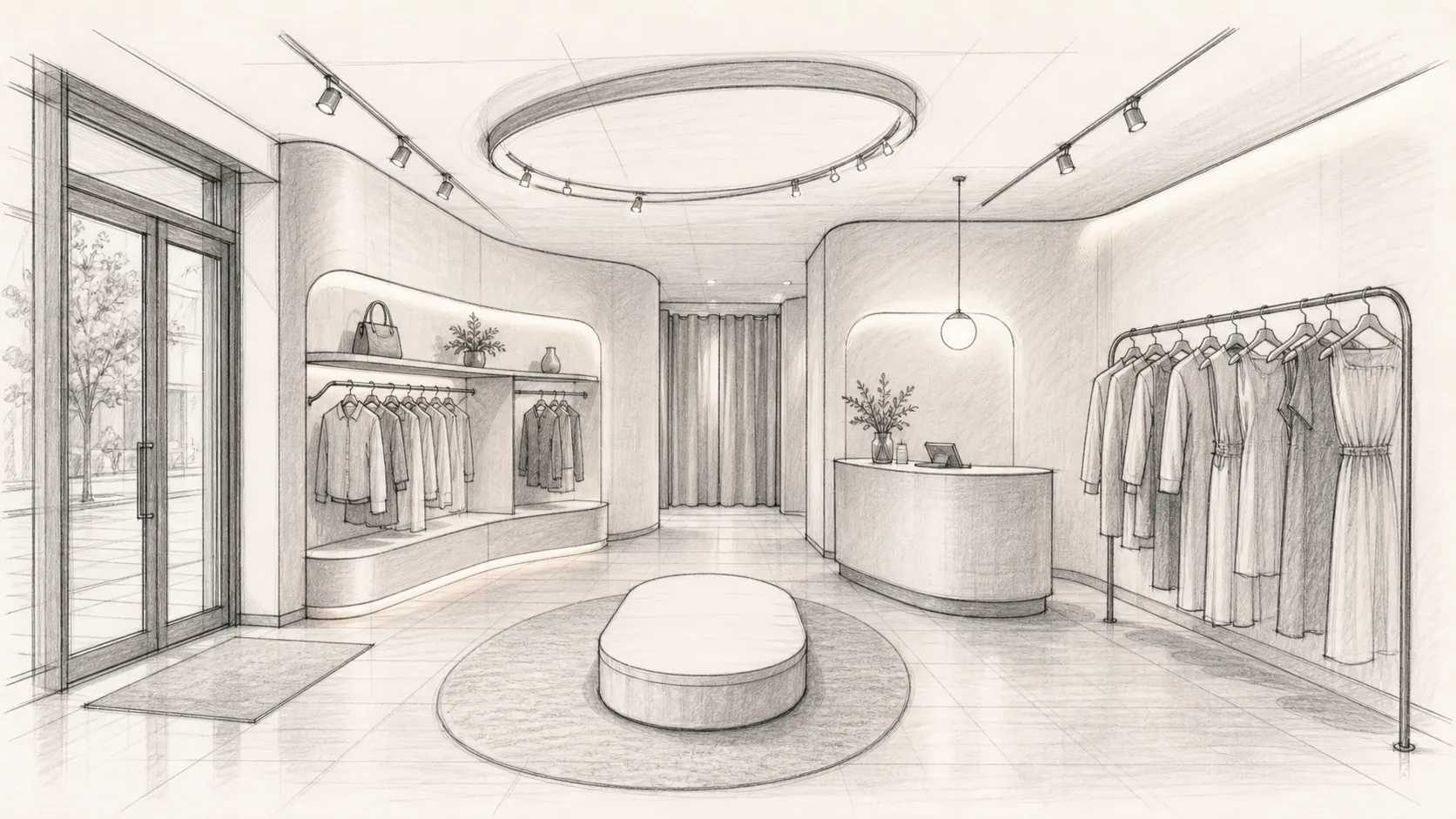
Use case: sketch-to-render Asset type: edit input for free image-to-image example Primary request: Create a clean 16:9 hand-drawn architectural concept sketch of a compact fashion boutique interior. Subject: front entry, curved display wall, central oval fitting platform, two clothing rails, cashier desk, and rear fitting-room curtain. Style/medium: professional graphite and light gray marker sketch on warm white paper, clear perspective construction lines. Composition/framing: eye-level wide interior perspective; all major zones visible and logically connected. Constraints: sketch only, no photorealism, no people, no logos, no text labels, no watermark.
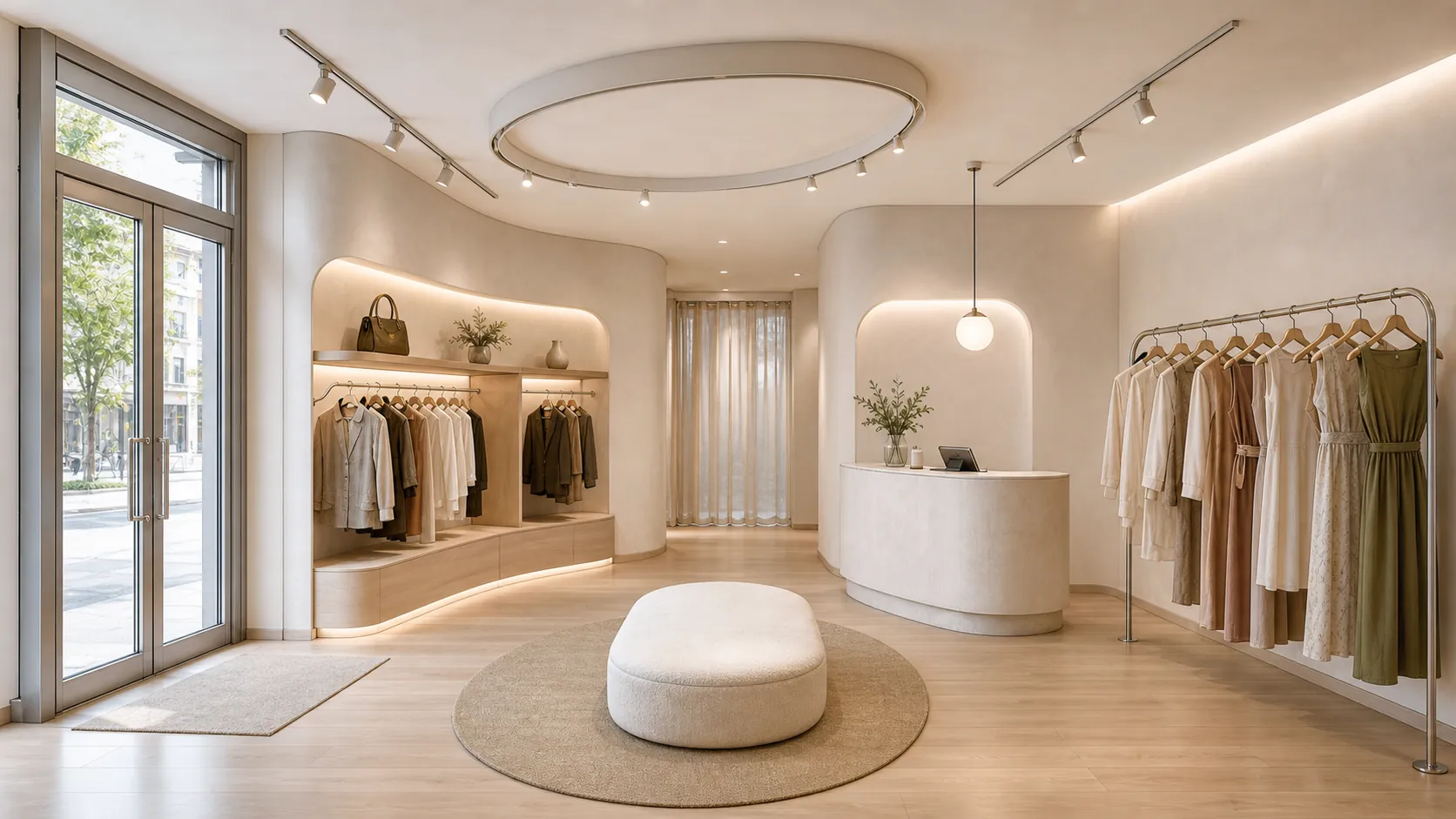
Use case: sketch-to-render Input images: Image 1 is the exact boutique-interior sketch to transform. Primary request: Turn the sketch into a photorealistic contemporary fashion boutique while preserving its layout, camera angle, room proportions, curved display wall, central oval platform, clothing rails, desk, and rear curtain exactly. Materials/textures: pale oak floor, limewash walls, brushed aluminum rails, cream boucle platform, translucent linen fitting curtain. Lighting/mood: bright natural daylight with warm recessed shelf lighting; calm premium retail atmosphere. Constraints: change only rendering, materials, lighting, and realistic merchandise; do not move architectural elements; no people; no logos; no text; no watermark.
Edit images for fashion posters, product mockups, labels, social visuals, and campaign concepts by refining text direction, background, layout, and visual mood through prompts.
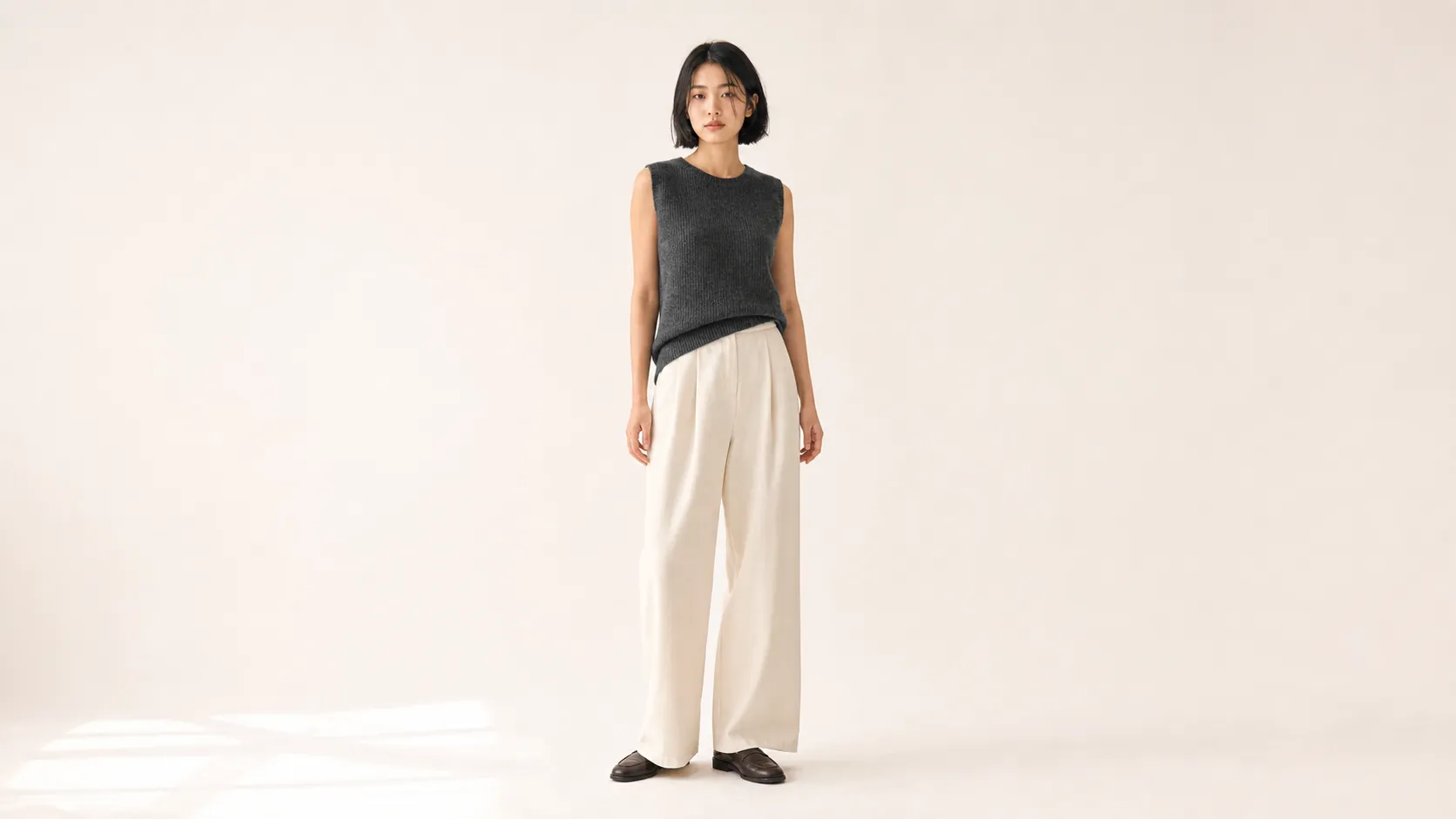
Use case: photorealistic-natural Asset type: edit input for free image-to-image example Primary request: Create a 16:9 full-body studio fashion photograph of one East Asian woman standing naturally against a warm off-white seamless backdrop. Subject: chin-length black bob, charcoal sleeveless knit top, ivory wide-leg trousers, dark brown loafers, relaxed neutral expression, arms resting naturally. Style/medium: realistic e-commerce editorial photography with natural skin and fabric texture. Composition/framing: full body entirely visible with generous space around the subject; eye-level camera. Lighting/mood: soft large-window light, subtle floor shadow, quiet and honest. Constraints: one person; anatomically natural hands and feet; no props; no text; no logos; no watermark.
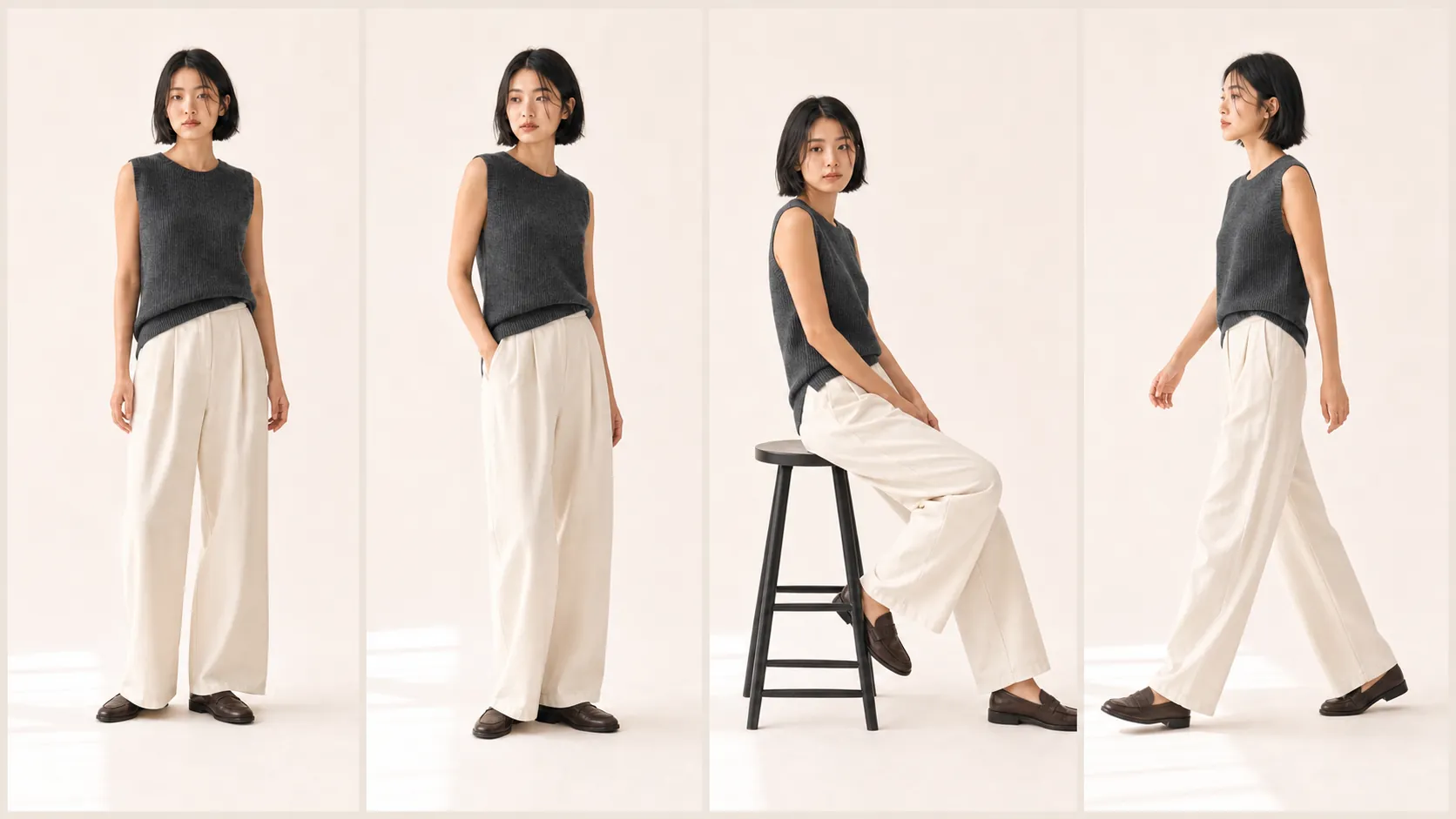
Use case: identity-preserve Input images: Image 1 is the exact person and outfit reference. Primary request: Transform the single studio portrait into a polished 16:9 four-panel fashion lookbook showing the same woman and exact outfit in four natural poses: front standing, three-quarter turn, seated side pose, and walking profile. Composition/framing: four equal vertical panels with thin warm-gray gutters; full outfit visible in every panel. Constraints: preserve the exact face, chin-length hair, age, skin tone, body proportions, charcoal knit top, ivory trousers, brown loafers, backdrop color, and lighting across all panels; no identity drift; no added accessories; no text; no logos; no watermark.
Core Advantages of Free Image to Image AI Generator
Free Image to Image provides an efficient and controllable AI image generation and editing experience for creators, fashion brands, and marketing teams, helping users produce attractive visual drafts faster while keeping layout goals focused.
Detailed Prompt Control
Describe the subject, garment, setting, lighting, layout, style, color, camera angle, poster text, label idea, or mockup direction to guide a more controlled image result.
Text-to-Image and Image-to-Image Creation
Start from a prompt or upload an image, then use AI to create polished visuals with flexible control over composition, style, product placement, and editing direction.
Flexible Layout and Ratio Options
Create images for square posts, portrait covers, fashion banners, thumbnails, posters, mobile layouts, and wide campaign scenes with platform-friendly visual planning.
Practical Creative Output
Use Free Image to Image for outfit concepts, marketing visuals, social posts, product mockups, storyboards, educational graphics, poster layouts, brand tests, and design previews.
Use Cases for Free Image to Image AI Generator
Free Image to Image on AITryOn supports fashion promotion, product visuals, social content planning, brand marketing, design exploration, readable layout concepts, and campaign visuals for modern AI image workflows.
Fashion and Product Campaign Visuals
Create outfit scenes, promotional graphics, packaging ideas, campaign visuals, ad concepts, and marketplace image drafts before moving into final design or photo production.
Social Media Content Planning
Generate consistent image ideas for posts, thumbnails, profile graphics, short-form covers, creator content, and audience-facing campaign images.
Design Mockups and Layout Testing
Explore poster layouts, clothing label ideas, interface-style visuals, brand mockups, and composition directions through prompt-guided generation.
Education and Presentation Design
Turn abstract ideas into illustrations, lesson visuals, slide graphics, diagrams, and explanatory images for clearer teaching, planning, and communication.
How to Use Free Image to Image AI Generator on AITryOn
Free Image to Image on AITryOn requires no design experience. Upload an image or start with text, describe the result you want, select an aspect ratio, and generate a new visual in seconds.
Step 1: Upload an Image or Start with Text
Upload reference images when you want to restyle, revise, or build from an existing visual. For a new image, you can begin with text alone.
Step 2: Describe Your Result and Select an Aspect Ratio
Describe what you want to create or change, including the subject, style, composition, background, lighting, and details to preserve. Then choose an aspect ratio that fits your intended use.
Step 3: Generate and Download Your Image
Click generate, review the result, refine your prompt or settings if needed, and download the final image for social media, product, presentation, or design use.
Explore More AI Image & Video Generation Tools
Discover more AI-powered tools to enhance your image and video creation workflow and unlock new ideas.
Try On AI


Video AI


Image AI


Free Tools


FAQs about Free Image to Image AI Generator
More Articles & Resources about Free Image to Image AI Generator
Start Using Free Image to Image AI Generator on AITryOn
Try higher quality generation