Seedream 5.0 AI Image Generator
Seedream 5.0 AI is ByteDance's next-generation AI image model featuring precise editing control, and intelligent logical reasoning. With enhanced visual expression and 2K/4K generation support, it empowers diverse creative workflows.
Introduction to Seedream 5.0 AI Image Generator
Seedream 5.0 AI combines precise editing control and intelligent logical reasoning, delivering up-to-date visual content with precise control and intelligent reasoning capabilities.
Main Features of Seedream 5.0 Image AI
Explore the powerful capabilities of Seedream 5.0 AI
Seedream 5.0 can generate images from text descriptions with real-time web search integration, supporting multiple styles and current information.
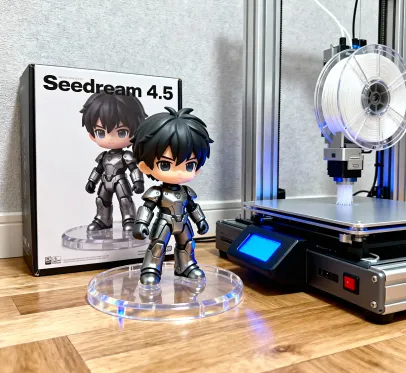
Transform the image into a collectible-grade figurine. Place a figurine packaging box behind it, featuring the figurine's design and the text "Seedream 4.5." Next to it, include a high-end 3D printer actively printing the figurine. In front of the packaging box, place a round plastic base for the figurine. The base should be made of PVC with a crystal-clear, semi-transparent appearance. The entire scene should be set in an indoor environment.
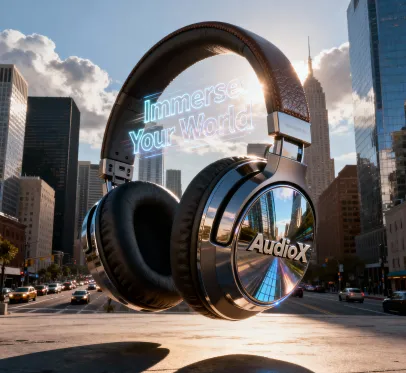
Ultra-realistic CGI shot featuring a large [over-ear headphones], seamlessly integrated into a realistic environment that reflects the product's characteristics, surrounded by natural elements that complement its design. Use dramatic lighting, meticulous textures, and cinematic composition to create a visually stunning and immersive scene that emphasizes the product's unique features.
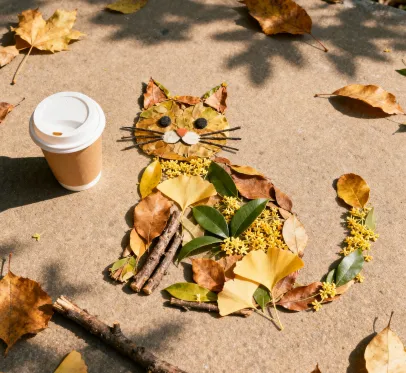
A young Asian woman gazes gently at the camera, holding a sleek smartphone in her hand. The camera focuses on her face and the phone, capturing delicate skin texture, soft lighting, and a warm, intimate mood. Shot with a shallow depth of field using a 50mm lens.
Seedream 5.0 offers precise editing control to add, replace, or remove specific areas while maintaining overall image structure.

Original

Add a pair of red over-ear headphones on the girl in the image.
Seedream 5.0 can transform images into different artistic styles with intelligent reasoning for complex compositions.
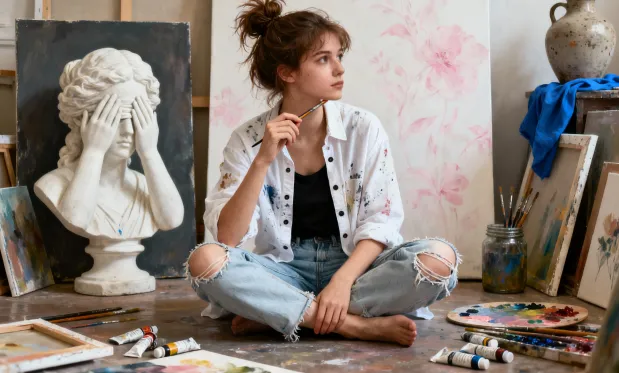
Original
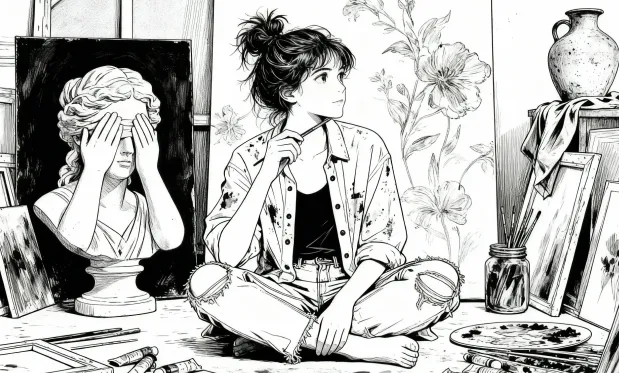
Turn portraits into bold, black-and-white line-drawn manga panels.
Core Advantages of Seedream 5.0 AI Image Generator
Seedream 5.0 offers improved prompt understanding, accelerated image generation, and more accurate, visually compelling results than previous versions.
Improved Prompt Understanding
Delivers better comprehension of user instructions, transforming both simple and complex prompts into visually accurate, meaningful images.
Faster Generation Speed
Significantly reduces image generation time, allowing for efficient creative workflows and quick turnaround for your ideas.
Enhanced Visual Accuracy
Yields images with higher fidelity, realistic details, and superior alignment with user intent—setting a new standard for visual results.
Application Scenarios for Seedream 5.0 AI Image Generator
Seedream 5.0 is ideal for news visualization, current event graphics, brand marketing with trending topics, and creative projects requiring up-to-date information.
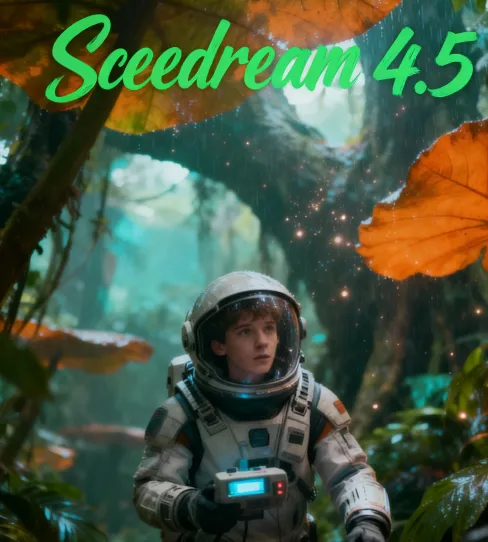
News & Current Event Visualization
Generate timely visual content for news articles, blog posts, and social media by leveraging real-time web search to incorporate current information and trending topics.
Brand Marketing with Trending Topics
Create marketing materials that reference current events, trends, and popular culture, ensuring your brand stays relevant and engaging with real-time context.
Educational Content with Current Data
Produce educational materials that incorporate the latest information, statistics, and developments, keeping learning content fresh and accurate.
Creative Projects with Complex Logic
Develop sophisticated visual compositions that require intelligent reasoning about spatial relationships, object interactions, and narrative coherence.
How to Use Seedream 5.0 AI Image Generator
- Step1 Input Your Prompt
Enter detailed text descriptions. Seedream 5.0 Lite will automatically search the web for relevant current information to enhance generation accuracy.
- Step2 Generate Image
Click 'Create' and wait as AI processes your prompt with real-time web data to generate high-quality, contextually relevant images.
- Step3 Download & Share
Preview generated images in 2K or 4K resolution, download for your projects, and share across platforms.

Explore More Advanced AI Tools for Image Generation
Discover additional AI-powered tools to enhance your image creation workflow and unlock new creative possibilities.
Try On AI


Video AI


Image AI


Free Tools


FAQs about Seedream 5.0 AI Image Generator
More articles about Seedream 5.0 AI Image Generator
Start with Seedream 5.0 AI Image Generator
Start Image Creation