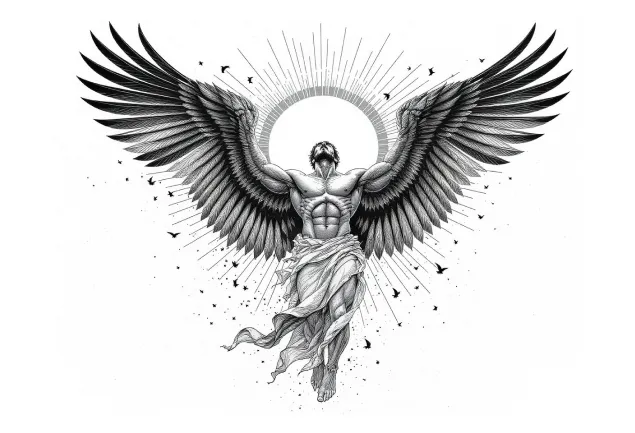
Create Unique Tattoos with AI Tattoo Generator
AI Tattoo Generator helps tattoo lovers design custom, unique tattoos in seconds. This tool allows you to easily experiment with various styles and placements. Whether for inspiration exploration, personalized customization, or marketing displays, it creates highly realistic visual effects, making online tattoo previews more authentic and intuitive.
Core Features of AI Tattoo Generator
AI Tattoo Generator supports one-click generation of personalized tattoo designs, compatible with text descriptions and image inputs, with multiple style switching options to help you get started quickly and easily create unique tattoo patterns.
Text-to-Tattoo Design Generation
Users simply need to input text descriptions (such as 'phoenix' or 'minimalist geometric lines'), and AI can generate multiple original design versions within seconds, supporting selection of size, style, color and other parameters.

Image-to-Tattoo Design Generation
Upload photos, sketches, or reference images, and AI will intelligently convert these images into tattoo designs (including detail rendering, style unification, etc.).
Customizable Styles
Supports multiple mainstream tattoo style selections, such as traditional, black and gray, minimalist, watercolor, geometric, tribal, Japanese, line art, etc. Users can freely switch styles according to their preferences.

User-Friendly Experience & Cross-Platform Support
Simple interface that can be used without drawing skills. Supports desktop and mobile operation, with most tools available for trial without registration for quick start.

Core Advantages of Our AI Tattoo Generator
Our AI Tattoo Generator utilizes advanced artificial intelligence technology to help both first-time users and professional designers achieve creative expression.
Text-to-Image Generation
Users only need to input keywords or descriptions, and AI can generate corresponding tattoo designs, eliminating the tedious process of hand-drawing sketches.
Diverse Style Options
Supports multiple tattoo styles such as traditional, minimalist, geometric, realistic, etc., meeting different users' aesthetic needs.
High-Resolution Output
Generated designs support high-resolution downloads, ensuring clarity for printing and tattooing.
Application Scenarios for AI Tattoo Generator
Using advanced AI algorithms to instantly generate various tattoo styles (such as minimalist, realistic, blackwork, Japanese, watercolor, etc.), supporting user-customized elements, sizes and colors, balancing inspiration exploration with professional implementation, suitable for personal design enthusiasts, tattoo studios and many other use scenarios.

Tattoo Inspiration Exploration & Initial Design
Perfect for those who want tattoos but are unclear about style or patterns. By inputting keywords (such as 'dragon', 'flowers', 'geometric') or uploading reference images, quickly generate multiple design possibilities to help determine direction.
Tattoo Artist Creative Assistance
Designers or artists can use AI Tattoo Generator for initial drafts for client reference or inspiration, saving significant hand-drawing time. AI Tattoo Generator can be used to quickly try multiple style variants (such as traditional, black and white, watercolor, etc.), then hand-polished or redrawn by artists.
Communication Bridge Between Clients and Artists
Clients can generate preliminary visual drafts to better communicate needs with artists, clarifying style, lines, and shadow effects.
Educational & Research Material Purposes
Tattoo training institutions, design schools, or tattoo art courses can utilize AI Tattoo Generator to explain differences between various tattoo styles and design processes, and provide case studies or teaching materials for tattoo design tutorials, blogs, or social media, thereby enhancing content appeal and user retention.
How to Use AI Tattoo Generator
- Step1 Choose Model
Select an appropriate model as the starting point for creating tattoos.
- Step2 Describe Your Desired Tattoo Image
You can use our random tattoo prompt generation feature and add other parameters such as tattoo image ratio, tattoo style, etc. to enrich generation details.
- Step3 Generate and Download Your Tattoo Design
Click the 'Generate' button to transform your creativity into actual tattoo designs. Once generation is complete, you can preview, adjust, and download the final design files.

Explore More AI Tools for your Tattoo Design projects
Discover additional AI-powered tools to enhance your image creation workflow and unlock new creative possibilities.


