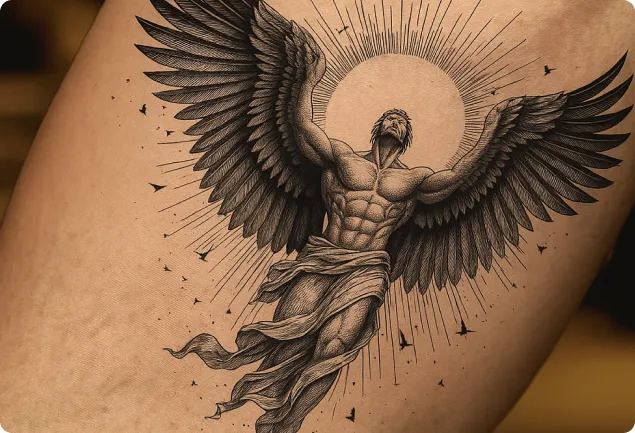
Virtual AI Tattoo Try On - Online Tattoo Simulator
Upload your photo and instantly preview realistic tattoos on any part of your body. Our AI tattoo visualizer lets you customize size, position, and style to find your perfect design before committing. Simply upload a photo, choose your desired tattoo style, and see it come to life in real-time through augmented reality technology. Perfect for everyone looking to experiment with different tattoo designs safely and confidently.
Core Features of AI Tattoo Try On
Through AI intelligent skin recognition technology, achieve highly realistic tattoo previews. The system can analyze user skin tone, texture, and body contours in real-time, precisely matching skin texture and lighting changes.
AI Intelligent Skin Recognition
Through AI algorithms, precisely analyze skin tone, texture, and body contours to create highly realistic tattoo preview effects that match authentic skin texture.

Real-time Tattoo Preview
No appointment needed - instantly view tattoo effects. Adjust position and size at any time for quick, intuitive feedback.

Natural Fusion Technology
Simulates real lighting and skin texture, allowing tattoos to naturally blend with skin without appearing abrupt, creating more realistic effects.
Precise Positioning Control
Flexibly adjust tattoo position and angle to easily achieve ideal placement effects.

Advantages of AI Tattoo Try On
With advanced AI technology, AI Tattoo Try-On achieves high-precision tattoo previews, perfectly reproducing tattoo details and colors, enabling users to intuitively experience tattoo effects before application, greatly improving communication efficiency and satisfaction.
High-Definition Output, Professional-Grade Display
Generate high-resolution preview images with one click, faithfully reproducing colors and details of real tattoos, providing powerful reference for communication between users and tattoo artists.
Privacy First, Data Security
All user photos are only used for temporary processing, strictly protecting personal privacy with enterprise-grade encryption standards for worry-free usage.
Realistic Light and Shadow Fusion Technology
AI algorithms automatically adapt to skin lighting, shadows, and textures, allowing tattoos to naturally blend with skin without appearing fake, floating, or abrupt.
Application Scenarios of AI Tattoo Try On
AI Tattoo Try On allows users to quickly generate tattoo designs through keywords or reference images and preview effects on skin in real-time, helping determine style and placement. It facilitates communication between clients and artists while providing convenient assistance for tattoo education and design.

Tattoo Inspiration Exploration & Initial Design
Perfect for those who want tattoos but haven't determined style or patterns. Users simply input keywords (such as 'dragon', 'flowers', 'geometric') or upload reference images, and the system quickly generates multiple design options to help lock in preferred directions.
Creative Assistance for Tattoo Artists
Designers or tattoo artists can use AI to generate initial drafts, providing reference and inspiration for clients while saving significant hand-drawing time. AI can quickly try different styles (traditional, black and white, watercolor, etc.), facilitating subsequent manual refinement or redrawing by artists.
Enhanced Communication Between Clients and Artists
Clients can express their ideas more clearly through AI-generated preliminary visual drafts, helping artists accurately grasp style, lines, and shadow details, promoting communication between both parties.
Educational and Research Material Support
Tattoo training institutions, design schools, and tattoo art courses can utilize AI tattoo generators to demonstrate different styles and design processes, enriching educational content. Also suitable for tutorial, blog, and media case materials, improving content appeal and user engagement.
How to Use AI Tattoo Try On
- Step1 Upload Photos
Upload photos of the tattoo design and body part as the starting point for creating your tattoo preview.
- Step2 Select Body Part
Choose the corresponding body part, or you can also customize prompt words for more specific targeting.
- Step3 Generate and Download Your Tattoo Try-On
Generate the tattoo try-on image and download it. Once generation is complete, you can preview, adjust, and download the final design files.

Explore More AI Image Tools for your Tattoo Design projects
Discover additional AI-powered tools to enhance your image creation workflow and unlock new creative possibilities.


