AI Product to Video: Product Video Generator
Transform your products into engaging video content with our AI-powered product video maker. Create captivating product showcase videos and marketing materials that drive customer engagement and conversions, while maintaining consistent style and narrative throughout the creative process.
Examples about Product to Video AI
AI Product to Video supports up to five reference images, maintaining visual consistency of characters and scenes, and generating high-quality animated short films with clear picture quality and unified style in seconds.

Core Features of Product to Video AI
Provides creators with full-process support from reference to generation, making work output more efficient while maintaining a unified style.
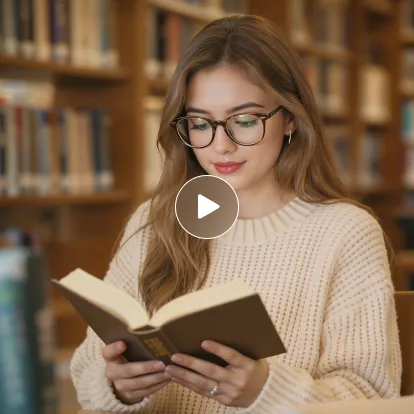
Pose and Motion Restoration
Captures character poses and motion trajectories from reference materials and accurately presents them in newly generated videos.

Style and Atmosphere Transfer
Learns the colors, lighting, and overall atmosphere from reference images, integrating them into new video works.

Scene and Detail Recreation
Intelligently generates similar scene layouts and detail expressions based on reference environmental elements.
Application Scenarios for Product to Video AI
Covers diverse needs from personal creation to professional content production.
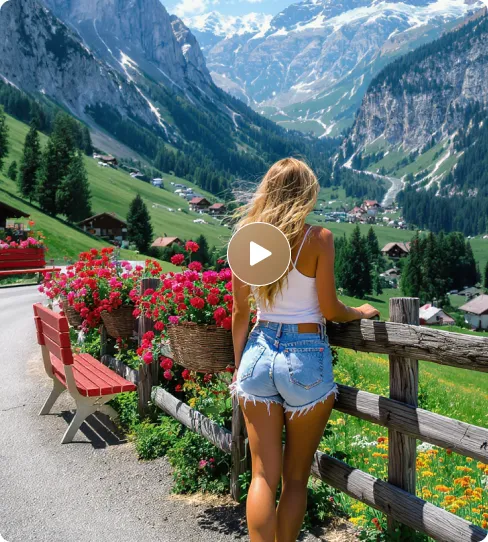
Dance and Motion Recreation
Generate coherent and consistent motion trajectories with reference videos, applicable to dance teaching or simulation and practice of stage performances.
Story Narration and Short Film Creation
Maintain narrative rhythm and visual atmosphere by imitating reference shots, thereby enhancing the expressiveness and immersion of short films.
Animation Production and Character Performance
Extract character motion characteristics and styles from reference materials for animation character creation or virtual character development.
Educational and Interactive Content Generation
Teachers or trainers can generate visual teaching materials based on character dialogues (such as doctor-patient communication, historical figure interactions), enhancing participation and memory effects in the learning process.
How to Use Product to Video for Product Video Maker
- Step1 Upload Images
Upload images - you can choose one image or multiple images.
- Step2 Enter Prompt and Select Video Ratio
Enter a prompt to connect the images together, then select the video ratio.
- Step3 Generate and Download
Click the generate button and watch your vision become reality. Once created, download it.

Explore the AI tools for product videos creation
Discover additional AI-powered tools to enhance your video creation workflow and unlock new creative possibilities.
Try On AI


Video AI


Image AI


Free Tools


FAQs of Product to Video AI
More articles about Product to Video AI
Higgsfield AI Video TikTok Ideas: Create Cinematic Short Videos with AITryOn
Create Higgsfield AI Video TikTok Ideas with AITryOn, including product demos, UGC ads, fashion clips, cinematic hooks, prompt examples, and review tips now.
Higgsfield AI Review: Cinematic AI Video Generation and AITryOn Workflow Guide
Read this Higgsfield AI Review for cinematic video generation, motion control, product-to-video workflows, prompt examples, limits, and AITryOn alternatives.
Best 10+ Kling 3.0 Video Generation Prompts: TryOn AI Workflow Guide
Copy 14 Kling 3.0 video prompts for TryOn AI, with TikTok UGC ideas, product video examples, fashion clips, workflow tips, and publishing checks for paid ads.
Is Happy Horse 1.0 Good for UGC Content? How to Make Ad Posters
See how Happy Horse 1 handles UGC ads, how it compares with ChatGPT Image 2, and how to create posters and short-form promo content.
Seedance 2.0 for UGC Videos: Real Creator Scenarios, Better Prompts, and a Smarter Workflow
Create better UGC videos with Seedance 2.0 using real creator scenarios, detailed prompts, and a smarter workflow on AITryon.
How to Make Scroll‑Stopping Product Ads with AI UGC Maker on VirtualTryOn AI
Make scroll-stopping UGC product ads fast with VirtualTryOn AI’s AI UGC Maker—plus ready-to-use scripts and a workflow to scale winning hooks.
AITryOn’s Product to Video Tool – The Best Higgsfield AI Alternative
Create stunning product clips with AITryOn, the best Higgsfield AI alternative. Fast, easy, and AI-powered video generation for brands.