Kling 3.0 video prompts work best when they read like a mini production brief: one subject, one clear action, a camera move, lighting, mood, audio direction, and the right format. This guide shows creators, marketers, fashion sellers, product brands, UGC creators, and short-video editors how to use the Kling 3.0 AI video generator on TryOn AI for social videos, product demos, fashion try-on clips, cinematic scenes, TikTok ads, and image-to-video workflows.

Current-source note: this guide uses publicly visible TryOn AI workflow details checked on May 27, 2026. AI video quality, model access, pricing, credits, commercial usage, audio options, watermark rules, public/private settings, and export behavior can change, so verify current platform details before publishing or running paid ads.
Quick Summary: What Kling 3.0 Is Useful For on TryOn AI
Kling 3.0 is useful when a short AI video needs clear motion, cinematic framing, and social-ready composition. On TryOn AI, it fits prompt-first videos, image-to-video clips, product demos, fashion scenes, UGC-style ads, storytelling shots, and vertical short-form content. The strongest results usually come from prompts that describe exactly what should move and what should stay consistent.
For creators, Kling 3.0 is a practical model to test when you need more than a static product image or fashion photo. A skincare bottle can get a slow camera push-in, a sneaker can rotate under studio lighting, a creator can demonstrate a product in a kitchen, and a fashion model can turn naturally so fabric movement is visible. The goal is not to ask the model for "a viral video." The goal is to direct a short scene clearly enough that the model can follow it.
TryOn AI is a good fit because the site connects Kling 3.0 with related workflows: a TikTok video generator for vertical social clips, an AI product video generator for product images and ecommerce demos, and Kling Motion Control for creators who want more direction over movement. That makes TryOn AI especially useful when your content calendar includes fashion, product, UGC, TikTok, and image-to-video experiments.

How to Use TryOn AI for Kling 3.0 Video Generation
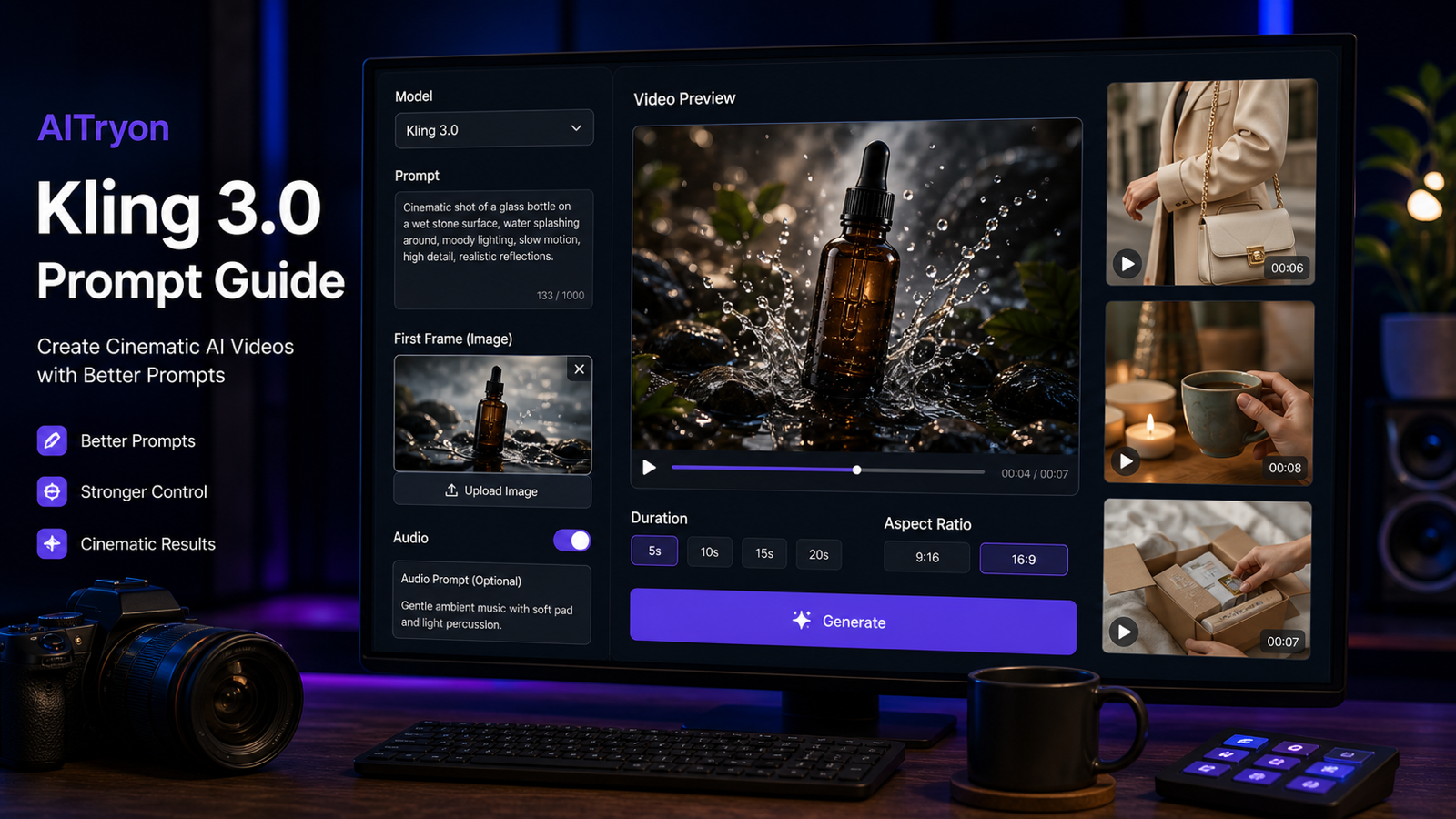
The best TryOn AI workflow is simple: choose Kling 3.0, add a prompt or source image, set the output details, generate, then refine based on what actually appears. TryOn AI’s Kling 3.0 page visibly supports text/image-to-video inputs, model selection, prompt enhancement, optional audio, start and end frame uploads, duration controls, public generation settings, and generation credits. The exact options may change, but the workflow logic is stable.
Use this process:
- Open the Kling 3.0 model page on TryOn AI.
- Choose Kling v3.0 Standard or the available Kling 3.0 option shown in the model selector.
- Upload a product image, fashion image, first frame, or end frame when visual consistency matters.
- Write a prompt with scene, subject, action, camera, lighting, mood, audio, format, and CTA.
- Enable audio only when it supports the clip, such as ambience, product sound, or subtle music.
- Set duration and ratio based on the channel: 9:16 for TikTok/Reels/Shorts, 16:9 for YouTube or website embeds, and 1:1 for square social placements when available.
- Generate the clip, then review subject consistency, motion smoothness, composition, artifacts, audio, and export quality.
- Refine the prompt by simplifying the action, tightening camera direction, or using a clearer first frame.
For product and fashion sellers, the image upload step is often the difference between a useful clip and a generic scene. If the product, outfit, accessory, or packaging must stay recognizable, start with an image. If the scene is fictional or cinematic, a text prompt may be enough.

Reusable Kling 3.0 Prompt Formula for Better AI Videos
A strong Kling 3.0 prompt should separate creative direction from output settings. This helps the model understand the scene before it tries to animate motion, camera, and mood. It also makes your prompt easier to revise when the first result is close but not final.
Copy this formula:
Create a [duration] Kling 3.0 AI video for [use case]. Scene: [subject] in [setting]. Action: [one clear movement or event]. Camera: [slow push-in / orbit / handheld / close-up / overhead / tracking shot]. Lighting: [natural / studio / cinematic / neon / warm / dramatic]. Mood: [UGC / luxury / emotional / playful / cinematic / educational]. Audio: [ambient sound / voiceover / product sound / subtle music / no dialogue]. Format: [9:16 / 16:9 / 1:1]. Keep motion smooth, subject consistent, and composition clean.
Use the formula as a checklist, not a sentence-length contest. A short, specific prompt is usually better than a long prompt that asks for many scene changes. For example, "a creator turns on a lamp, adjusts brightness, then places it beside a book" is clearer than "show every possible feature of the lamp in a dynamic lifestyle video."
For Kling 3.0 text to video prompts, make the scene visually self-contained. For a Kling 3.0 image to video workflow, add preservation language such as "keep the product shape consistent," "preserve outfit details," or "use the uploaded image as the first frame."

14 Copy-to-Use Kling 3.0 Video Prompts
Use these Kling 3.0 video prompts as starting points for TryOn AI. Replace the product, setting, mood, CTA, and ratio based on your brand or channel. If you are using a real product, upload a clean product image or first frame first, then paste the prompt and ask the model to preserve the product shape and composition.
1. Skincare Serum Product Video
Create a 9:16 Kling 3.0 product video for a skincare serum. The bottle sits on a marble bathroom counter with soft morning light and water droplets. Camera slowly pushes in while steam moves gently in the background. Luxury but natural mood, subtle ambient sound, clean caption space.
Best for beauty brands, landing-page teasers, and paid social tests. Avoid medical or guaranteed skin-result claims unless your product team can substantiate them.
2. Portable Blender TikTok UGC Ad
Create a TikTok-style UGC video for a portable blender. A creator adds fruit and milk, blends quickly, pours the smoothie into a glass, and smiles at the camera. Handheld phone-camera style, bright kitchen lighting, realistic motion, cheerful social ad mood.
Best for a TikTok product video generator workflow where the product action is simple and visual.
3. Futuristic Sneaker Product Commercial
Generate a cinematic sneaker product video. A futuristic sneaker rotates on a dark studio platform, blue rim lighting, reflective floor, slow orbit camera, smooth motion, premium commercial style, no readable brand text.
Best for ecommerce hero clips, sneaker concepts, and premium product showcase tests.
4. Fashion Try-On Video
Create a fashion try-on video. A model stands in a minimalist studio, turns slowly toward the camera, and the outfit fabric moves naturally. Soft studio lighting, elegant editorial mood, realistic body movement, preserve clothing consistency.
Best for fashion sellers and styling content. Upload a clean outfit image when garment details matter.
5. Desk Transformation YouTube Shorts Clip
Create a YouTube Shorts-style desk transformation video. A messy workspace becomes clean and organized as notebooks, keyboard, and coffee are arranged neatly. Overhead camera, satisfying quick cuts, natural daylight, calm productivity mood.
Best for productivity creators, faceless channels, and social B-roll packs.
6. Perfume Product Reveal
Generate a perfume product reveal. A perfume bottle sits on a reflective surface with soft flower petals around it. Slow camera tilt, pink and gold lighting, elegant luxury mood, subtle sparkle sound, clean composition, no readable brand text.
Best for a premium AI product video generator workflow where the bottle shape and mood carry the clip.
7. Travel Memory Scene
Create a travel memory video. A person stands beside a mountain lake at sunset, jacket moving slightly in the wind, slow push-in camera, cinematic color grading, emotional atmosphere, soft natural ambience.
Best for travel reels, storytelling intros, and personal-brand content.
8. Pet Product UGC Video
Create a pet product UGC video. A pet owner gently brushes a calm dog on the living room floor. Show the brush, loose fur, and a happy pet moment. Warm home lighting, realistic handheld camera, friendly social ad mood, avoid medical claims.
Best for pet care brands. Keep claims modest and review ad policy before using the clip in paid campaigns.
9. Coffee Lifestyle Video
Generate a coffee lifestyle video. A hot coffee cup sits on a wooden cafe table while steam rises and sunlight moves across the surface. Slow cinematic pan, warm lifestyle mood, soft cafe ambience, realistic steam motion.
Best for lifestyle brands, cafe social posts, newsletter visuals, and warm B-roll.
10. Portable LED Lamp Product Tutorial
Create a product tutorial video for a portable LED lamp. A creator turns on the lamp beside a book, adjusts brightness, and moves it from desk to bedside table. Warm lighting, soft shadows, clear product action, cozy nighttime mood.
Best for ecommerce demos because the action shows the product benefit without overexplaining.
11. Cinematic Story Scene
Create a cinematic story scene. A young traveler opens an old map under a streetlamp at night, light rain falling, camera slowly circles, moody city background, realistic reflections, quiet ambient sound, film trailer mood.
Best for narrative creators, moodboards, trailer-style intros, and visual storytelling tests.
12. Phone Stand UGC Demo
Generate a UGC video for a phone stand. A student places the stand beside a laptop, adjusts the angle, and joins a video call. Natural study-room lighting, close-up product shots, casual creator pacing, friendly voiceover style.
Best for simple utility products where the use case is more persuasive than a dramatic cinematic shot.
13. Fashion Accessory Mirror Clip
Create a fashion accessory video. A creator tries on a necklace in front of a mirror, adjusts the pendant, and smiles naturally. Soft bedroom lighting, handheld phone-camera style, clean close-up, elegant but realistic mood.
Best for jewelry sellers, affiliate creators, and short product try-on posts.
14. Matcha Food Video
Generate a short food video. Matcha pours into milk over ice, the creator stirs slowly, and condensation forms on the glass. Close-up camera, bright natural light, satisfying liquid motion, gentle kitchen sounds.
Best for food creators, cafe promotions, and sensory short-form content.
These examples cover product showcases, UGC, cinematic storytelling, fashion, food, travel, and productivity. For stronger Kling 3.0 AI video examples, keep the first generation as a draft, then revise based on the visible failure: product drift, weak camera movement, unnatural hands, inconsistent clothing, or too much scene change.

Prompt Refinement Tips for Kling 3.0 AI Video Examples
Refinement is where most creators get better results. If the first output is not usable, do not simply regenerate the same vague prompt. Change one variable at a time: action, camera, source image, ratio, audio, or motion complexity.
Use these fixes:
- If the product changes shape, upload a clearer product image and write "preserve the product shape, color, and key details."
- If the clip feels chaotic, reduce the prompt to one action and one camera move.
- If the subject leaves the frame, specify "center-framed composition" or "keep the product in the middle third."
- If the model invents garbled text, write "no readable brand text" and add captions later in an editor.
- If UGC feels too polished, ask for "natural handheld phone-camera movement" and "casual creator pacing."
- If motion looks stiff, describe one physical motion such as pouring, turning, opening, brushing, rotating, walking, or adjusting.
- If audio distracts, use ambient sound or no dialogue, then add final voiceover during editing.
For ads, build variants deliberately. One version can use a close-up, another can use a handheld creator demo, and another can use a clean product-only studio shot. TryOn AI’s broader AI video generation workflow helps when you need several concepts before choosing a final ad direction.

TryOn AI Workflows for TikTok, Product Videos, Fashion Sellers, and Motion Control
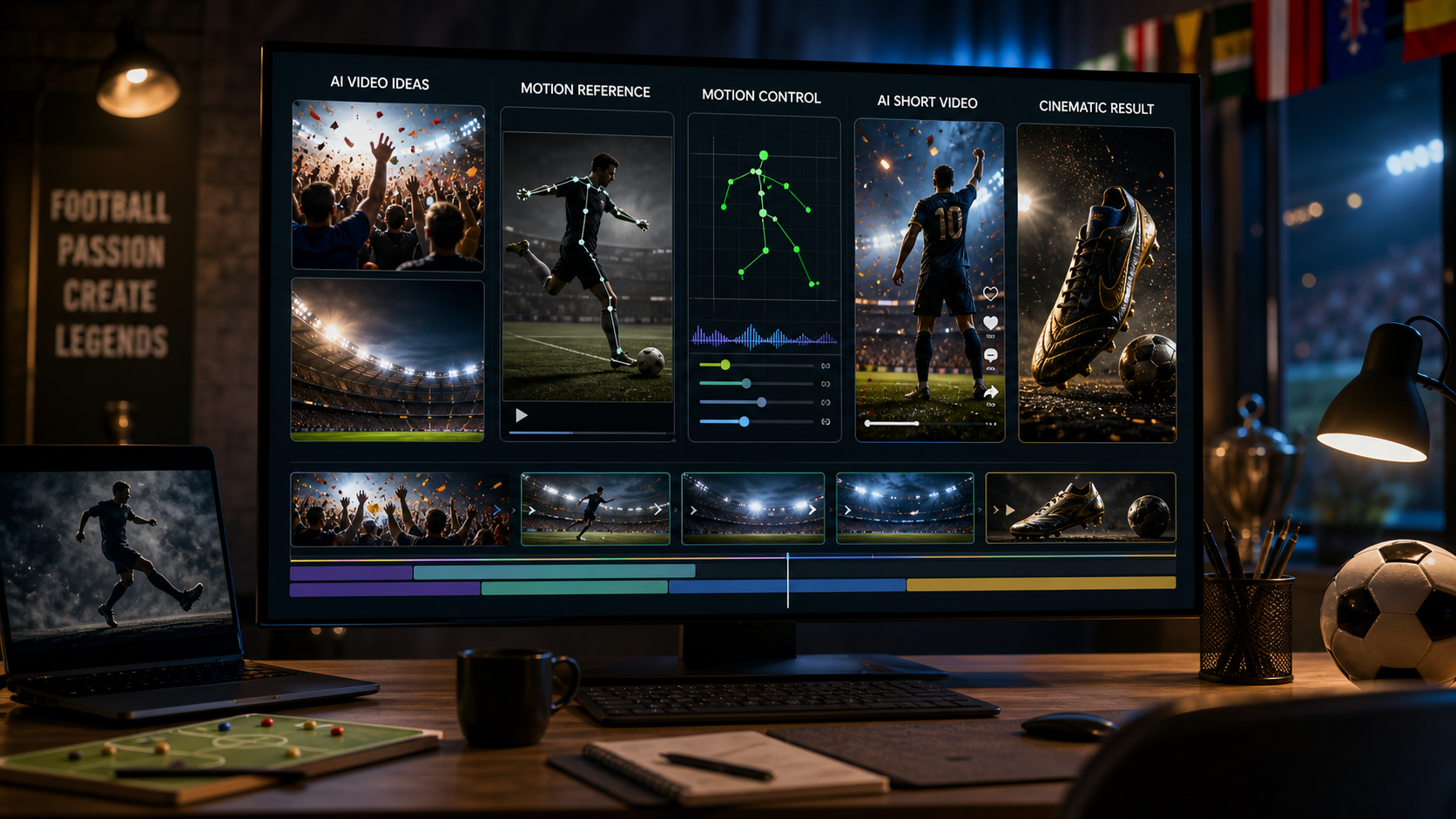
AITryon is strongest when you match the page to the job. Use the Kling 3.0 model page when you want general cinematic or prompt-driven generation. Use the AI TikTok video generator when the output needs to feel vertical, social, and short-form. Use the AI product video generator when a product image should become a clean ad or ecommerce video. Use Kling Motion Control when direction and movement are the center of the prompt.
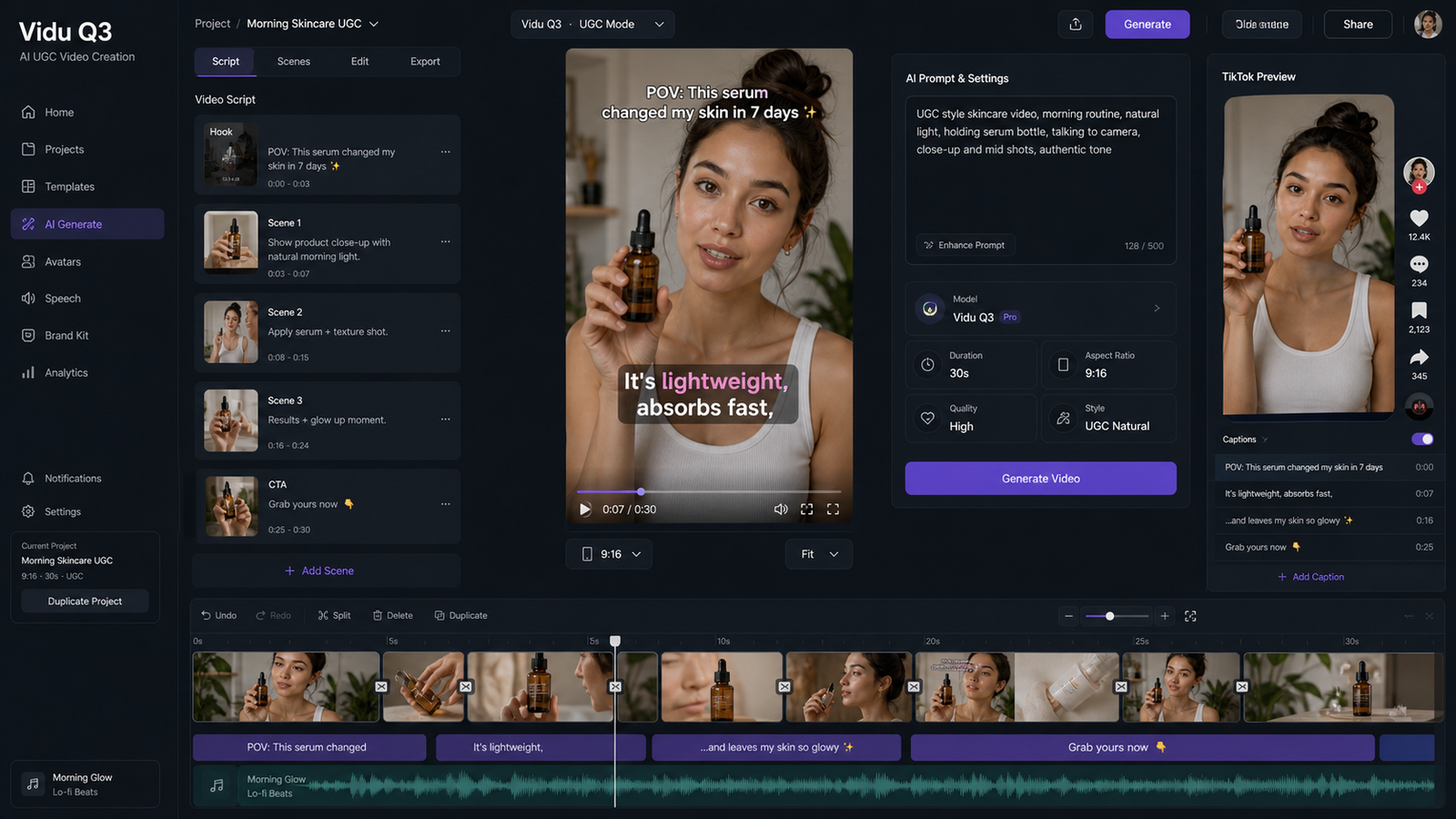
For TikTok and UGC, prompt like a creator shot the clip on a phone. Use language such as "handheld," "natural room light," "casual pacing," "short social ad energy," and "clean caption space." This helps the output feel closer to a social post than a polished studio commercial.
For product ads, keep the product visible and the action simple. A lamp turns on, a blender blends, a phone stand adjusts, a perfume bottle rotates, or a skincare bottle sits in soft morning light. Product prompts fail more often when they ask for too many angles, too much text, or too many features in one short clip.
For fashion sellers, start with a clean image when possible. Ask for fabric movement, realistic body motion, and outfit consistency. Avoid prompts that require complex wardrobe changes unless you are testing a transition concept and can tolerate visual artifacts.
For cinematic storytelling, use setting, action, camera, weather, lighting, and sound. A traveler opening a map under a streetlamp is stronger than "make a dramatic travel video." Kling 3.0 can be expressive, but it still needs direction.

Publishing Checks: Rights, Claims, Audio, Ads, and Privacy
Treat every AI video output as a draft until it passes publishing review. AI video quality can vary by prompt, model version, source image, resolution, and motion complexity. A clip can look strong visually and still be unsafe for paid ads if it implies a false product claim, uses unclear audio rights, exposes a private upload, or violates platform rules.
Before posting or running ads, check:
- Commercial usage rights for the current TryOn AI plan and selected model.
- Rights to uploaded product photos, fashion images, faces, packaging, logos, and reference frames.
- Product claim accuracy, especially for beauty, health, fitness, finance, pets, children, and before-and-after content.
- Audio and music rights, including generated sound, uploaded tracks, voiceover, and platform music.
- Ad platform rules for TikTok, Instagram, YouTube, Meta, Google, and marketplace placements.
- Public/private generation settings before uploading sensitive product or creator assets.
- Watermark, resolution, export format, and file quality for the intended placement.
- AI disclosure rules for your platform, region, client, or brand policy.
This is especially important for an AI video tool for product ads. Use TryOn AI to test and iterate, but review the final clip like you would review filmed footage: product accuracy, claims, faces, hands, background objects, captions, sound, rights, and platform fit.

Recommended Articles for More Kling 3.0 and AI Video Workflows
Use these related articles when you want to compare Kling 3.0 workflows, improve prompts, or build a broader short-form production system.
Related articles:
- Kling AI 3.0 Video Generator: New Features, 1080p Cinematic Results, and a UGC Workflow
- AI TikTok UGC Video Maker: TryOn AI Prompt Templates and Workflow
- From Prompt to Direction: How Higgsfield and Kling 3.0 Are Changing AI Video
- AI Tryon Photo-to-Video: Transform Images into Stunning Videos
- How to Use Veo 3.1 to Generate Stunning AI Try-On Videos
- Virtual Try On AI Photo-to-Video Generator 2026: Model Guide, Pricing, and Best Picks
People also read:
- Kling 3.0 AI Video Generator Guide: How to Create Cinematic Clips on VideoWeb AI
- Kling 3.0 UGC Video Generation Guide: Prompt, Audio, and Ad Variants
- Kling 3.0 Review: Is It the Best AI Video Generator Yet in 2026?
- Kling 3 API Guide: Standard vs Pro, Pricing, and How to Use It on Flaq AI
- How to Use HeyDream AI's Text-to-Video Generator: Model Comparison, Prompting Tips, and Workflows
- SeaImagine AI Text-to-Video Guide: How to Choose Models and Create Better Clips
The pattern across these guides is consistent: prompt quality matters, but workflow matters too. Creators get better results when they pair clear prompts with the right model, ratio, source image, audio setting, and review checklist.

FAQ: Kling 3.0 Prompt Guide and TryOn AI Workflow
What makes a good Kling 3.0 prompt?
A good Kling 3.0 prompt includes a subject, setting, one clear action, camera movement, lighting, mood, audio direction, and output format. It should also tell the model what to preserve, such as product shape, outfit consistency, or clean composition.
Should I use text-to-video or image-to-video for Kling 3.0?
Use text-to-video when the scene can be invented from the prompt. Use image-to-video when a product, outfit, accessory, face-safe composition, first frame, or brand asset needs to stay visually consistent.
Is TryOn AI good for TikTok-style Kling 3.0 videos?
AITryon is a practical option for TikTok-style Kling 3.0 videos because it connects model generation with a dedicated AI TikTok video generator workflow. Use 9:16 framing, handheld camera language, simple actions, and clean caption space.
Can I use Kling 3.0 for product videos?
Yes, Kling 3.0 can be useful for product videos, especially when you start with a clean image and use an AI product video generator workflow. Keep the prompt focused on one product action or camera move.
Why does my Kling 3.0 output look inconsistent?
Inconsistency often comes from too much motion, too many scene changes, a weak source image, or vague instructions. Simplify the action, use a stronger first frame, keep the subject centered, and ask the model to preserve key details.

Conclusion: Use Kling 3.0 Prompts Like a Creative Brief
The best Kling 3.0 AI video generator workflow starts with a clear creative brief, not a vague request. Define the scene, action, camera, lighting, mood, audio, format, and consistency requirements before you generate. Then review the output like an editor and refine one variable at a time.
AITryon is especially useful when Kling 3.0 is part of a broader creator workflow: fashion videos, product-to-video ads, UGC clips, TikTok shorts, image-to-video tests, and motion-controlled scenes. Start with the prompts above, verify usage rights and publishing settings, and build a small prompt library for the formats you create most often.