If you’ve tried AI video for marketing before, you already know the pattern: the first few clips look promising… then you hit the wall. The character’s face changes between shots. The product warps. The motion feels “AI-ish.” Or the clip looks nice, but it doesn’t convert because it doesn’t feel like real UGC.
That’s why so many creators are watching Kling 3.0 AI video generation closely. Kling AI 3.0 is positioned as a step toward more structured, multi-shot storytelling, better consistency, and a more production-friendly workflow—exactly the kind of upgrade marketers want when they’re building ad creatives, not just “cool clips.”
In this guide, I’ll break down what people mean by the Kling 3.0 video model, the practical Kling 3.0 new features that matter for marketing, and a repeatable UGC workflow you can run on Virtual Tryon AI to turn “AI video” into campaign-ready assets.
Why marketers care about Kling 3.0 right now
Short-form ads are brutally competitive. Your first 1–2 seconds must earn attention, and your next 5–10 seconds must deliver proof, clarity, and a reason to click.
The appeal of the Kling 3.0 AI video generator for marketers is simple:
- Higher creative throughput: more usable clips per hour.
- More reliable identity and style: fewer re-rolls when you need multiple angles or repeated characters.
- More cinematic control: cleaner motion, better pacing, more “real footage” energy.
- Better ad assembly: when a model supports multi-shot thinking, you can plan a mini story (hook → proof → payoff) instead of generating random single shots.
And yes—people are excited about output quality too. When you see creators talking about Kling 3.0 1080p AI video and “cinematic results,” they’re usually describing crisp, ad-friendly detail that holds up on TikTok, Reels, Shorts, and product pages.
Quick reality check: resolution isn’t everything. A 1080p clip that’s emotionally flat won’t sell. But if the motion, consistency, and structure are stronger, your marketing workflow becomes dramatically easier.
Kling 3.0 status: what “Kling 3.0 model coming soon” really means
You’ll see “coming soon” attached to Kling 3.0 in a lot of places because AI video models often roll out in phases:
- Early access / limited regions (small groups, waitlists, trial users)
- Gradual platform integrations (one platform gets features earlier than another)
- Wider release once scaling, safety, and infrastructure stabilize
So when someone says Kling 3.0 model coming soon, read it as: “availability may depend on where you’re using it, and what tier or region you’re in.”
If you’re planning a marketing campaign, treat Kling 3.0 like a tool you can experiment with now—while still keeping a fallback model available for production deadlines.
What is Kling 3.0 (in plain English)?
Kling AI 3.0 video generator is a next-gen Kling video model designed for more controlled, cinematic video creation. In practice, it’s commonly used in two modes:
- Kling 3.0 text to video: you describe the scene(s) you want and generate a clip.
- Kling 3.0 image to video: you start from a reference image (product, character, scene) and animate it with motion.
Marketers typically use text-to-video for concept testing and storyboarding, then lean on image-to-video for brand accuracy (product identity, outfit details, consistent creator look).
Kling 3.0 new features that actually matter for UGC and ads
You’ll hear a lot of hype around “quality,” but here are the feature directions that change your day-to-day workflow.
1) Multi-shot, story-aware generation (the big unlock)
A lot of older AI video workflows feel like generating a single shot and praying it’s usable. What marketers actually need is a sequence:
- Shot 1: hook
- Shot 2: product proof
- Shot 3: result / benefit
- Shot 4: CTA
When a model supports multi-shot thinking, you can plan an ad as a mini storyboard. That doesn’t just look nicer—it’s faster to iterate on because you’re not reinventing the whole clip every time.
2) Better character and identity consistency
UGC wins when the “creator” feels stable across variations.
If you’re testing 10 hooks with the same on-camera persona, the model’s ability to keep a consistent face, hair, and overall vibe becomes a conversion feature—not just a creative feature.
3) Native audio direction (where supported)
Many creators want to move faster than “generate video → export → do voiceover elsewhere → re-edit.”
When Kling-style workflows support audio (dialogue, voice, sound effects), it can shorten the path from script to publishable short.
4) Cleaner text rendering (where supported)
Marketing videos depend on text overlays: prices, promo codes, “before/after,” quick bullet benefits, and CTA cards.
If text inside the video is more readable and stable, you spend less time fighting the output and more time testing actual offers.
5) “1080p cinematic” results that hold up in paid placement
When people say Kling 3.0 cinematic video, they usually mean:
- more convincing camera motion (push-ins, pans, handheld feel)
- better composition
- fewer artifacts that scream “AI”
For ads, the goal isn’t to look like a Hollywood film—it’s to look like real content that belongs on the platform.
Kling 3.0 text-to-video vs image-to-video: which one should you use?
Use Kling 3.0 text to video when…
- You’re brainstorming hooks and angles quickly.
- You want to prototype multiple ad concepts before you commit to assets.
- You’re building stylized scenes that don’t require strict product accuracy.
Text-to-video is your ideation engine. It’s how you get variety fast.
Use Kling 3.0 image to video when…
- You need the product to stay correct (shape, logo, pattern, color).
- You need consistent “creator” identity.
- You’re animating fashion/outfit visuals where details matter.
Image-to-video is your control engine. It’s how you get campaign reliability.
A good marketing workflow often starts with text-to-video for concept discovery, then shifts to image-to-video for production.
The UGC marketing workflow on Virtual Tryon AI
Here’s the simplest way to think about Virtual Tryon AI in a Kling 3.0-style workflow:
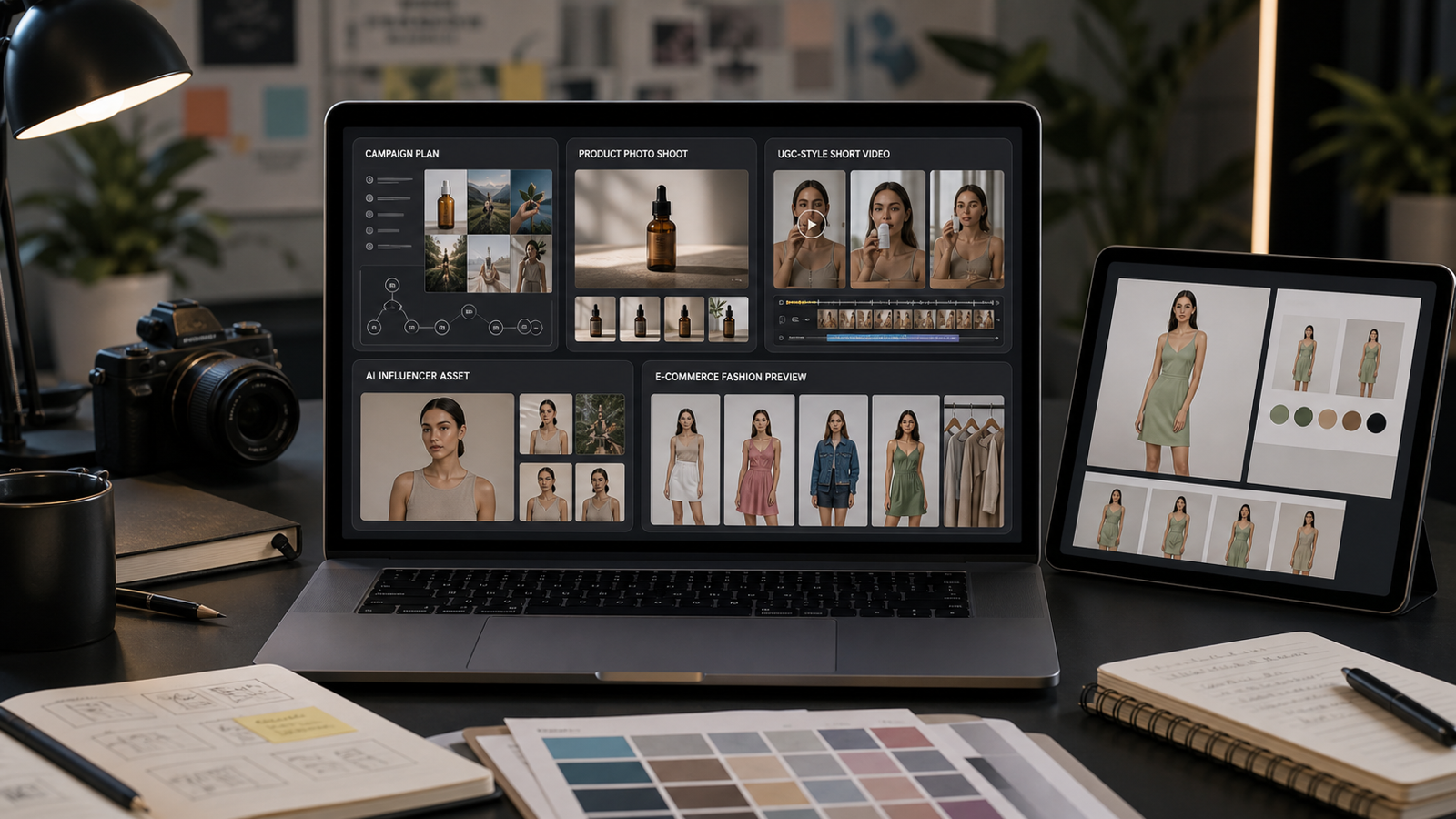
- Use it to generate the visuals you can’t easily film (try-on scenes, product showcases, quick B-roll).
- Use it to build UGC ads at scale (script + creator-style delivery + variations).
Below is a step-by-step pipeline you can reuse every week.
Step 1: Choose one product, one promise, one audience
Before prompts, before tools—lock this in:
- Product: what are we selling?
- Promise: what changes for the buyer?
- Audience: who’s this for?
Example:
- Product: compression leggings
- Promise: snatched look + all-day comfort
- Audience: busy women who want flattering everyday outfits
This matters because most AI ad creatives fail for the same reason human ads fail: they’re trying to say everything.
Step 2: Build your “UGC asset kit” (15 minutes)
Gather:
- Product images (front, angle, detail)
- Lifestyle images (someone wearing it, or the vibe you want)
- Brand notes (colors, tone, do/don’t list)
- Proof (review snippets, claims you can back up)
Even if you’re doing Kling 3.0 AI video generation, strong inputs still matter. UGC is about believability.
Step 3: Create cinematic B-roll from images on Virtual Tryon AI
Use Photo to Video to animate stills into motion clips you can cut into ads.
What to generate:
- 2–3 close-ups (fabric texture, packaging, detail)
- 1 hero shot (product centered, clean background)
- 1 lifestyle shot (product in context)
Photo-to-Video prompt idea (copy/paste)
Prompt: A clean cinematic product clip. Subtle camera push-in, realistic lighting, shallow depth of field. Smooth motion, premium look, no warping. Keep the product accurate and sharp.
If you want that “Kling 3.0 cinematic video” feel, your B-roll should look like it belongs in a paid ad.
Step 4: If you’re in fashion, generate outfit motion content
If your marketing is apparel-heavy, you’ll get a lot of mileage from:
- AI Outfit Video Generator for dynamic clothing showcases
- AI Try On when you need believable virtual try-on visuals
Your goal isn’t to create a runway film. Your goal is to create enough “movement proof” that viewers believe the fabric, fit, and vibe.
Outfit video prompt idea
Prompt: A casual creator-style outfit showcase. Natural room lighting, slight handheld feel. The model turns slowly to show fit from front, side, and back. Keep clothing details accurate and realistic.
Step 5: Turn the visuals into UGC ads with AI UGC Maker
Once you have motion B-roll and try-on visuals, you need UGC-style delivery.
Use AI UGC Maker to generate creator-like short videos from a script/product info.
The 20-second UGC structure that converts
0–2s: Hook (problem / curiosity)
2–10s: Proof (demo, result, feature-as-benefit)
10–18s: Objection handling (comfort, price, shipping, durability)
18–20s: CTA (clear next step)
Script template (fill-in)
Hook: “Okay, I didn’t expect this to work, but…”
Proof: “I’ve tried [old solution], and it always [pain]. This one actually [benefit]—look at this.”
Objection: “And no, it doesn’t [common fear]. It’s [reassurance].”
CTA: “If you want [desired outcome], try it—link is right here.”
The magic is not the words. The magic is making 10 variants quickly and letting performance data pick the winner.
Step 6: Add product showcase creatives (for retargeting and product pages)
UGC is amazing for cold traffic, but you’ll often want clean product showcases for:
- retargeting
- product pages
- email headers / landing pages
Use AI Product to Video to create consistent product promos that don’t rely on a “creator face.”
Product showcase prompt idea
Prompt: A crisp e-commerce product promo video. Clean background, smooth camera movement, premium lighting, realistic shadows. Highlight key details with close-ups. Keep the product accurate and stable.
A simple 1-hour production plan (that scales)
If you want this to be repeatable, use a schedule like this:
- 10 min: pick offer + hook angles
- 15 min: generate 4–6 B-roll clips (Photo to Video)
- 15 min: generate 2–3 fashion clips (Try-on / Outfit Video Generator) if needed
- 15 min: generate 6–10 UGC ad variants (AI UGC Maker)
- 5 min: shortlist the best 3 and publish/test
Do this weekly and you’ll build a library of winning patterns.
Prompt pack: Kling 3.0-style templates for marketers
These are designed to work cleanly whether you’re using Kling 3.0 text to video for ideation or Kling 3.0 image to video for controlled output.
Template A: Cinematic product B-roll (Image-to-Video)
Use when: you need premium motion for ads.
Prompt: Cinematic close-up of {product}. Soft realistic lighting, shallow depth of field, smooth camera push-in. High-detail textures, natural shadows. Minimal background. Keep {brand details} accurate. Clean premium look.
Example: Cinematic close-up of a matte black insulated water bottle. Soft realistic lighting, shallow depth of field, smooth camera push-in. High-detail metal texture and subtle condensation. Minimal background. Keep the logo placement accurate. Clean premium look.
Template B: Creator-style UGC talk + cutaways (Text-to-Video)
Use when: you want an ad that feels native to TikTok/Reels.
Prompt: A casual creator filming selfie-style in a bedroom. Natural light, slight handheld movement. They say: “{hook}”. Cut to quick close-ups of {product} in use. Then they say: “{proof}”. End with a clear CTA overlay: “{cta}”. Realistic pacing and expressions.
Example: A casual creator filming selfie-style in a bedroom. Natural light, slight handheld movement. They say: “I’m not kidding—this is the first thing that stopped my leggings from rolling down.” Cut to quick close-ups of the waistband and fabric stretch. Then they say: “It’s snug but comfortable, and the fit actually stays put all day.” End with a clear CTA overlay: “Tap to try it.” Realistic pacing and expressions.
Template C: Fashion try-on showcase (Image-to-Video)
Use when: fit and fabric are the story.
Prompt: A realistic outfit showcase video. The model wears {outfit}. Natural indoor lighting, clean background. They rotate slowly to show fit. Subtle fabric movement. Keep clothing details accurate: seams, patterns, colors. Smooth motion.
Example: A realistic outfit showcase video. The model wears high-waisted charcoal gray compression leggings and an oversized white tee. Natural indoor lighting, clean background. They rotate slowly to show fit. Subtle fabric movement. Keep clothing details accurate: waistband height, stitching, color. Smooth motion.
Common mistakes (and quick fixes)
Mistake 1: Trying to generate a whole ad in one prompt
Fix: Generate components—hook clip, proof clip, B-roll—then assemble. Multi-shot is helpful, but modular beats fragile.
Mistake 2: No proof beat
Fix: Add a demo moment: unboxing, texture close-up, try-on rotation, side-by-side comparison, or “result shot.”
Mistake 3: UGC that looks too perfect
Fix: Add “creator realism”: natural lighting, slight handheld movement, imperfect pacing, authentic expressions.
Mistake 4: Too many benefits at once
Fix: One promise per video. Save the second promise for the next variant.
Mini playbook: 7 UGC angles to test with Kling 3.0-style generation
- Confession hook: “I didn’t think this would work…”
- Problem-first: “If you deal with {pain}, try this…”
- Three reasons: “3 reasons I switched…”
- Objection handling: “I was worried it would {fear}, but…”
- Before/after: show the contrast clearly
- Routine integration: “This is what I use every morning…”
- Founder story: short, human, credible
Pick three angles and create 3–5 variants each. That’s your testing matrix.
FAQ
Is Kling 3.0 available everywhere?
Not always. Availability can vary by platform, region, and rollout phase. That’s why you’ll still see Kling 3.0 model coming soon in some places.
What’s better for marketing: Kling 3.0 text to video or Kling 3.0 image to video?
Use text-to-video for fast ideation and variety. Use image-to-video when accuracy and consistency matter (products, faces, branded visuals).
Can I really get “Kling 3.0 1080p AI video” quality for ads?
Often yes, but your output settings depend on the platform and your generation settings. Also remember: the “cinematic” part is as much about lighting, composition, and pacing as it is about resolution.
How do I keep the creator consistent across multiple UGC variations?
Reuse the same reference image set, keep the same creator persona description, and change only one variable at a time (hook, CTA, or proof moment).
Wrap-up: the easiest way to turn Kling 3.0 hype into real marketing output
Kling 3.0 is exciting because it points toward more structured, production-friendly AI video generation—multi-shot storytelling, better consistency, and more cinematic results.
But the real advantage comes from pairing that capability with a simple system:
- generate B-roll and try-on visuals
- write UGC scripts built for conversion
- publish a batch of variations
- let performance data choose the winners
If you do that consistently, you won’t just “try Kling 3.0.” You’ll build a repeatable UGC engine.
More Virtual Tryon AI tools to scale your content
If you want to expand your workflow beyond this single guide, here are the key tools on Virtual Tryon AI worth trying:
- AI UGC Maker — Turn scripts and product info into creator-style UGC ads at scale.
- Photo to Video — Animate still images into cinematic B-roll for ads and product pages.
- AI Product to Video — Create clean, consistent product showcase videos for retargeting and e-commerce.
- AI Outfit Video Generator — Generate fashion-focused motion showcases that highlight fit and fabric.
- AI Try On — Create virtual try-on visuals for apparel marketing and style exploration.
- Virtual Tryon AI — Explore the full suite for fashion, UGC, and marketing content creation.