ByteDance's Seedance 2.0 Mini is live. A faster, more accessible way to create videos from image, video, and audio references. Built for everyday production workflows at about 50% of Seedance 2.0's list price.

使用 PixVerse V6,通过文本提示词或一张首帧图像创建 AI 短视频。选择 540p、720p 或 1080p 输出,将时长设为 5、10 或 15 秒,并可在项目需要声音时启用生成音频。
探索 PixVerse V6 文生视频和首帧图生视频创作,支持镜头感知提示词、短篇叙事和可选音频。
探索融合主体动作、镜头方向、场景转场、视觉氛围和商业叙事的 PixVerse V6 提示词,塑造意图更明确的短视频。
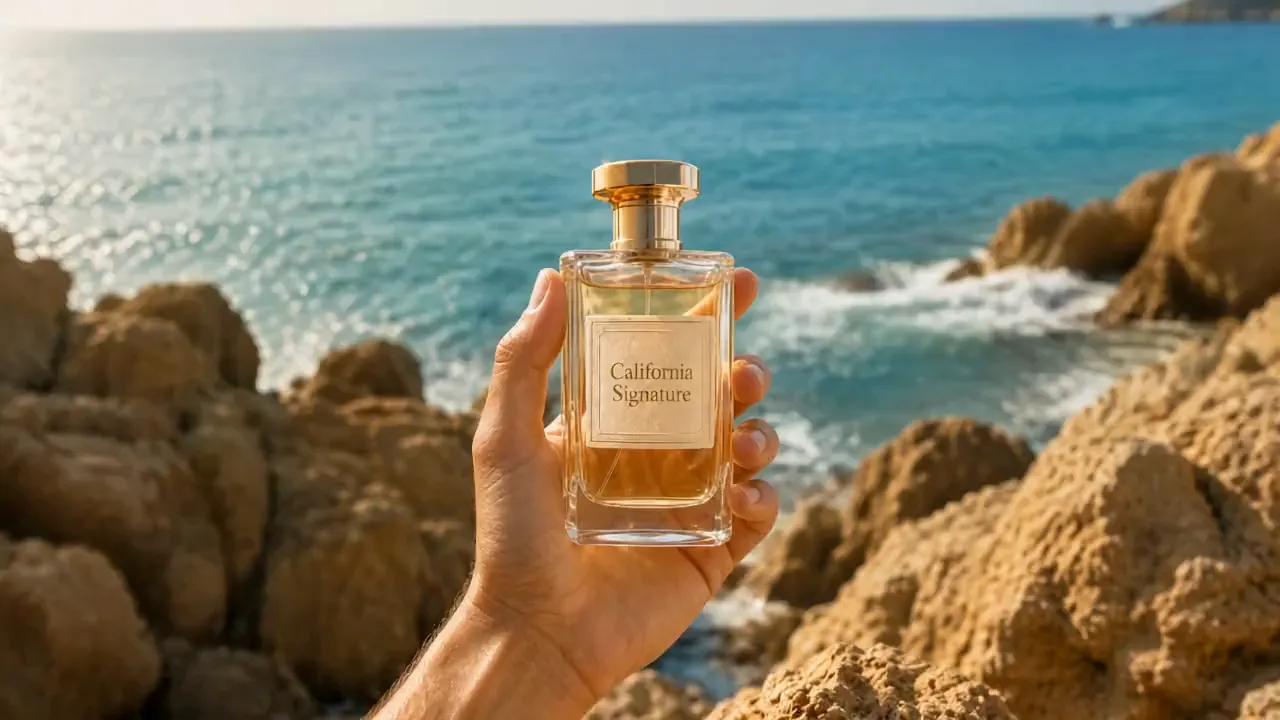
Raw vertical iPhone footage style, real mobile phone recording shot on iPhone 16 Pro, natural bright daylight on a private clifftop, strong sun, endless horizon views, handheld with natural shake and micro movements, authentic phone camera look, no cinematic emulation, no film grain, no photorealism, looks exactly like a real influencer video posted on Instagram, natural vibrant colors. [IMAGE REFERENCES] No reference images provided. Generate a fully consistent female influencer: mid 20s, attractive, energetic Dragon Ball fan vibe, tanned skin, long dark hair in a high ponytail, wearing a stylish casual-luxury outfit with subtle yellow and green accents, very expressive and excited when showing details. [TIMELINE SECOND BY SECOND] 0-3s: [Handheld phone shot, natural shake] The influencer walks toward a modern luxury villa built on a private clifftop with 360º views. The villa has a distinctive rounded yellow and white design. Parked outside is a small, quirky luxury car in bright yellow. She points at it smiling: "Look at this. They actually made the car real." 3-6s: [Quick cut to main living area] She enters the bright open-plan living space. The entire back wall is glass with insane views of the sea and horizon. She gestures at the minimalist but warm interior and says: "Everything is designed so you feel like you're floating above the world." 6-9s: [Quick cut to garden terrace] She walks out onto a large circular terrace with perfectly cut grass and a small garden area. There’s a big round stone table in the center. She runs her hand over it and says: "This is where you sit and watch the clouds go by for hours." 9-12s: [Quick cut inside special room] She enters a round meditation-style room with floor-to-ceiling curved windows. The light fills the entire space. She turns slowly and says with a smile: "This room… you can literally see the whole world from here. No exaggeration." 12-15s: [Quick cut to edge of terrace] She stands at the very edge of the terrace, wind in her hair, with nothing but open sky and sea behind her. She looks at the camera and says: "Private clifftop villa. Feels like your own little planet. Would you live here?" [STYLE & QUALITY BOOSTERS] Real iPhone 16 Pro footage look, natural bright daylight, authentic mobile camera movement and slight shake, natural vibrant colors, coherent physics, stable character, real phone video quality, no film look, no artifacts, looks like genuine Instagram Reel footage shot on location.
PixVerse V6 在一个工作流中整合了文生视频、单图动画、镜头感知提示词、可选生成音频和实用的短视频控制功能。
描述主体、动作、场景、光照、镜头顺序和镜头运动,生成创意方向更清晰的短视频。
上传一张起始图像,并使用提示词引导动作、角色行为、镜头运动,以及场景如何从该帧开始发展。
在提示词中加入镜头顺序、转场、主体连续性和结尾方向,在短视频中塑造相互衔接的叙事情节。
场景适合使用声音时可开启音频生成;如果打算稍后添加音乐、对白或音效,也可以将其关闭。
PixVerse V6 减少了设置步骤,提供更清晰的动作引导和灵活的声音选项,帮助创作者将视觉创意转化为方向明确的短视频。
从文本提示词或一张首帧图像开始,无需准备完整的制作时间线,即可测试产品亮相、角色瞬间、广告开场和故事创意。
在提示词中描述跟拍、特写、推进、转场和场景节奏,让每个片段都遵循更清晰的视觉规划。
创建横版、竖版、方形和纵向的文生视频输出,用于信息流、广告、产品页面、演示文稿和短篇社交媒体渠道。
生成带音频的视频,让概念更加完整;如果你的编辑工作流已包含音乐、配音或声音设计,也可以创建无声片段。
描述你想创建的视频,或上传一张应作为生成视频开场画面的图像。
在提示词中加入主体动作、镜头方向、节奏和视觉氛围,然后从表单提供的格式、时长、质量和音频设置中进行选择。
生成视频,查看动作和视觉效果,然后根据需要完善提示词或设置并创建另一个版本。
ByteDance's Seedance 2.0 Mini is live. A faster, more accessible way to create videos from image, video, and audio references. Built for everyday production workflows at about 50% of Seedance 2.0's list price.
非常棒的 seedance prompt 视频提示词,我用豆包的seedance 2.0 mini生成了一个竖屏视频,视频提示词如下👇⬇️⏬ 一位逼真的 AI 影响者在明亮、现代的梳妆室中拍摄奢华的 “Get Ready With

GRWM with my AI influencer Ready to shine! Made this with sedance 2.0 fast on @Lart_AI you can try it here: lartai.com/?TG=10648 Model: sedance 2.0 fast Aspect Ratio: 16:9 Resolution: 720p Duration: 10s Prompt: A realistic AI influencer filming a luxurious "Get Ready
裹着报纸的木乃伊在纽约街头滑板,刺激又高难度,这是由Midjourney + Seedance 2.0 mini 生成,seedance prompt 视频提示词如下在评论 👇⬇️⏬ 🌅image: midjourney 📽️video: seedance 2.0 mini in doubao seedance prompt 👇
seedance 2.0 mini X Seedream pro 5.0 on capcutapp AI film scene, Silence in the middle of Shibuya Prompt in Chinese ↓