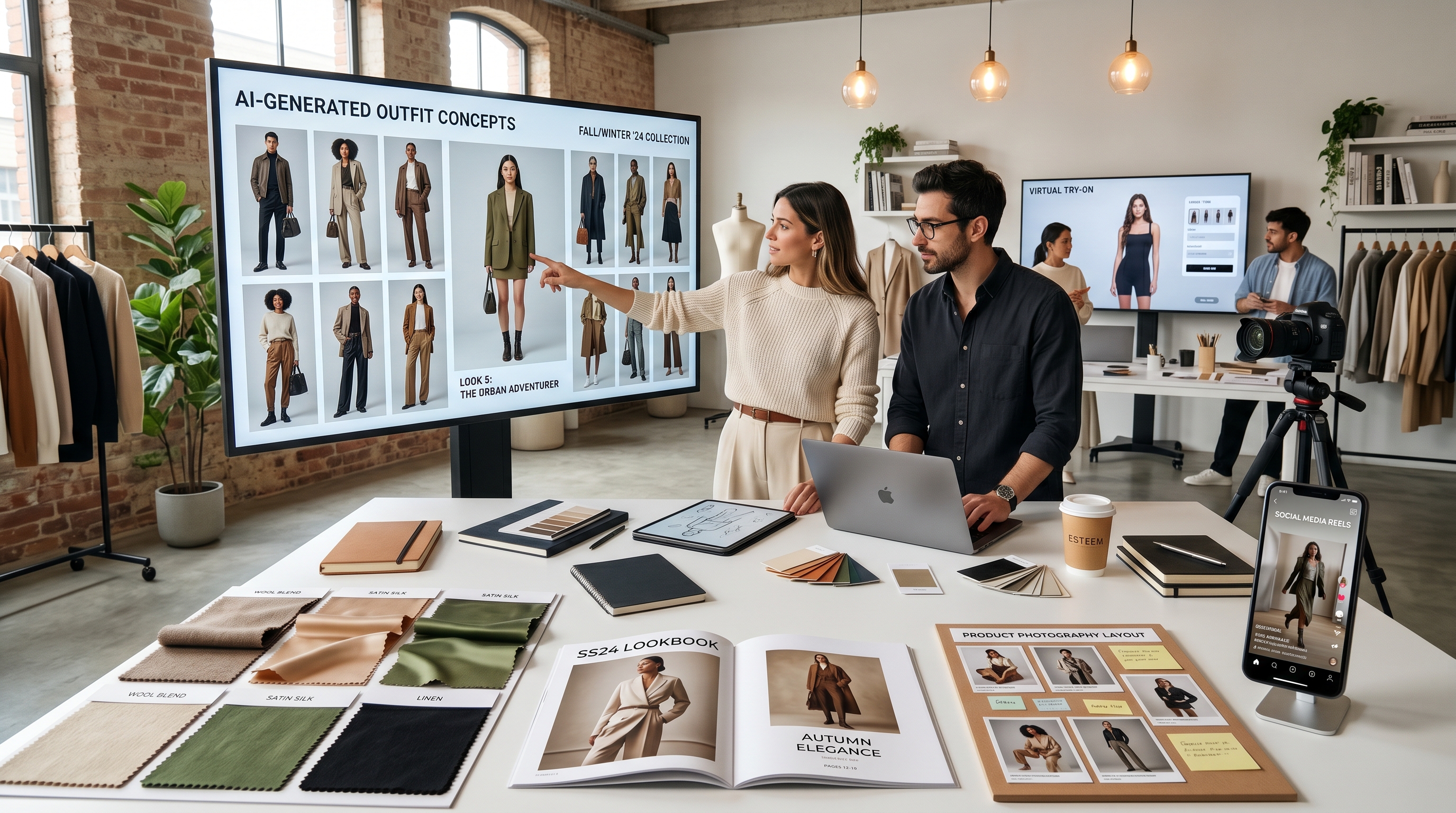
時尚內容變化快速。賣家今天可能需要一張商品橫幅,創作者明天可能就需要一本造型畫冊概念,而設計師則可能在正式拍攝前,想先試驗十種穿搭方向再決定要拍哪一套。這正是 ChatGPT Image 2 時尚 工作流程派上用場的時候:不是用來取代真實服裝、真人模特兒或專業攝影,而是作為一個快速的視覺規劃工具。
對時尚電商團隊而言,GPT Image 2 能幫助將模糊的想法轉化為清晰的視覺方向。你可以在拍攝前,先測試一個穿搭概念、建立情緒板、設計型錄版面、草擬商品照片構想,或規劃社群活動視覺,再決定要不要投入拍攝成本。之後,當你需要更實務的試穿或服裝預覽流程時,像 TryOn AI 上的 AI fashion image generator 等工具,就能幫助你把概念推進到試穿、模特造型與時尚行銷等實際應用情境。
最好的流程很簡單:先用 GPT Image 2 想像視覺方向,再用 TryOn AI 測試服裝在模特兒、商品照或短版時尚影片中的實際呈現。
為什麼 GPT Image 2 對時尚圖像規劃很有用
時尚規劃本質上就是視覺工作。像「靜奢風春季穿搭」這一句話,在會議裡聽起來很明確,但每個人心中想像的布料、顏色、剪裁與姿勢可能都不同。GPT Image 2 能在流程更早的階段,讓這些想法「看得見」。
對設計師來說,它可以產出輪廓、布料搭配、季節色票與編輯風格等粗略視覺方向。對賣家來說,它可協助創造商品照構圖、廣告橫幅、店舖視覺與社群媒體方向。對創作者而言,它能快速測試一個穿搭概念,到底是街拍風、乾淨棚拍人像,還是更適合做成電影感短影片封面。
這正是 fashion AI 最有用的地方:它降低了視覺試驗的成本。你不需要在真正理解活動視覺會長什麼樣之前,就把每件衣服全部定稿或把每個場景都訂好。你可以先下提示、比較結果、修正、再逐步建立更清晰的方向,最後再投入正式製作。
一個不錯的起手提示語可以是:
Create a spring resortwear outfit concept featuring a linen blazer, wide-leg cream trousers, woven sandals, warm sunlight, a clean coastal background, and editorial fashion photography.
這樣的提示並不是只在說「做一套好看的衣服」。它給了模型服裝種類、布料、顏色、環境、光線與視覺用途。
如何提示穿搭概念,又不犧牲布料、版型與風格細節
較弱的時尚提示往往只著重於風格:「做一套流行穿搭」或「創造一件奢華禮服」。較強的提示則會說明服裝在身體上的「表現方式」。
可以用這個結構:
人物 + 服裝種類 + 布料 + 版型 / 合身度 + 顏色 + 造型搭配 + 姿勢 + 場景 + 光線 + 最終用途
例如:
Full-body studio fashion image of a young adult model wearing an oversized charcoal wool coat, ivory ribbed knit sweater, straight black trousers, and leather loafers. Relaxed standing pose, softbox lighting, neutral gray background, realistic fabric texture, accurate sleeve length, natural folds, e-commerce lookbook style.
這個提示語有效,是因為它保護了重要細節。大衣是 oversize 的、毛衣是羅紋針織、褲子是直筒,整張圖片也有明確的商業用途。如果你之後要接上 AI outfit generator 工作流程,這些細節也會讓整體造型方向更容易維持一致。
布料描述尤其重要。絲質要柔軟、服貼,且會反光。丹寧應該較厚重,折痕有結構且縫線清晰可見。羊毛應該看起來厚實、霧面。皮革則要有些微光澤與關節處的自然皺褶。雪紡應該輕盈、半透明且有層次感。與其只寫布料名稱,不如描述它如何移動、折疊、反光或保持形狀。
你也可以加入修正語句,減少常見的 AI 時尚錯誤:
Avoid distorted hands, unrealistic fabric physics, extra buttons, warped shoes, unreadable logo text, mismatched sleeve length, and over-smoothed fabric texture.
當目標是逼真的預覽,而不是概念插畫時,就很適合從圖像生成轉入 AI clothes try-on 工作流程,尤其是當你想測試服裝穿在真人身上的樣子,或替既有照片中的衣服做替換時。
製作造型畫冊頁面、型錄圖片與電商橫幅
GPT Image 2 對需要版面設計、氛圍與視覺層次的時尚素材規劃特別有幫助。造型畫冊頁面不只是模特兒穿衣服而已,它還包括留白、文字區域、色彩和諧、細節特寫,以及品牌識別感。
一個造型畫冊的提示可以是:
Luxury autumn capsule wardrobe lookbook page, four coordinated outfits shown in a clean editorial layout, warm beige and deep brown palette, elegant typography space, studio portraits mixed with close-up fabric texture shots, premium fashion magazine design.
對品牌或小型精品店而言,AI lookbook generator 工作流程可以在正式攝影前,先幫你把整個系列視覺化。你可以比較同一個服裝系列,在極簡棚拍、城市街景或生活風場景中,哪一種氛圍更有力。
商品頁圖片則需要不同的手法。它應該乾淨、準確、易於理解。與其過度風格化場景,不如專注在正面、背面、側面、布料特寫、車線、下擺、鈕釦、口袋、拉鍊、領型與自然陰影。
商品提示語可以是:
Minimal e-commerce product photo of a cream satin blouse on a clean mannequin, front view, natural fabric sheen, visible collar and cuff structure, soft studio lighting, white background, realistic product photography.
對賣家而言,一旦靜態圖片方向明確,AI product photography 工具也能用來支援商品展示與行銷短片。
電商橫幅則多了一層需求:文字區域。如果你忘了要求留白,圖片可能會太滿,無法放標題、按鈕或促銷訊息。
範例:
Wide website hero banner for a summer linen collection, two models walking in soft daylight, neutral sand background, empty space on the left for headline text, premium minimalist fashion brand style, realistic clothing folds.
對店主來說,清晰的 e-commerce fashion images 能把造型、商品呈現與活動視覺串成一條一致的品牌主線。
從 AI 概念圖到虛擬試穿工作流程
聰明的時尚 AI 工作流程,應該把「想像」和「驗證」分開來看。GPT Image 2 很適合用來生成點子,但概念圖並不等於版型合不合身、布料是否精準或是否符合實際商品。
先用 GPT Image 2 建立穿搭方向:決定服裝種類、布料、顏色、模特兒姿勢、氛圍與環境。接著準備更乾淨的參考素材:光線良好、背景簡潔、正面清楚的服裝圖片。避免使用服裝被手、包包、頭髮或重陰影遮住的照片作為參考。
之後,再進入 virtual try-on AI 來更直接測試穿搭預覽。TryOn AI 的工具特別適合創作者、小型時尚品牌和賣家,用來探索服裝在不同模特兒或不同造型情境中的呈現。
若要快速替換服裝,AI Clothes Changer 可以幫助測試穿搭互換。若更重視模特兒視覺規劃,AI Fashion Model Generator 則能輔助產出造型畫冊風格的影像。如果你想把已確認的穿搭圖片轉成動態內容,AI Outfit Video Generator 對短 Reels、商品展示與社群短片會很實用。
關鍵是每個工具用在對的階段。GPT Image 2 擅長概念發想;TryOn AI 則更擅長試穿、服裝替換、模特呈現與時尚內容製作。
給設計師、賣家與內容創作者的提示語建議
時尚設計師的提示應圍繞在輪廓與結構上。可以提到肩型、腰線、下擺長度、袖子蓬度、層次穿搭、布料張力與動態感。例如:
Avant-garde black evening dress with sculptural shoulder structure, matte crepe fabric, asymmetrical hem, architectural silhouette, dramatic studio lighting, full-body editorial runway pose.
電商賣家的提示應追求清晰。購物者需要了解商品長什麼樣,而不只是欣賞一個戲劇化的場景。使用單純背景、準確色彩、自然布料質感與明顯的商品細節。
內容創作者則要針對個性與平台格式來下提示。TikTok 封面可能需要直式構圖、動感、街頭氛圍與更強烈的對比。Instagram 輪播可能需要更乾淨的造型、一致光線與多套穿搭變化。
如果你已經有參考圖,但不知道如何描述它,Image to Prompt 工具可以把視覺參考轉換成可重複使用的提示語。這對想在多張時尚圖片間維持一致氛圍的團隊特別有幫助。
常見錯誤要避免
第一個錯誤是忽略姿勢。當模特兒走路、坐下、扭身或舉手時,服裝形狀都會跟著改變。如果你需要呈現袖長、腰線或結構性剪裁,應要求簡單的姿勢,讓手臂稍微離開身體。
第二個錯誤是把太多風格混在一個提示裡。「奢華編輯風、賽博龐克、鄉村田園風、街頭風、復古底片感、乾淨型錄風」同時出現,會讓圖像方向變得混亂。選擇一個主風格,再搭配一個輔助氛圍即可。
第三個錯誤是忽視商品準確度。對時尚電商圖片而言,細節非常重要:鈕釦、車縫線、口袋、領型、拉鍊位置、布料厚度與衣長比例。如果服裝結構錯了,再美的圖片也不夠好。
第四個錯誤是把概念圖當作最終試穿證據。AI 生成的時尚概念在規劃上非常有用,但如果要做真實試穿與服裝預覽,應使用專門工具,例如 FASHN Virtual Try On AI 或 Kolors Virtual Try On AI,才能真正把衣服準確地視覺化到真人身上。
只要善用工具,GPT Image 2 與 TryOn AI 能支援一個實用的時尚工作流程:先想像概念、再精修造型、測試服裝、製作商品視覺,最後把定稿方向轉化為符合現代時尚電商需求的內容。
提示語包加值:12 組 GPT Image 2 時尚提示,用於造型畫冊、商品頁、季節穿搭與社群 Reels
1. 極簡膠囊衣櫥造型畫冊
Create a clean fashion lookbook page for a minimalist capsule wardrobe, featuring three full-body outfits in beige, ivory, black, and soft gray. Use simple studio backgrounds, elegant model poses, realistic fabric textures, magazine-style spacing, and empty areas for captions.
2. 奢華商品頁圖片
Generate a high-end e-commerce product image of a tailored camel coat, front view on a model, soft studio lighting, neutral background, visible lapel structure, clean seams, natural wool texture, realistic fit, and no distracting accessories.
3. 街頭風社群 Reel 封面
Create a vertical fashion reel cover image with an urban streetwear outfit: oversized hoodie, cargo pants, chunky sneakers, evening city lights, confident standing pose, cinematic flash photography, and bold creator-style styling.
4. 夏季渡假穿搭概念
Generate a full-body resortwear outfit concept with a linen shirt, wide-leg trousers, woven tote bag, sandals, coastal sunlight, relaxed walking pose, natural fabric wrinkles, and warm editorial photography.
5. 冬季大衣活動橫幅
Create a wide website banner for a winter outerwear collection, showing two models wearing long wool coats in a snowy city setting. Use soft cold lighting, luxury campaign styling, and empty space on the right for headline and call-to-action text.
6. 試穿用服裝參考圖片
Generate a clean front-facing product image of a satin midi dress, sleeveless design, defined waist seam, smooth fabric sheen, neutral white background, realistic shadow, no model, no hanger, product catalog style.
7. 丹寧商品細節特寫
Create a close-up product photo of a denim jacket sleeve and pocket, with visible stitching, metal buttons, textured blue denim, soft natural light, sharp detail, and realistic fabric weight.
8. 編輯風時尚情緒板
Generate a fashion moodboard for a modern romantic collection, including soft pink silk, cream lace, pearl accessories, handwritten notes, fabric swatches, model portrait references, and elegant magazine art direction.
9. 上班族穿搭造型畫冊頁面
Create a professional officewear lookbook page with a blazer, silk blouse, straight trousers, loafers, clean studio setting, confident model poses, neutral tones, realistic fabric and fit, and premium catalog layout.
10. 機能休閒運動商品活動圖
Generate an athleisure campaign image with a model wearing fitted performance leggings and a cropped zip jacket, clean gym studio background, dynamic stretching pose, realistic fabric compression, breathable texture, and modern sportswear branding.
11. 節日派對穿搭概念
Create a festive evening outfit concept with a velvet blazer, satin slip skirt, metallic heels, warm indoor lighting, elegant party background, realistic fabric highlights, and polished fashion editorial style.
12. 多套穿搭比較九宮格
Generate a four-panel outfit comparison grid showing one model styled in casual, office, evening, and weekend outfits. Keep the pose and lighting consistent, use a clean background, realistic clothing structure, and fashion styling guide layout.
推薦的 TryOn AI 工具與工作流程
若要打造最強的時尚電商工作流程,可用 GPT Image 2 做前期概念,再用 TryOn AI 處理更實務的服裝、模特兒與時尚內容製作。
- AI Try On — 由參考圖生成逼真的穿搭預覽。
- AI Clothes Changer — 快速替換服裝、測試不同穿搭。
- AI Fashion Model Generator — 產出以模特為主的時尚視覺、造型畫冊與商品頁。
- Kolors Virtual Try On AI — 使用服裝參考圖生成虛擬試穿影像。
- FASHN Virtual Try On AI — 用於時尚試穿影像生成與商品預覽流程。
- Magic Try On — 個人穿搭預覽與行銷照片製作。
- AI Outfit Video Generator — 將穿搭圖片轉成短版時尚影片。
- AI Product to Video — 用於商品展示與時尚行銷短片。
- Image to Prompt — 將參考照片轉成可重複使用的提示描述。
推薦其他模型與工具
- GPT Image 2 on Flyne AI — 用於 GPT Image 2 風格的時尚圖像生成與提示測試。
- AI Image Generator on Flyne AI — 適合製作時尚海報、穿搭概念與品牌視覺。
- Image to Image AI on Flyne AI — 用於優化參考圖、草圖與時裝設計原型。
- AI Clothes Changer Guide on Fylia AI — 介紹服裝替換工作流程的實務做法。
- Nano Banana Product Photo Guide on Fylia AI — 用於 AI 商品攝影與廣告視覺生成。
- SeaImagine AI Image Generator Guide — 適合初學者的圖像生成教學流程。
- HeyDream AI Image Generator Guide — 用於模型選擇與文字轉圖 / 圖轉圖工作流程。
- DreamMachine AI Video Generator Guide — 用來將時尚靜態圖轉成影片概念。
- VideoWeb Nano Banana 2 Image Generator — 可用於高解析度圖像生成與後期編輯流程。
相關文章
- Explore AI Clothes Changer: Online Virtual Art by AI Try On
- How to Create AI Fashion Models and Kolors Virtual Try-On Images
- Best 10 Nano Banana Pro Prompt Guide for AI Try-On Image Generation
- Qwen Image Edit in Fashion: From AI Photo Modify to Virtual Try-On
- How to Use Veo 3.1 to Generate Stunning AI Try-On Videos
延伸閱讀
- AI Image Generator Guide: Best Models for Text-to-Image and Image-to-Image
- How to Use an AI Video Generator for Text and Image Workflows
- Nano Banana 2: Ultra-Fast 4K AI Images for Creative Workflows
- How to Use an AI Image Generator: A Beginner-Friendly Tutorial
- AI Clothes Changer Guide: How to Swap Outfits with Nano Banana 2
- GPT Image 2 Explained: What’s New and How It Compares With Nano Banana Pro