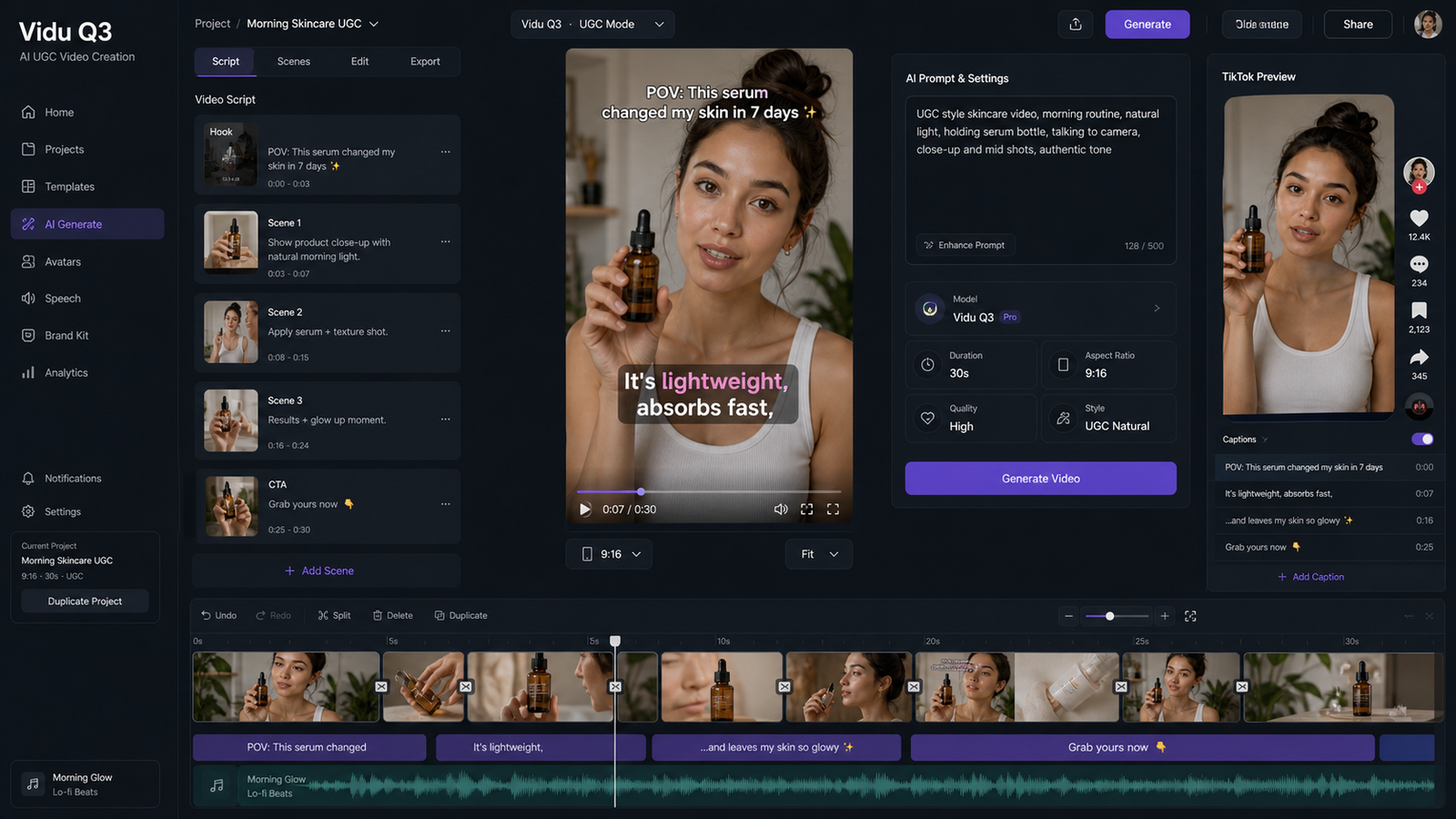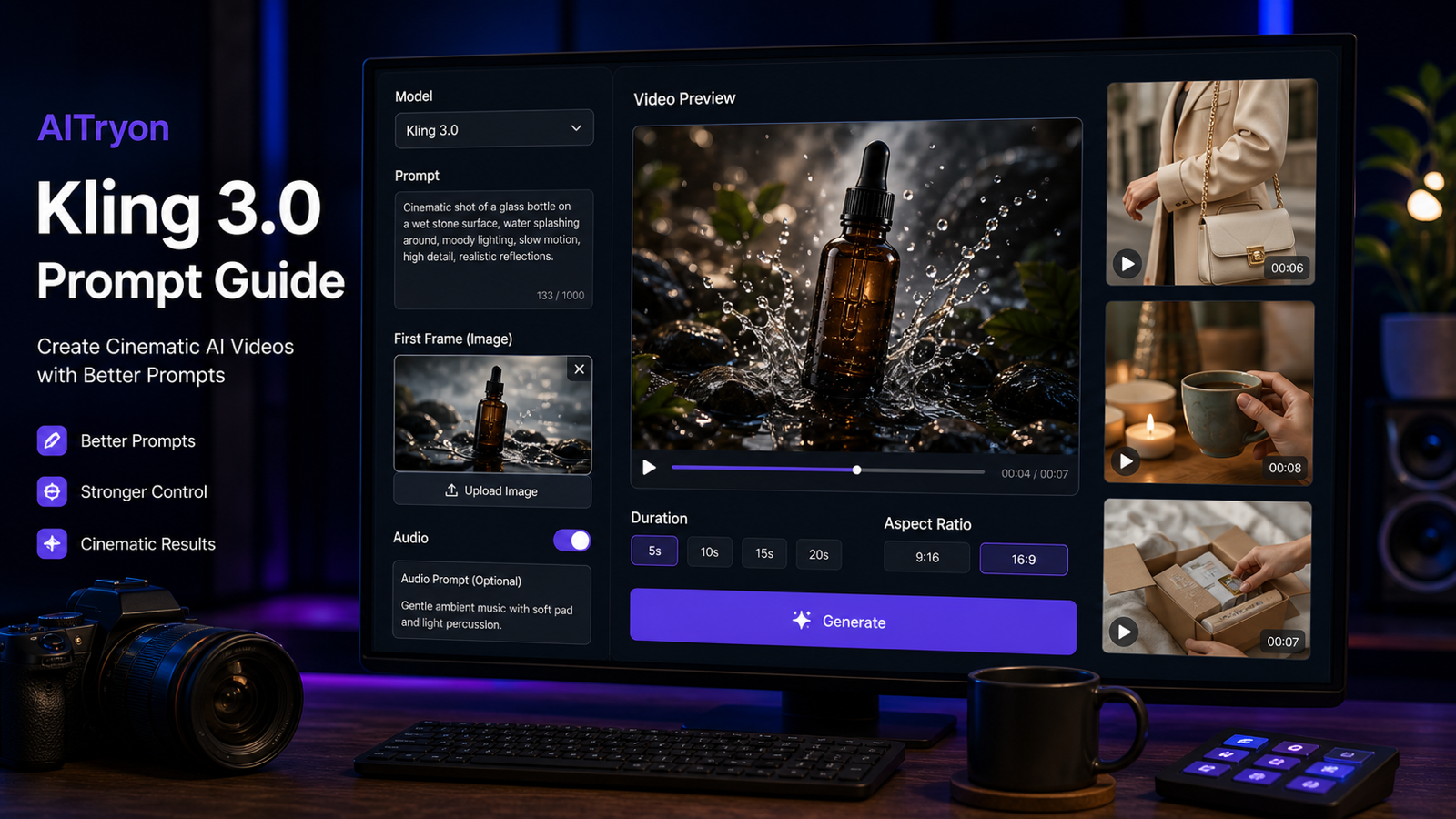
Gemini Omni Flash 之所以重要,是因為它指向的是對話式 AI 影片創作,而不是一次性提示生成。Google 目前的開發者文件將該 API 模型標示為 gemini-omni-flash-preview,這是一個可透過 Interactions API 進行影片生成與編輯的預覽模型,支援文字、圖片與影片輸入,並輸出 3 至 10 秒、720p、9:16 或 16:9 格式的影片。
對創作者而言,實際上的價值很簡單:從產品、時尚造型、UGC 構想、圖片或聲音方向開始,然後透過後續的自然語言指令來細修影片,而不是每次都從頭重來。AITryon 值得關注,因為它的 Gemini Omni AI Video Generator 頁面將這個模型定位於文字轉影片、圖片轉影片、參考導向創作、對白規劃、聲音方向與反覆精修。然而,AITryon 目前的即時頁面顯示 Coming Soon,並展示 Veo 3.1 Fast,因此本文將其視為一個發佈追蹤與工作流程規劃頁面,而非已確認可直接使用 Gemini Omni Flash 的入口。

Gemini Omni Flash 是對話式影片模型,不只是文字轉影片
Gemini Omni Flash 與傳統一次性文字轉影片工具不同,因為它的工作流程是圍繞互動來設計的。創作者不必只寫一個提示、等待結果、然後在成品不符合需求時重新開始;相反地,他們可以透過後續指令來調整鏡頭運動、節奏、光線、動作、對白語意、氛圍或最終鏡頭。
這對時尚、電商與 UGC 特別重要,因為一支短片是否可用,往往取決於微小調整。時尚團隊可能希望在服裝、模特與場景不變的前提下,讓鏡頭移動更慢。產品行銷人員可能想保留同一個主視覺鏡頭,但讓反光更明亮。UGC 廣告主可能希望保留同一位創作者與產品示範,但縮短開頭停頓,並在第一秒內展示產品。
模型識別碼、預覽狀態、支援輸入、時長、輸出解析度與 API 行為,應以 Google 官方來源為準,包括 Gemini Omni Flash API Guide。AITryon 則應分開看待,作為第三方平台,其實際可用的模型存取與功能範圍必須在發佈前再次核實。

Google 目前對 Gemini Omni Flash 已確認的內容
Google 目前的 Gemini Omni 文件將此模型描述為一個可透過 Interactions API 使用的預覽版影片生成與編輯模型。開發者文件將 API 模型標示為 gemini-omni-flash-preview,說明其輸出為短影片,並列出 9:16 與 16:9 畫面比例。Gemini Omni Flash Model Documentation、Introducing Gemini Omni,以及 Google DeepMind Gemini Omni overview 是理解發佈背景與官方能力定位的正確參考來源。
官方第一方定價也需要謹慎表述。Google 目前在其開發者方案中列出 Gemini Omni Flash 的價格為 每秒生成影片 $0.10 美元。這是 Google API 的定價,而不是 AITryon 的定價,因此不應用來描述 AITryon 的點數成本、訂閱方案或計費方式。
由於這是一個預覽模型,應避免過度自信的說法。在發佈內容或依此建立工作流程之前,請重新確認支援輸入、影片時長、解析度、長寬比、編輯控制、API 可用性、模型名稱、區域可用性、定價與安全行為。

AITryon Gemini Omni 頁面:發佈追蹤,而非已確認可直接存取
對於追蹤發佈動態與工作流程方向的讀者來說,AITryon Gemini Omni AI Video Generator 是主要推薦頁面。其內容符合使用者對 Gemini Omni Flash release and availability、Gemini Omni conversational video editing,以及 Gemini Omni multimodal video generator 的搜尋意圖。
關於即時存取的提醒是最核心的事實。在撰寫本文時,AITryon 的 Gemini Omni 頁面顯示 Coming Soon,而可見介面展示的是 Veo 3.1 Fast。這表示本文不應聲稱 AITryon 已經能直接使用 Gemini Omni Flash 生成影片、支援所有官方 Gemini Omni 功能,或透過 Gemini Omni 提供上傳影片編輯,除非日後的即時頁面明確確認了這些細節。
發佈文案可使用以下說法:"AITryon’s Gemini Omni page is a useful release-watch and workflow-planning page, while direct Gemini Omni Flash generation should be verified on the live interface before use." 這樣能清楚區分「Gemini Omni」、「Gemini Omni Flash」、「Veo 3.1 Fast」與「Gemini Omni 風格工作流程」。

在 Gemini Omni Flash 即將推出期間,AITryon 上可先使用什麼
在確認可直接使用 Gemini Omni Flash 之前,AITryon 目前可用的工作流程其實是更實際的建議。可先使用 Veo 3.1 AI Video Generator 進行文字或圖片驅動、內建音訊的影片生成。使用 Photo-to-Video Generator 來為時尚、產品與人像圖片製作動畫。使用 AI Product-to-Video Generator 來製作電商展示與產品廣告。使用 AI UGC Maker 來生成口播型展示者、上傳音訊、產品解說與創作者風格的直式廣告。
Veo 3.1 的即時頁面應在發佈前立即重新確認,因為介面細節可能會變動。目前該頁面展示了起始/結束影格輸入、提示增強、長寬比控制、內建音訊,以及顯示為 300 點數的生成成本。AITryon 的 UGC 工具也應即時檢查,因為其圖片上傳、音訊上傳、直式比例、嘴型同步展示者流程與產品示範選項,都會影響使用者實際可創作的內容。
這樣就形成了一個務實的過渡方案:現在先用 AITryon 進行 Veo 3.1、product-to-video、photo-to-video 與 UGC 工作流程,同時持續關注 Gemini Omni Flash 未來在對話式修訂與多模態影片編輯方面的能力。

Gemini Omni Flash 在時尚、產品廣告、UGC 與社群影片上的用途
Gemini Omni Flash 最吸引人的地方,在於它適合需要可控修訂的工作流程。時尚創作者可以從參考圖片製作動態型錄,然後要求角色走路更慢、布料動態更自然,或改變最後定格姿勢。電商團隊可以從產品照片開始,逐步微調光線、開場鏡頭、推鏡、包裝操作方式與最終主視覺畫面。UGC 團隊則能在保留創作者、產品與訊息不變的情況下,修改表達風格、產品出現時機、鉤子長度與房間氛圍。
高價值應用場景包括:
- 不必從頭開始的對話式影片修訂。
- 用於電商與落地頁的產品圖片轉廣告生成。
- 以已上傳風格參考圖製作時尚 lookbook 動畫。
- 用於 TikTok、Reels 與 Shorts 的 UGC 鉤子與產品示範。
- 音樂主導的美妝、時尚與生活風格短片。
- 基於參考的主體、服裝與產品一致性維持。
- 對白、氛圍與音效方向控制。
- 在 9:16 與 16:9 之間進行廣告尺寸調整與版本變體生成。
- 鏡頭、節奏、場景、光線與最終鏡頭修正。
風險也同樣實際。生成的片段在用於廣告或公開活動之前,仍應檢查產品準確性、宣稱安全性、肖像權、品牌安全、音訊權利與平台政策。

Gemini Omni Flash 與 AITryon 影片工作流程的提示公式
適用於 Gemini Omni 風格影片工作流程的最佳提示,應清楚交代目的、輸入、動作、鏡頭、音訊、保留規則與修訂邊界。一個簡單的公式能避免模型自行猜測太多:
Create a [duration]-second [ratio] video for [purpose]. Use [text, image, product, video, or audio reference]. Subject: [subject]. Action: [action]. Setting: [environment]. Camera: [shot and movement]. Lighting: [lighting]. Audio: [dialogue, music, ambience, and effects]. Preserve [face, outfit, product shape, packaging, or brand details]. End with [final shot or CTA]. Avoid [identity drift, distorted anatomy, altered labels, unstable backgrounds, or unsupported claims].
用於對話式修訂時,可使用更窄化的公式:
Keep [subject, setting, product, dialogue meaning, and visual style] unchanged. Modify only [camera movement, pacing, lighting, action, audio, or final shot]. Make the result [more natural, faster, quieter, less polished, or more cinematic].
這對於 Gemini Omni Flash for UGC videos、Gemini Omni product-demo video maker,以及 Gemini Omni image-to-video generator 特別有用,因為在這些工作流程中,一致性往往比新奇性更重要。

可直接使用的 Gemini Omni Flash 提示範例
可將以下提示作為起點,然後在生成前確認 AITryon 的即時模型選擇器實際支援哪些功能:
Create a 9:16 UGC skincare video. A creator holds [product], explains one supported benefit, applies it naturally, and finishes with "[CTA]." Use handheld phone framing, soft bathroom daylight, natural pauses, and subtle room ambience.Use the uploaded fashion image as the reference. Animate the model walking slowly through a minimalist gallery. Preserve the face, body proportions, outfit design, fabric colors, and accessories. Use a smooth low tracking shot and realistic fabric motion.Create an ecommerce demonstration for [product]. Begin with a close-up of the packaging, show the product being opened and used correctly, and finish with a clean hero shot. Preserve all labels, colors, and proportions.Create a six-second vertical social ad for [product]. Open with the hook "[hook]." Show one clear problem, the product in use, and one supported result. Use authentic creator-style delivery rather than polished television advertising.Create a cinematic footwear video from the uploaded shoe image. Preserve the exact shoe design and logo placement. Use a rotating studio platform, directional lighting, realistic reflections, subtle impact sounds, and a final close-up.Create a moving fashion lookbook featuring three outfits from the uploaded reference images. Preserve each garment's color, cut, fabric, and styling. Use consistent lighting, slow transitions, and an elegant editorial soundtrack.Create a product-founder video. A fictional founder explains why [product] was created and demonstrates one verified feature. Use direct-to-camera delivery, understated editing, natural gestures, and a quiet studio environment.Create a music-led beauty campaign using the uploaded image and audio. Synchronize camera movement, light changes, product reveals, and model gestures with the beat. Preserve the face, makeup, outfit, and product details.Revise the previous video. Keep the creator, product, dialogue, room, and lighting unchanged. Make the camera less cinematic, shorten the opening pause, show the product within the first second, and make the delivery feel more spontaneous.Revise the approved product video into three versions for TikTok, Instagram Reels, and YouTube Shorts. Preserve the main message and product appearance while changing the opening hook, pacing, captions, and final CTA.
請避免使用受版權保護的角色、名人肖像、仿製廣告、受保護商標、虛假產品宣稱、醫療宣稱、財務承諾,或具誤導性的前後對比轉換。

在你發佈影片前的 AITryon 工作流程檢查清單
在發佈來自 AITryon 的 Gemini Omni Flash、Veo 3.1、product-to-video 或 UGC 影片之前,請先進行一份務實的檢查清單。首先,確認即時模型選擇器,並核實你使用的是 Gemini Omni、Veo 3.1 Fast、Veo 3.1,或其他模型。其次,檢查點數成本、時長、解析度、長寬比、音訊控制、輸入限制、匯出格式、浮水印規則與隱私設定。
接著檢查創意輸出內容。對時尚影片而言,需確認臉部一致性、身體比例、服裝結構、布料動態與配件。對產品影片而言,需確認標籤穩定性、包裝形狀、色彩準確性、使用示範與最終主視覺鏡頭。對 UGC 影片而言,需確認嘴型同步、手勢自然度、產品出現時機、口述宣稱、CTA,以及影片是否具備平台原生感。
最後,確認權利與合規性。除非 AITryon 的即時條款明確說明,否則不要宣稱可免費、無限制、無浮水印、私密,或可不受限制地商業使用生成內容。也不要聲稱 AITryon 與 Google 有官方合作關係,除非官方來源明確如此表示。

FAQ 與最終建議
Gemini Omni Flash 已在 AITryon 上線了嗎?
AITryon 有一個 Gemini Omni 頁面,但目前即時頁面顯示 Coming Soon,且可見介面中顯示的是 Veo 3.1 Fast。在直接使用 Gemini Omni Flash 的能力被清楚確認之前,應將其視為一個發佈追蹤頁面。
Gemini Omni Flash 的官方模型名稱是什麼?
Google 的開發者文件將該 API 模型標示為 gemini-omni-flash-preview。由於預覽模型名稱與可用性可能改變,發佈前請重新查閱官方的 Gemini Omni Flash API Guide。
創作者現在應該在 AITryon 上使用什麼?
可使用 Veo 3.1 AI Video Generator 生成帶音訊的文字或圖片驅動影片,使用 Photo-to-Video 為靜態圖片製作動畫,使用 AI Product-to-Video 製作電商示範影片,以及使用 AI UGC Maker 製作展示者風格的產品短片。
Gemini Omni Flash 能幫助製作 UGC 廣告嗎?
可以,Gemini Omni 風格的工作流程在 UGC 鉤子、產品示範、對白、氛圍、修訂與社群廣告變體方面很有潛力。不過,生成片段仍需審查宣稱準確性、品牌安全、肖像權、產品準確性與平台政策。
最終建議: 使用 AITryon 的 Gemini Omni 頁面來追蹤 Gemini Omni Flash 的發佈動態並規劃對話式工作流程,但在直接的 Gemini Omni Flash 生成功能獲得確認之前,請先使用 AITryon 目前可用的 Veo 3.1、photo-to-video、product-to-video 與 UGC 工具。
如需延伸閱讀,可參考 AITryon 的 Google Veo 3 and Omni Flash Video Creation Guide、Gemini Omni Upgrade vs Veo 3、Gemini Omni Release、How to Use Veo 3.1 for AI Try-On Videos、AI TikTok UGC Video Maker,以及 How to Use AITryon's Photo-to-Video Tool。