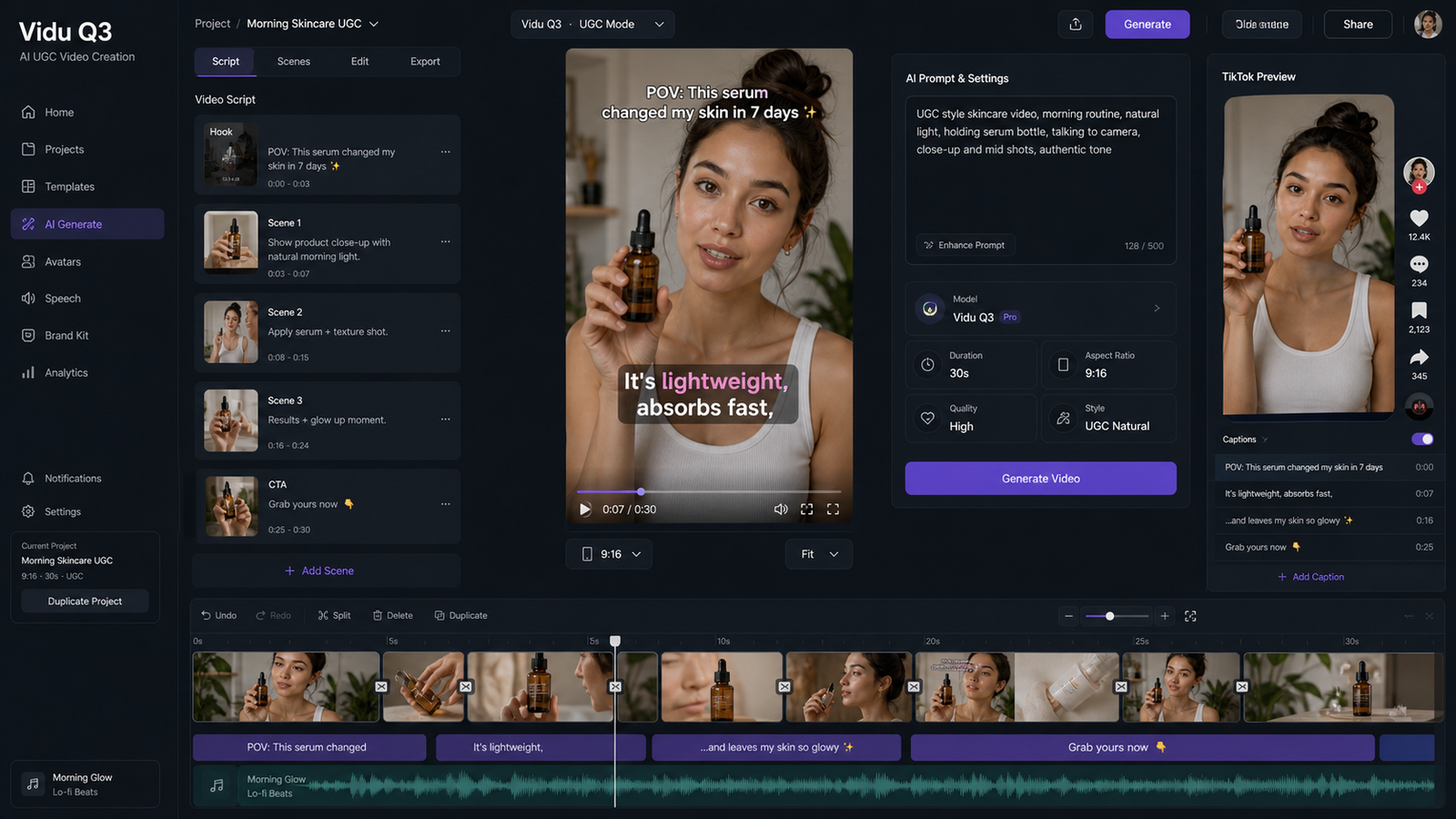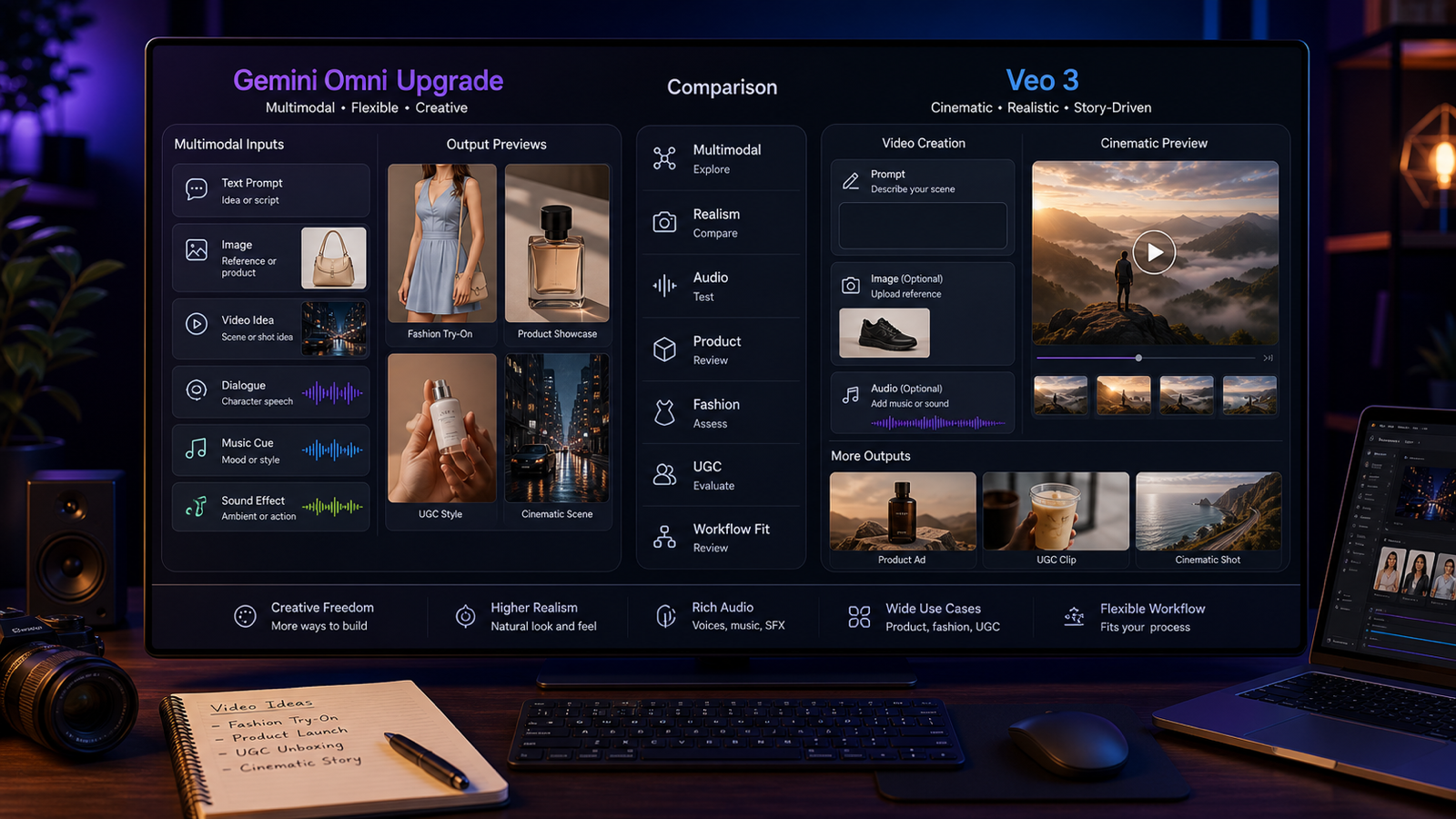
Gemini Omni Flash is important because it points toward conversational AI video creation instead of one-shot prompting. Google’s current developer documentation identifies the API model as gemini-omni-flash-preview, a preview model for video generation and editing through the Interactions API, with text, image, and video inputs and 3-10-second 720p output in 9:16 or 16:9 formats.
For creators, the practical promise is simple: start with a product, fashion look, UGC idea, image, or sound direction, then refine the video with follow-up natural-language instructions instead of restarting from scratch. AITryon is worth watching because its Gemini Omni AI Video Generator page positions the model around text-to-video, image-to-video, reference-led creation, dialogue planning, sound direction, and iterative refinement. However, the live AITryon page currently says Coming Soon and displays Veo 3.1 Fast, so this article treats it as a release-watch and workflow-planning page, not confirmed live Gemini Omni Flash access.

Gemini Omni Flash Is a Conversational Video Model, Not Just Text to Video
Gemini Omni Flash differs from conventional one-shot text-to-video tools because the workflow is designed around interaction. Instead of writing one prompt, waiting for a result, and starting over when the output misses the brief, creators can use follow-up instructions to adjust camera movement, pacing, lighting, action, dialogue meaning, ambience, or the final shot.
That matters for fashion, ecommerce, and UGC because small changes decide whether a clip feels usable. A fashion team may want to keep the outfit, model, and location unchanged while making the camera movement slower. A product marketer may want the same hero shot but brighter reflections. A UGC advertiser may want the same creator and product demonstration, but a shorter opening pause and a product reveal within the first second.
Official Google sources, including the Gemini Omni Flash API Guide, should be used for model identifier, preview status, supported inputs, duration, output resolution, and API behavior. AITryon should be treated separately as a third-party platform whose live model access and feature coverage must be verified before publication.

What Google Currently Confirms About Gemini Omni Flash
Google’s current Gemini Omni documentation frames the model as a preview video-generation and editing model available through the Interactions API. The developer docs identify the API model as gemini-omni-flash-preview, describe short video output, and list 9:16 and 16:9 ratios. The Gemini Omni Flash Model Documentation, Introducing Gemini Omni, and the Google DeepMind Gemini Omni overview are the right references for release context and official capability framing.
The official first-party pricing also needs careful wording. Google currently lists Gemini Omni Flash at $0.10 per second of generated video through its developer offering. That is Google API pricing, not AITryon pricing, and should not be used to describe AITryon credit costs, subscriptions, or billing.
Because this is a preview model, avoid overconfident claims. Recheck supported inputs, video duration, resolution, aspect ratios, editing controls, API availability, model name, regional availability, pricing, and safety behavior before publishing or building a workflow around it.

AITryon Gemini Omni Page: Release Watch, Not Confirmed Direct Access Yet
The AITryon Gemini Omni AI Video Generator is the main page to recommend for readers tracking release and workflow direction. Its content matches the search intent behind Gemini Omni Flash release and availability, Gemini Omni conversational video editing, and Gemini Omni multimodal video generator.
The live-access caution is the core fact. At the time of writing, AITryon’s Gemini Omni page says Coming Soon and the visible interface displays Veo 3.1 Fast. That means the article should not claim AITryon already generates videos directly with Gemini Omni Flash, supports every official Gemini Omni capability, or provides uploaded-video editing through Gemini Omni unless the live page later confirms those details.
Use this wording in publication copy: "AITryon’s Gemini Omni page is a useful release-watch and workflow-planning page, while direct Gemini Omni Flash generation should be verified on the live interface before use." That keeps "Gemini Omni," "Gemini Omni Flash," "Veo 3.1 Fast," and "Gemini Omni-style workflow" cleanly separated.

What to Use on AITryon While Gemini Omni Flash Is Coming Soon
Until direct Gemini Omni Flash access is verified, AITryon’s currently usable workflows are the more practical recommendation. Start with the Veo 3.1 AI Video Generator for text- or image-led video with built-in audio. Use Photo-to-Video Generator for animating fashion, product, and portrait images. Use AI Product-to-Video Generator for ecommerce demonstrations and product advertising. Use AI UGC Maker for talking presenters, uploaded audio, product explanations, and creator-style vertical ads.
The live Veo 3.1 page should be checked immediately before publishing because interface details can change. The current page presents start/end-frame input, prompt enhancement, aspect-ratio controls, built-in audio, and a displayed 300-credit generation cost. AITryon’s UGC tool should also be checked live because its image uploads, audio uploads, vertical ratios, lip-sync presenter workflows, and product-demo options affect what users can realistically create.
This creates a practical bridge: use AITryon now for Veo 3.1, product-to-video, photo-to-video, and UGC workflows, while tracking Gemini Omni Flash for future conversational revision and multimodal video editing.

Gemini Omni Flash for Fashion, Product Ads, UGC, and Social Video
Gemini Omni Flash is most interesting for workflows that need controlled revision. Fashion creators can animate lookbooks from reference images and then ask for slower walking pace, more natural fabric movement, or a different final pose. Ecommerce teams can begin from product photos and refine lighting, opening shots, camera push-ins, package handling, and final hero frames. UGC teams can revise delivery style, product timing, hook length, and room ambience while preserving the creator, product, and message.
The highest-value use cases include:
- Conversational video revision without restarting from scratch.
- Product-image-to-ad generation for ecommerce and landing pages.
- Fashion lookbook animation from uploaded style references.
- UGC hooks and product demonstrations for TikTok, Reels, and Shorts.
- Music-led beauty, fashion, and lifestyle clips.
- Reference-based subject, garment, and product consistency.
- Dialogue, ambience, and sound-effect direction.
- Ad resizing and variation generation across 9:16 and 16:9.
- Camera, pacing, scene, lighting, and final-shot corrections.
The risk is also practical. Generated clips should still be reviewed for product accuracy, claim safety, likeness rights, brand safety, audio rights, and platform policy before they are used in ads or public campaigns.

Prompt Formula for Gemini Omni Flash and AITryon Video Workflows
The best prompts for Gemini Omni-style video workflows state the purpose, inputs, motion, camera, audio, preservation rules, and revision boundaries. A simple formula keeps the model from guessing too much:
Create a [duration]-second [ratio] video for [purpose]. Use [text, image, product, video, or audio reference]. Subject: [subject]. Action: [action]. Setting: [environment]. Camera: [shot and movement]. Lighting: [lighting]. Audio: [dialogue, music, ambience, and effects]. Preserve [face, outfit, product shape, packaging, or brand details]. End with [final shot or CTA]. Avoid [identity drift, distorted anatomy, altered labels, unstable backgrounds, or unsupported claims].
For conversational revision, use an even narrower formula:
Keep [subject, setting, product, dialogue meaning, and visual style] unchanged. Modify only [camera movement, pacing, lighting, action, audio, or final shot]. Make the result [more natural, faster, quieter, less polished, or more cinematic].
This is especially useful for Gemini Omni Flash for UGC videos, Gemini Omni product-demo video maker, and Gemini Omni image-to-video generator workflows where consistency matters more than novelty.

Copy-to-Use Gemini Omni Flash Prompt Examples
Use these prompts as starting points, then verify what the live AITryon model selector supports before generating:
Create a 9:16 UGC skincare video. A creator holds [product], explains one supported benefit, applies it naturally, and finishes with "[CTA]." Use handheld phone framing, soft bathroom daylight, natural pauses, and subtle room ambience.Use the uploaded fashion image as the reference. Animate the model walking slowly through a minimalist gallery. Preserve the face, body proportions, outfit design, fabric colors, and accessories. Use a smooth low tracking shot and realistic fabric motion.Create an ecommerce demonstration for [product]. Begin with a close-up of the packaging, show the product being opened and used correctly, and finish with a clean hero shot. Preserve all labels, colors, and proportions.Create a six-second vertical social ad for [product]. Open with the hook "[hook]." Show one clear problem, the product in use, and one supported result. Use authentic creator-style delivery rather than polished television advertising.Create a cinematic footwear video from the uploaded shoe image. Preserve the exact shoe design and logo placement. Use a rotating studio platform, directional lighting, realistic reflections, subtle impact sounds, and a final close-up.Create a moving fashion lookbook featuring three outfits from the uploaded reference images. Preserve each garment's color, cut, fabric, and styling. Use consistent lighting, slow transitions, and an elegant editorial soundtrack.Create a product-founder video. A fictional founder explains why [product] was created and demonstrates one verified feature. Use direct-to-camera delivery, understated editing, natural gestures, and a quiet studio environment.Create a music-led beauty campaign using the uploaded image and audio. Synchronize camera movement, light changes, product reveals, and model gestures with the beat. Preserve the face, makeup, outfit, and product details.Revise the previous video. Keep the creator, product, dialogue, room, and lighting unchanged. Make the camera less cinematic, shorten the opening pause, show the product within the first second, and make the delivery feel more spontaneous.Revise the approved product video into three versions for TikTok, Instagram Reels, and YouTube Shorts. Preserve the main message and product appearance while changing the opening hook, pacing, captions, and final CTA.
Avoid copyrighted characters, celebrity likenesses, copied ads, protected logos, false product claims, medical claims, financial promises, or misleading before-and-after transformations.

AITryon Workflow Checklist Before You Publish a Video
Before publishing a Gemini Omni Flash, Veo 3.1, product-to-video, or UGC clip from AITryon, run a practical review checklist. First, verify the live model selector and confirm whether you are using Gemini Omni, Veo 3.1 Fast, Veo 3.1, or another model. Second, check credit cost, duration, resolution, aspect ratio, audio controls, input limits, export format, watermark rules, and privacy settings.
Then review the creative output. For fashion videos, check face consistency, body proportions, garment structure, fabric motion, and accessories. For product videos, check label stability, packaging shape, color accuracy, use demonstration, and final hero shot. For UGC videos, check lip sync, gesture naturalness, product timing, spoken claims, CTA, and whether the clip feels native to the platform.
Finally, verify rights and compliance. Do not claim free, unlimited, watermark-free, private, or commercially unrestricted generations unless the live AITryon terms confirm it. Do not claim AITryon is officially affiliated with Google unless an official source says so.

FAQ and Final Recommendation
Is Gemini Omni Flash live on AITryon?
AITryon has a Gemini Omni page, but the live page currently says Coming Soon and shows Veo 3.1 Fast in the visible interface. Treat it as a release-watch page until direct Gemini Omni Flash access is clearly confirmed.
What is the official Gemini Omni Flash model name?
Google’s developer documentation identifies the API model as gemini-omni-flash-preview. Recheck the official Gemini Omni Flash API Guide before publishing because preview model names and availability can change.
What should creators use on AITryon right now?
Use Veo 3.1 AI Video Generator for text- or image-led video with audio, Photo-to-Video for animating still images, AI Product-to-Video for ecommerce demonstrations, and AI UGC Maker for presenter-style product clips.
Can Gemini Omni Flash help with UGC ads?
Yes, the Gemini Omni-style workflow is promising for UGC hooks, product demos, dialogue, ambience, revisions, and social-ad variants. However, generated clips still need review for claim accuracy, brand safety, likeness rights, product accuracy, and platform policy.
Final recommendation: use the AITryon Gemini Omni page to track Gemini Omni Flash release and plan conversational workflows, but use AITryon’s currently available Veo 3.1, photo-to-video, product-to-video, and UGC tools until direct Gemini Omni Flash generation is verified.
For related reading, see AITryon’s Google Veo 3 and Omni Flash Video Creation Guide, Gemini Omni Upgrade vs Veo 3, Gemini Omni Release, How to Use Veo 3.1 for AI Try-On Videos, AI TikTok UGC Video Maker, and How to Use AITryon's Photo-to-Video Tool.