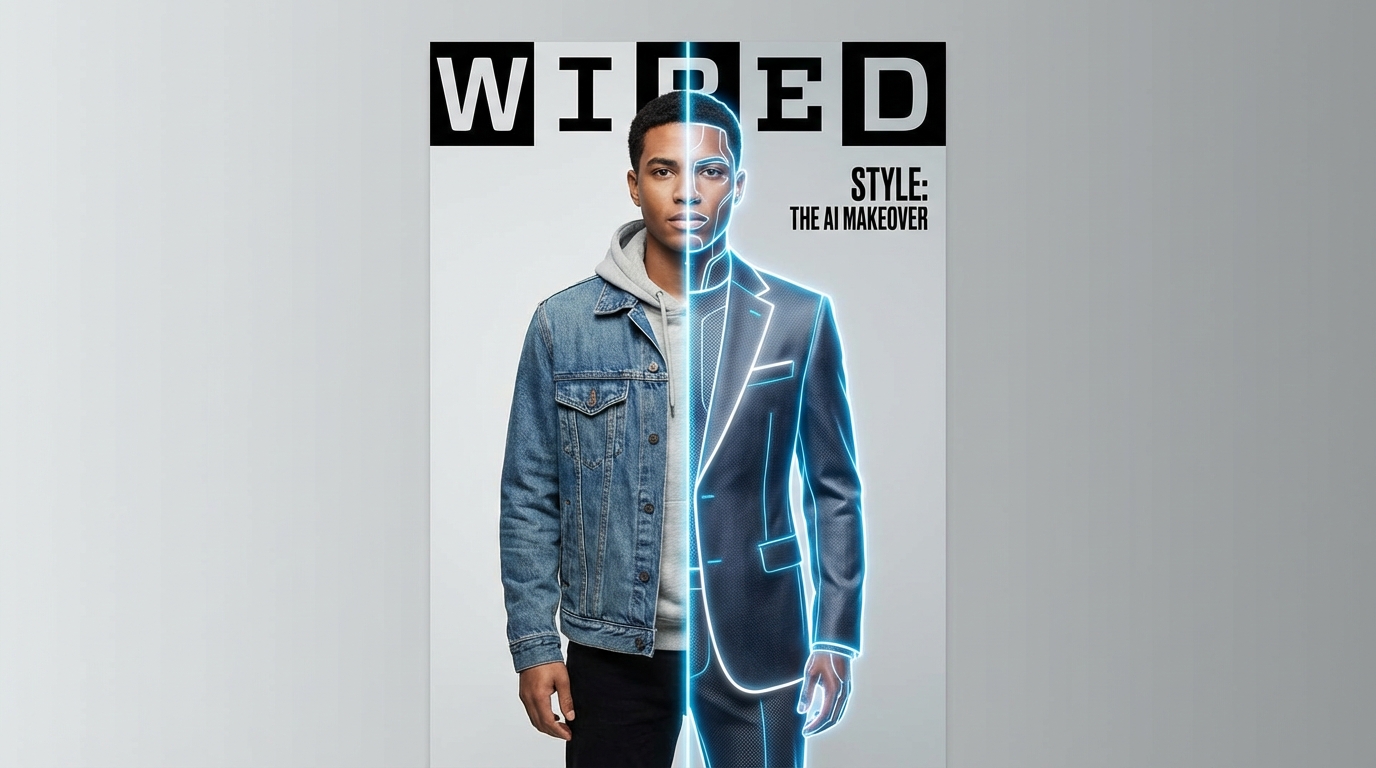
Online shopping has always had one big flaw: you never really know how something will look on you. Sizes vary, cuts behave differently, and product photos rarely tell the full story. That gap is exactly why clothes changer tools powered by AI try-on technology are gaining attention so quickly.
With modern ai clothes try on tools, you can upload a single photo, swap outfits virtually, and preview different looks in seconds—no fitting room, no returns, no guesswork. This guide breaks down how clothes changer with try-on AI actually works, how to use it effectively, and how to get the most realistic results.
What a Clothes Changer With Try-On AI Actually Does
At its core, a clothes changer with try-on AI takes two inputs:
- a photo of a person, and
- a photo or reference of clothing.
The AI analyzes body proportions, pose, lighting, and perspective, then overlays the outfit in a way that attempts to respect fabric shape, folds, shadows, and alignment. Unlike simple photo editors or costume filters, a true virtual try on ai system aims for realism rather than novelty.
The result isn’t just “placing clothes on top of a photo.” It’s a reconstructed visual preview of how that outfit might look when worn—good enough for decision-making, content creation, and visualization.
What Makes a Good AI Clothes Changer Tool?
Not all try-on tools are created equal. The difference between a gimmick and something genuinely useful comes down to a few key factors.
A strong ai clothes changer should handle body alignment well, so garments don’t float or stretch unnaturally. It should preserve facial features and posture while adapting clothing to the body, not the other way around. Speed also matters—outfit testing only feels magical when it’s fast enough to encourage experimentation.
Just as important is simplicity. Upload, generate, adjust, download. The fewer steps between idea and result, the more likely users are to actually use it.
Step-by-Step: How to Use Try-On AI (Beginner Friendly)
Using an ai try on clothes tool doesn’t require any design background. The workflow is straightforward.
You start by uploading a photo of yourself or a model. Full-body images work best, but upper-body photos are often enough for tops, jackets, or dresses. Next, you upload an outfit image or select a clothing reference.
Once both inputs are ready, the AI generates a preview where the clothing is swapped onto the person. From there, you can refine—try a different outfit, adjust the image, or rerun the generation for improved alignment.
In practice, you can test several outfits in the time it would take to step into a single fitting room.
Choosing the Right Photos for Realistic Results
Photo quality matters more than most people expect.
For the person image, clear lighting, a neutral background, and a natural standing pose work best. Avoid extreme angles, crossed arms, or heavy shadows. The AI performs better when it can clearly “read” the body.
For outfit images, clarity is just as important. A front-facing garment photo with visible sleeves, hems, and structure gives the clothes changer ai more information to work with. Low-resolution or angled product shots often lead to distorted results.
If the output looks off, the issue is usually the input—not the tool.
Who Uses AI Clothes Changer Tools (and Why)
AI try-on isn’t just for shoppers.
Online shoppers use it to compare styles quickly and reduce return anxiety. Creators use it for outfit transitions, fashion content, cosplay planning, and lookbooks. Brands and sellers rely on it to visualize products on different body types without organizing expensive photoshoots.
Because ai clothes changer tools remove friction, they unlock experimentation. People try styles they wouldn’t normally consider, simply because the cost of “trying” is close to zero.
Style Control and Consistency
Some try-on tools allow light prompt or style control. Even when prompts aren’t required, thinking in terms of style helps.
If you’re testing outfits, keep everything else consistent. Same pose, same lighting, same framing. Change only one variable at a time—color, cut, or layer. This makes comparisons meaningful instead of confusing.
Repeating this process with ai clothes try on tools can quickly turn into a personal lookbook or capsule wardrobe preview.
Common Problems and How to Fix Them
If clothing looks pasted on, the outfit reference likely doesn’t match the pose or angle of the person image. Try a cleaner, more front-facing garment photo.
If hands or arms distort, switch to a simpler pose or crop slightly higher. If fabric texture looks odd, use a higher-resolution clothing image.
Most issues are solved by pairing better inputs with realistic expectations. Even the best virtual try on ai works within visual limits.
Tips for Better Before-and-After Results
To get consistent, impressive results, treat AI try-on like a testing workflow.
Start with a “baseline” outfit you trust, then swap variations. Keep lighting and posture consistent. Save your best outputs and compare them side by side. In just a few minutes, you can test more combinations than a physical fitting room allows in an hour.
This is where ai try on clothes stops being a novelty and becomes genuinely useful.
Final Thoughts: Faster Decisions, Less Guesswork
Clothes changer tools powered by try-on AI aren’t about replacing real clothing—they’re about reducing uncertainty. Whether you’re shopping, creating, or selling, seeing a realistic preview changes how confident you feel about a decision.
With the right inputs and a simple workflow, tools like ai clothes changer turn outfit experimentation into something fast, visual, and surprisingly intuitive.
Trying on clothes has finally caught up with the internet age—and this time, you don’t even have to leave your chair.