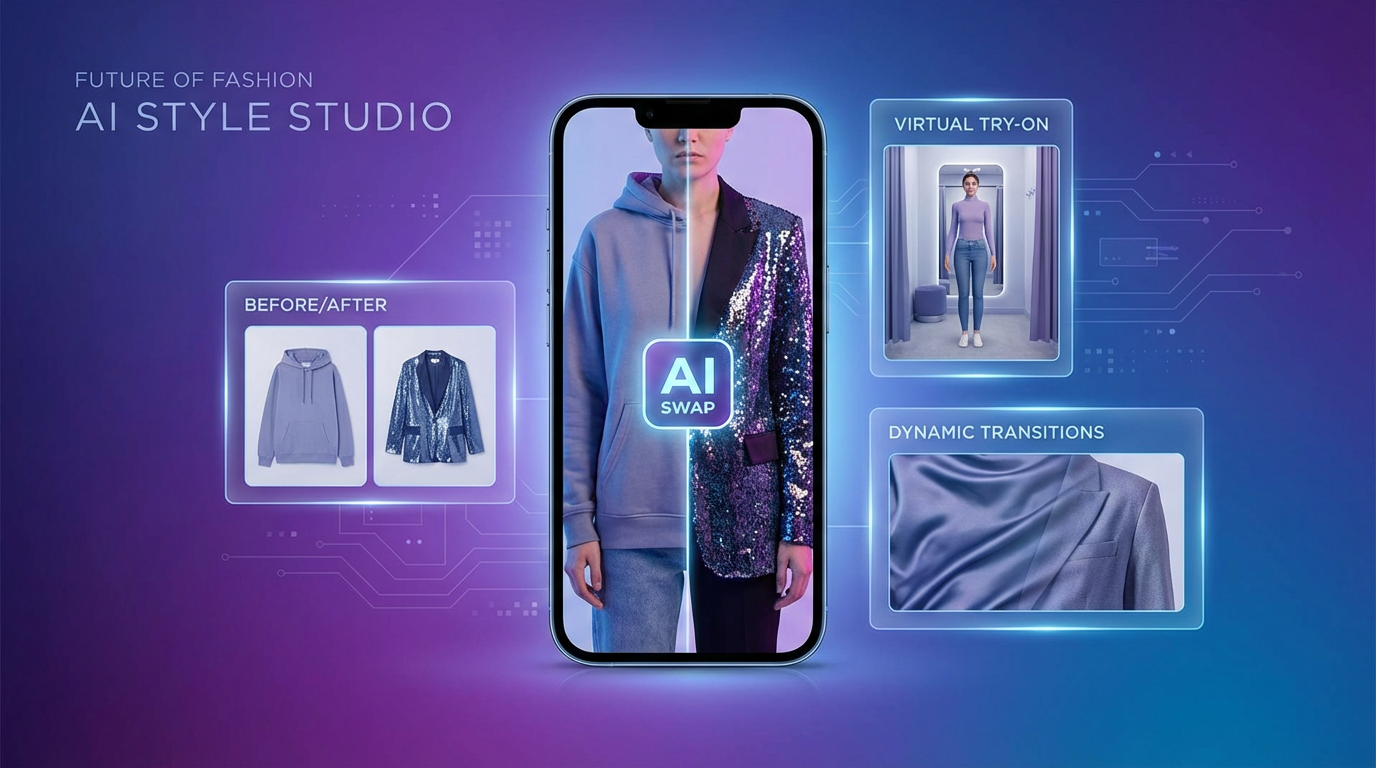
AI fashion content is exploding online — from instant outfit swaps to virtual try-on videos, creators everywhere are turning everyday clips into stylish transformations. Thanks to tools like wan ai clothes changer technology, you can produce these effects without editing skills, green screens, or complex compositing.
This guide walks you through the full process of using Wan AI and the updated Wan 2.5 interface to generate high-quality clothes change videos. Whether you’re a fashion creator, shop owner, or short-form video producer, this tutorial will show you exactly how to get started.
1. What Is Wan AI Clothes Changer Video Creation?
A new generation of AI models can now replace outfits in video, creating smooth transitions or dramatic fashion reveals. With the wan ai clothes change video workflow, you can prompt a completely new outfit without filming costume changes or hiring stylists.
This makes Wan AI extremely appealing for:
- Clothing brands
- Fashion influencers
- Virtual try-on creators
- Cosplayers
- Social media editors
- E-commerce teams
If you want fast, clean results without video editing software, Wan AI is one of the best solutions available.
2. Why Wan 2.5 Is the Best Engine for Clothes Change Videos
At the core of the system is the wan 2.5 ai video generator — a high-precision model built for motion consistency, fabric realism, and body awareness.
Wan 2.5 gives creators several major advantages:
- Stable fabric reconstruction
- Natural cloth folds and textures
- Accurate body tracking
- Better motion handling for transitions
- Cleaner identity preservation
- Reduced jitter and distortion
That’s why it remains a top choice for anyone producing fashion edits, seamless outfit transitions, or any type of ai clothes changer video generator content.
3. Getting to Know the Wan 2.5 Interface
If you’re using the interface shown earlier, you’ll see clear input sections:
- Model Version (Wan v2.5 Fast)
- Start Frame / Image Upload
- Prompt Box (0–2000 chars)
- Duration (e.g., 5s)
- Resolution (e.g., 720p, 1080p)
- Generate Button
These fields determine how your wan ai outfit changer output will turn out.
Choosing the right frame, writing precise prompts, and selecting an appropriate duration all play a big role in the final quality of your clothes change video.
4. Preparing Your Source Frame for Best Results
Wan AI works best when you start with a clear, well-lit subject. Before you upload a Start Frame, use these tips:
- Choose a frame where the subject is standing or posing clearly
- Make sure clothing edges are visible
- Avoid busy backgrounds if possible
- Ensure face and body are unobstructed
- Choose stable posture for cleaner transformation
Good preparation ensures the wan ai outfit changer understands body shape and clothing boundaries, resulting in smoother transitions.
5. Writing Effective Prompts for Clothes Changer Videos
Your prompt is the heart of the transformation. This is where you tell Wan AI exactly what outfit to generate.
Here’s how to structure a good prompt:
- Describe the new outfit in detail
- Mention fabric, colors, and style
- Include accessories or footwear if needed
- Describe mood or aesthetic if relevant
Example prompts:
- “Replace the outfit with a black silk evening gown with silver details.”
- “Change clothing to a pastel pink oversized hoodie and denim shorts.”
- “Transform into a futuristic white cyberpunk suit with glowing blue accents.”
This is how you turn Wan AI into a powerful ai outfit transformation tool capable of producing consistent styles and expressive visuals.
6. Step-by-Step Guide: Creating Your Clothes Change Video in Wan 2.5
Here’s the full process from start to finish:
STEP 1 — Select Wan v2.5 Fast Model
Choose the correct version under Model Version. This ensures optimal processing speed and accuracy from the wan 2.5 clothes changer engine.
STEP 2 — Upload Start Frame
Upload a clear image or frame representing your subject.
STEP 3 — Add Your Prompt
Write a transformation description in the prompt box. Keep clarity and detail in mind.
STEP 4 — Choose Duration
Most creators use 3–5 second clips for smooth, TikTok-style outfit reveals.
STEP 5 — Select Resolution
720p for fast generation, 1080p for higher quality.
STEP 6 — Click Generate
Wan AI will now build your wan ai fashion transformation video based on your prompt and movement.
AI handles motion retention, body consistency, and fabric realism automatically — no editing needed.
7. Create Virtual Try-On Videos With Wan AI
The fashion industry is rapidly adopting virtual clothes try-on video ai for marketing, as it allows viewers to instantly visualize styling changes.
Using Wan AI, you can generate:
- Outfit comparisons
- Try-on demos
- Seasonal lookbooks
- Colorway tests
- Influencer style videos
All from a single source clip.
8. Mastering Clothing Transitions and Timing
If you want seamless transitions or dramatic “wow moments,” Wan AI’s motion-based processing is essential. The model uses its ai clothing transition video features to adapt clothing changes to movement.
Tips for smooth transitions:
- Use turning or spinning motions
- Use a jump-cut style pose
- Keep the subject centered
- Use dramatic prompts for contrast
These techniques make the final clothing swap look fluid, intentional, and visually engaging.
9. Creating Multi-Look Videos With Wan 2.5 Clothes Changer
One of the easiest ways to maximize your content is by generating multiple versions of a clip, each with different outfits.
Using the wan 2.5 clothes changer workflow, you can create:
- 5 outfits for 1 body
- Seasonal collections
- Entire try-on hauls
- Color variations of the same design
- Cosplay version vs. casual version
This is extremely efficient for brands and creators creating high-volume content.
10. Viral Ideas Using AI Clothes Changer Video Generator
To grow your audience quickly, try content formats that work well with an ai clothes changer video generator:
- “5 outfits in 5 seconds”
- Day-to-night outfit transformation
- Anime character outfit transitions
- Cosplay-to-streetwear transitions
- Luxury vs budget outfits
- Travel capsule wardrobe swaps
These formats perform extremely well on TikTok, Reels, and YouTube Shorts.
11. Who Should Use Wan AI for Clothes Change Videos?
Wan AI’s outfit swapping technology is perfect for:
Fashion Influencers
Fast, aesthetic outfit changes.
E-Commerce Brands
Product videos for marketing or product-page content.
Fashion Designers
Previewing designs in motion.
Content Creators
Stylized transitions for TikTok or Reels.
Cosplayers & VTubers
Instant character transformations.
Every group benefits from the simplicity and power of the wan ai clothes changer workflow.
12. Conclusion: The Future of Fashion Videos With Wan AI
As AI becomes more integrated into visual content creation, tools like wan 2.5 ai video generator will set new standards for fashion visuals.
With a simple frame, a detailed prompt, and a few seconds of generation time, you can produce professional-quality fashion reveal videos that traditionally required studios, stylists, and video editing skills.
If you’re ready to experience the next wave of fashion content, start experimenting with your own wan ai clothes change video today — and discover how far your creativity can go.