Qwen’s image tools are getting a lot more attention, and for good reason. The arrival of Qwen Image 2.0 signals a bigger push into high-quality image generation, smarter editing, and stronger text handling inside visuals. For users who already know the current Qwen AI Image Editor on VirtualTryOn AI, this next step matters because it promises to move beyond simple edits and into a more complete creative workflow.
Right now, VirtualTryOn AI already gives users access to the current Qwen image generator through its Qwen AI Image Editor page. That means people can already test the model family for practical design tasks such as text replacement, style transfer, object editing, and layout adjustment. The bigger story, though, is that Qwen Image 2.0 is expected to arrive as a more advanced upgrade for users who want stronger generation quality, better prompt understanding, and more reliable typography inside images.
In this article, we will look at what Qwen Image 2.0 is, why people are talking about it, how it compares with the current Qwen AI Image Editor experience, and where it may fit into real creative workflows. This is also meant to function as a practical Qwen Image 2.0 review for readers who want a grounded, user-first explanation rather than hype.
What Is Qwen Image 2.0?
At its core, Qwen Image 2.0 is the next-generation image model in the Qwen ecosystem. It is being discussed as a more capable tool for image creation, especially in areas that many image models still struggle with: text inside images, structured layouts, visual clarity, and prompt fidelity.
That is why many people are starting to describe it as a Qwen Image 2.0 AI image generator for more serious creative use cases, not just casual art prompts. Instead of focusing only on style or visual beauty, this model is especially interesting for content that needs to communicate something clearly. That includes posters, infographics, social media creatives, slide-style visuals, and even comics with embedded text.
In simpler terms, Qwen Image 2.0 looks promising because it is not only about making pretty pictures. It is about helping users generate images that are actually useful.
What You Can Use Right Now on VirtualTryOn AI
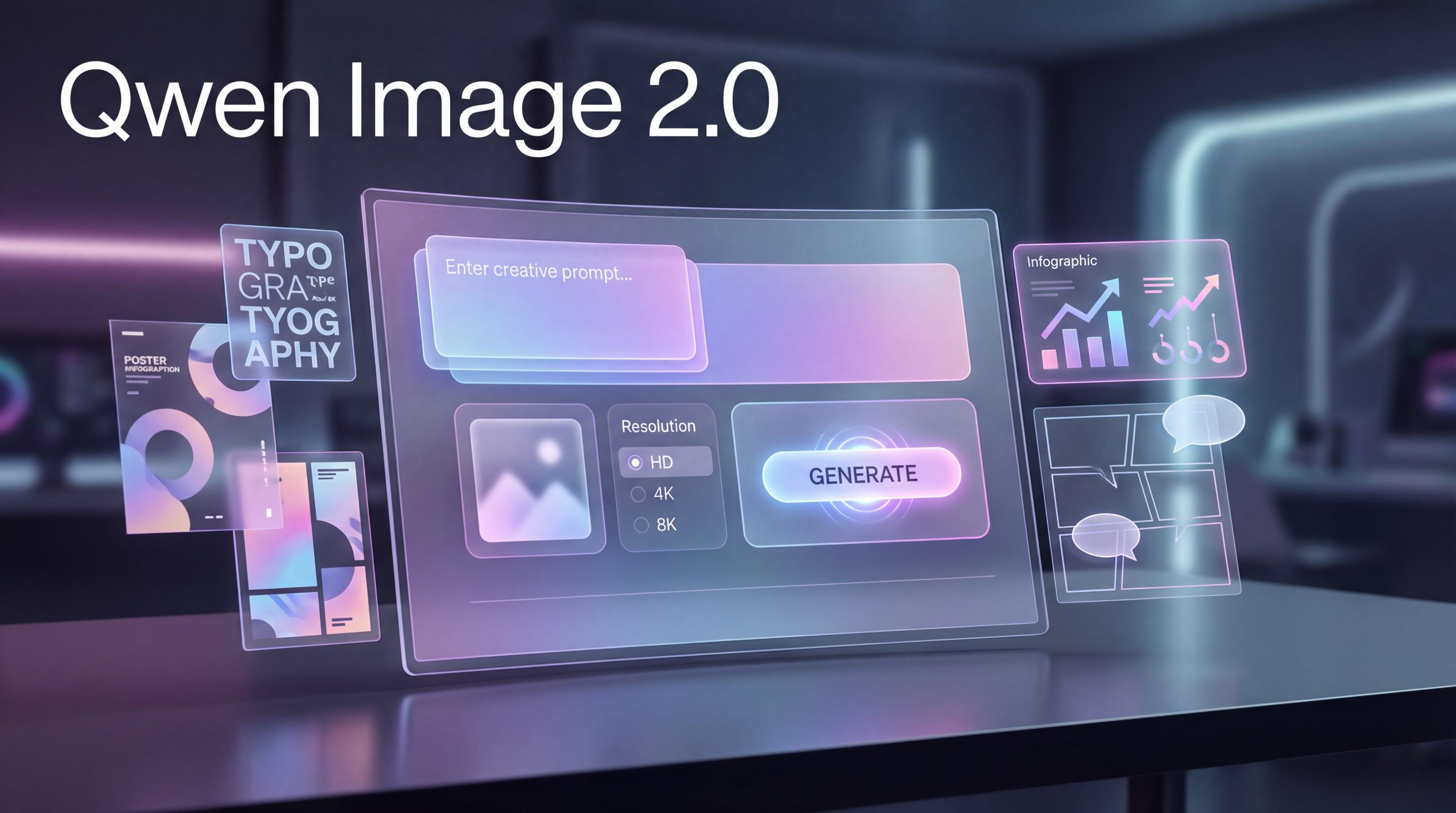
Before talking about the upgrade, it is worth looking at the current experience. On VirtualTryOn AI, users can already access Qwen AI Image Editor, which is available through the Qwen image generator page. The interface is practical and easy to understand: enter a prompt, upload an image if needed, choose a resolution, and generate.
The current tool is already useful for several everyday editing tasks. If you want to change text in an image, adjust the style of an existing design, remove or add an object, or make controlled visual edits instead of generating from scratch, it gives you a direct path to do that. For many users, that is already enough.
This is why the current version remains relevant. It is approachable, focused, and immediately practical. If your workflow is mainly about cleaning up visuals or revising an existing asset, the current editor may still feel more straightforward than jumping into a more feature-heavy system.
Why Qwen Image 2.0 Feels Like a Bigger Release
The reason people are excited about Qwen Image 2.0 is that it appears to expand the scope of what Qwen can do. The current editor on VirtualTryOn AI feels editing-first. The newer release feels more creation-first while still keeping editing in the picture.
That difference matters.
A traditional image editor helps you modify what already exists. A stronger next-generation model helps you plan, generate, refine, and then polish in one flow. That is a major shift for designers, marketers, content teams, and creators who often bounce between multiple tools just to finish one graphic.
If that promise holds up in actual use, Qwen Image 2.0 could become more than just an update. It could become the version that pushes Qwen into the front line of practical visual content creation.
Qwen Image 2.0 vs. Qwen AI Image Editor
The most useful way to compare them is not to ask which one is “better” in the abstract. It is better to ask what kind of work each one is best for.
1. Editing-first versus generation-first
The current Qwen AI Image Editor is built around editing convenience. You bring in an idea, sometimes an existing image, then refine it. The workflow feels grounded in revision.
Qwen Image 2.0, by contrast, is more exciting for users who want to start with a complex idea and build the image from the prompt outward. That makes it more appealing for people creating campaign visuals, educational images, formatted posters, or slide-like content.
2. Better text handling inside images
One of the strongest reasons to watch Qwen Image 2.0 is its reputation for better text rendering. This is a major issue in AI image generation. Many models can create stunning visuals but still fall apart when text must appear clearly and correctly inside the image.
That is exactly where the current ai image generator with text rendering angle becomes important. The existing Qwen tool already points in that direction, but Qwen Image 2.0 seems positioned to push the capability further, especially for prompt-led layouts where the words on the image matter as much as the graphics.
3. More useful for structured visual content
A lot of AI image tools are good at mood boards, fantasy art, or concept visuals. Far fewer are genuinely good at structured design work.
That is why Qwen Image 2.0 stands out in discussion around workflows like an AI infographic generator, where clarity, hierarchy, and organized information matter. The same applies to an AI poster generator with text or an AI comic generator with text. These are not small edge cases anymore. They are exactly the kinds of real-world tasks that creators, startups, teachers, and marketers need every week.
4. More ambitious output expectations
The current editor is useful because it stays focused. Qwen Image 2.0 feels more ambitious. It aims to be the version people reach for when they need more detail, more prompt control, more layout reliability, and stronger outputs for communication-heavy images.
That does not automatically make the older tool obsolete. In fact, some users may still prefer the lighter, more direct editor for simple revisions. But if your needs are growing, the newer release looks better aligned with that direction.
A Practical Qwen Image 2.0 Review
So what is the realistic takeaway from a user perspective?
The strongest point in any early Qwen Image 2.0 review is that the model appears to solve a practical problem, not just a visual one. Too many AI image tools are impressive in demos but less useful in daily work. Qwen’s newer direction looks more practical because it targets readable text, controlled layouts, and prompt precision.
That is a big advantage for users creating:
- marketing graphics
- educational explainers
- social posts with embedded copy
- event posters
- pitch visuals
- lightweight comics or story panels
The possible downside is familiar to anyone who follows model releases. Expectations rise fast. Real-world performance may vary depending on the platform implementation, prompt quality, and rollout stage. If VirtualTryOn AI adds it gradually, users may need a little time before they understand where Qwen Image 2.0 truly excels.
Still, even with that caution, the release is easy to care about. It aligns with tasks people actually have.
How to Use Qwen Image 2.0 When It Lands on VirtualTryOn AI
A lot of readers searching how to use Qwen Image 2.0 are not looking for technical theory. They just want to know what the workflow will probably look like.
The good news is that the current Qwen AI Image Editor already gives a clear clue. On VirtualTryOn AI, users can enter a prompt, upload an image if they want to guide or edit the output, select a ratio or resolution, and generate. Once Qwen Image 2.0 is integrated, the process will likely feel familiar but more powerful.
A simple workflow would look like this:
First, decide whether you are creating from scratch or editing an existing image. If you are building from scratch, write a prompt that includes subject, style, layout, and any visible text you want inside the image. If you are editing, upload a source image and be specific about what should change.
Second, choose the output format based on your goal. A square canvas may work for social content, while a taller format may suit posters or story panels better.
Third, generate one version first instead of overloading the prompt. Review the text clarity, visual balance, and layout logic.
Finally, iterate. The most effective users of Qwen Image 2.0 will probably be the ones who treat it like a design partner, not a one-click miracle.
Who Should Pay Attention to Qwen Image 2.0?
Not every release matters equally to every user. But this one is especially relevant for a few groups.
If you work in content marketing, Qwen Image 2.0 is worth watching because visuals with readable text are incredibly useful for campaigns.
If you are a creator who publishes guides, explainers, or educational material, the model’s potential as an AI infographic generator could save time and reduce tool-switching.
If you design promotions, launches, or event creatives, the AI poster generator with text use case is obvious.
If you are a storyteller, teacher, or social content creator, the AI comic generator with text angle is especially interesting because it can turn narrative ideas into more structured visual storytelling.
And if you already use the current Qwen image generator on VirtualTryOn AI, this release is worth following simply because it may expand what you can do without leaving the same ecosystem.
Should Current Users of Qwen AI Image Editor Upgrade Their Attention?
Yes, but with realistic expectations.
If your current needs are basic image editing, text replacement, or quick visual cleanups, the existing Qwen AI Image Editor may still be enough for now. It is already accessible and practical.
But if you want better prompt-led generation, stronger layout control, more useful text rendering, and more confidence when making posters, infographic-style images, or comics, then Qwen Image 2.0 is the more important model to watch.
The most sensible view is this: the current editor is the working tool, while Qwen Image 2.0 looks like the next major step.
Other Tools Worth Exploring on VirtualTryOn AI
Even if your main interest is Qwen, it helps to know the surrounding tools in the same ecosystem.
If you want broader model access for creative experiments, try AI Image Generator.
If you need help turning a reference image into a reusable prompt structure, check out Image to Prompt.
If you want to clean up a source image before editing, Free Background Remover is a useful companion tool.
If you are exploring text-guided editing alternatives, Flux Kontext AI is worth comparing.
And if you want to try a different creative model within the same environment, Nano Banana AI is another option to explore.
Final Thoughts
The reason Qwen Image 2.0 feels important is simple: it points toward a more useful generation workflow, not just a flashier one. It speaks to a real need in the AI image space, where users increasingly want visuals that combine aesthetics with readable text, clearer structure, and better commercial usability.
For now, VirtualTryOn AI already offers a practical entry point through Qwen AI Image Editor, available via the Qwen image generator page. That makes it easy to start experimenting today.
But the bigger opportunity is what comes next. If Qwen Image 2.0 lands on VirtualTryOn AI as expected, it could become one of the most interesting tools in the platform for users who care about communication-heavy design, not just image generation for its own sake.
That is what makes this release worth watching: it feels less like a novelty update and more like a meaningful step toward AI visuals that people can actually use.