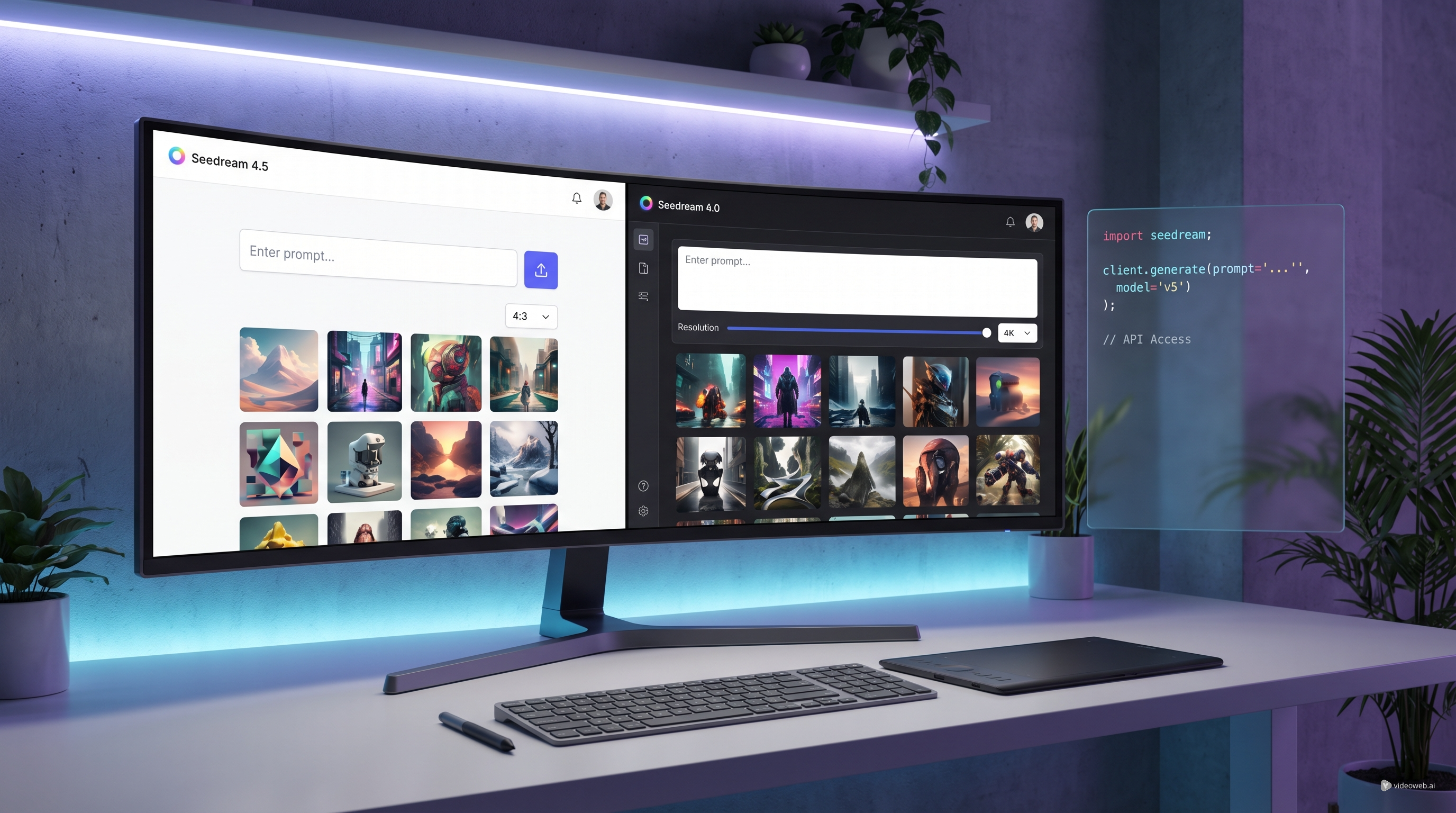
If you are exploring new image-generation models in 2026, Seedream 4.5 API is one of the more practical options to watch. It sits in a useful middle ground: powerful enough for developers and teams that want scalable image workflows, but still approachable enough for creators who just want to test prompts, styles, and visual ideas before building anything more technical.
That is part of what makes Flaq AI appealing. Instead of forcing users to choose between a pure API experience and a separate demo environment, the platform presents Seedream 4.5 as both a model you can try online and a model you can access programmatically. That gives the article a natural angle: if you want to explore Seedream 4.5 API for real work, Flaq AI is one of the easiest ways to begin. If you want direct browser-based image creation first, there is also the equivalent online route through Seedream 4.5 on TryOn AI or the newer Seedream 5.0.
In this guide, we will look at what makes Seedream 4.5 interesting, how to approach it on Flaq AI, when to use direct online image generation instead of API access, and why the newer Seedream AI workflow may be a better fit for some creators.
Why Seedream 4.5 Still Matters
Not every model release needs to be the newest one to matter. Some models become useful because they are stable, flexible, and easy to fit into real workflows. That is the value proposition behind Seedream 4.5 API.
For developers, the appeal is straightforward. A strong image API is not only about visual quality. It is about whether the model can produce clear outputs across different styles, support multiple aspect ratios, handle typography well enough for creative mockups, and remain practical for repeated use. Seedream 4.5 is attractive because it is positioned as a model that can serve both design experimentation and production-style generation.
For creators, the benefit is different. Many people do not begin with code. They begin with ideas: a campaign visual, a product concept, a stylized portrait, a poster draft, or a branded image that needs fast iteration. In that context, Seedream 4.5 feels useful because it can be tested in a more intuitive way before anyone commits to deeper integration.
That is why this is not just a story about an API. It is really a story about access. Flaq AI makes Seedream 4.5 API feel easier to evaluate, while TryOn AI makes the visual workflow even more direct for people who simply want to create images online.
Why Flaq AI Is a Good Place to Access Seedream 4.5
There are plenty of platforms that list AI models, but not all of them make the experience feel connected. Flaq AI does something more useful here: it gives readers a single entry point where they can understand the model, test it in a browser environment, and then move toward API usage when they are ready.
That matters because most users do not decide on an API from documentation alone. They want to see whether the model actually fits their needs. Can it generate polished visual concepts? Can it handle clean compositions? Can it adapt to different use cases without making every prompt feel like guesswork?
By presenting Seedream 4.5 API as both a usable tool and a developer-facing option, Flaq AI lowers the friction between curiosity and adoption. You are not being asked to make a technical commitment before you understand the creative results.
That makes Flaq especially useful for:
- product teams testing image-generation features
- startups building creative or marketing workflows
- designers who want API-ready models without a complicated first step
- agencies comparing multiple model families before choosing one
In short, Flaq AI works well because it treats model access as a workflow, not just a spec sheet.
How to Use Seedream 4.5 Online Before You Integrate Anything
One of the smartest ways to approach a model is to test it like a creator first.
If you are not ready to build with an API yet, the direct-use version of Seedream 4.5 on TryOn AI gives you a simpler path. Instead of thinking about endpoints and implementation, you can focus on the image itself: upload a source image if needed, write a prompt, refine it, select the ratio and resolution, and see how the model responds.
This kind of online access is especially helpful when you want to answer practical questions quickly:
- Does the model understand your style direction?
- Is it good enough for product visuals or concept art?
- Can it follow editing-style prompts rather than only basic generation prompts?
- Does it feel stable enough for repeated creative work?
That is why browser-first testing is often underrated. It saves time. Before investing in a development workflow, you can learn whether the model actually matches your creative taste.
For many readers, this is the best route: test first, integrate later.
When Seedream 5.0 Becomes the Better Choice
There is a reason to mention Seedream 5.0 in the same article. Readers looking at Seedream 4.5 are usually also asking whether they should skip ahead to the newer generation.
The answer depends on what kind of work they want to do.
If your goal is structured access, predictable testing, and a model that sits neatly in an API-first workflow, Seedream 4.5 remains a strong option. But if your focus is image refinement, creative editing, and newer image-to-image behavior, Seedream AI may feel more exciting.
This is where the distinction becomes useful. Seedream 4.5 makes sense as the practical, production-minded choice. Seedream 5.0 feels like the newer creative playground for users who want more forward-looking image workflows.
That does not mean one replaces the other in every case. It simply means the best choice depends on your entry point. If you are thinking like a builder, Seedream 4.5 may be the right start. If you are thinking like an artist, editor, or content creator, Seedream 5.0 may be the more attractive next step.
Best Use Cases for Seedream 5.0 Image-to-Image Workflows
A lot of creators are not starting from zero anymore. They already have a rough image, a reference photo, a concept draft, or a campaign layout that needs refinement. That is where Seedream 5.0 image-to-image AI becomes especially relevant.
Instead of asking the model to invent everything from scratch, image-to-image workflows let you guide the outcome with stronger visual anchors. This can be useful for:
- upgrading product photography concepts
- restyling portraits or fashion images
- refining visual mood boards
- transforming sketches into polished concept art
- testing alternate branded styles from a single reference
This is also the point where online tools become more attractive than documentation. When a creator is working on visual iterations, direct access matters more than technical abstraction. You want to upload, tweak, regenerate, and compare quickly.
That is why recommending Seedream 5.0 alongside Seedream 4.5 makes sense. The two models do not have to compete in a narrow way. They can represent different stages of the user journey.
How to Decide Between Flaq AI and TryOn AI
A simple rule makes the decision easier.
Choose Flaq AI when your main interest is access to Seedream 4.5 API, especially if you want to move from testing into developer use. This is the better route for people building products, integrating model calls, or comparing APIs across several creative models.
Choose TryOn AI when your main goal is direct online image creation. If you want to test Seedream 4.5 quickly or experiment with Seedream 5.0 image-to-image AI in a more creator-friendly environment, the browser workflow will feel smoother.
In practice, a lot of users will benefit from both. Start with the online experience to understand how the model behaves. Then move to Flaq AI if the model proves good enough for deeper or more scalable work.
That is the real takeaway here. The smartest workflow is not choosing one platform blindly. It is using each platform for what it does best.
Final Thoughts
The appeal of Seedream 4.5 API is not just that it gives you another image model to test. It is that it gives you a practical bridge between experimentation and implementation.
Flaq AI is a strong place to access the model because it supports both direct exploration and API-oriented adoption. At the same time, Seedream 4.5 on TryOn AI and the newer Seedream 5.0 give creators a more immediate way to work visually.
If your priority is developer access, start with Flaq. If your priority is direct image creation, start with TryOn AI. If your priority is staying close to newer editing-style workflows, keep a close eye on Seedream AI as well.
The best choice is the one that matches how you actually work.
Other APIs to Recommend
- Nano Banana Pro API
- Nano Banana 2 API
- Qwen Image 2.0 API
- Veo 3.1 API
- Wan 2.6 API
- Seedance 1.5 Pro API
- Kling 3.0 API
TryOn AI Models and Pages to Recommend
Related Article
- Kling 3 API Guide: Standard vs Pro, Pricing, and How to Use It on Flaq AI
- Is Wan 2.7 Open-Source, API-Only, or Platform-First? What to Expect Next
People Also Read
- How to Turn Any Reference Image Into Better AI Prompts With AITryOn
- Seedream 5.0 AI Image Generation Guide on HeyDream AI
- Seedream 5.0 Lite vs Seedream 4.5 on DreamMachineAI: Practical Differences and Best Workflows
- Seedream 5.0 Lite vs Seedream 4.5: What’s Different and Which One Should You Use?
- The Seedream 5.0 AI Image-to-Image Analysis Guide 2026