A website update is easy to ignore when it only changes buttons or menus. The latest AITryOn website updates feel more meaningful because they change where creation begins. Instead of making users hunt through separate tools, AI Try On now presents its homepage like a creative command center for fashion images, AI videos, virtual try-on previews, product visuals, and social content.
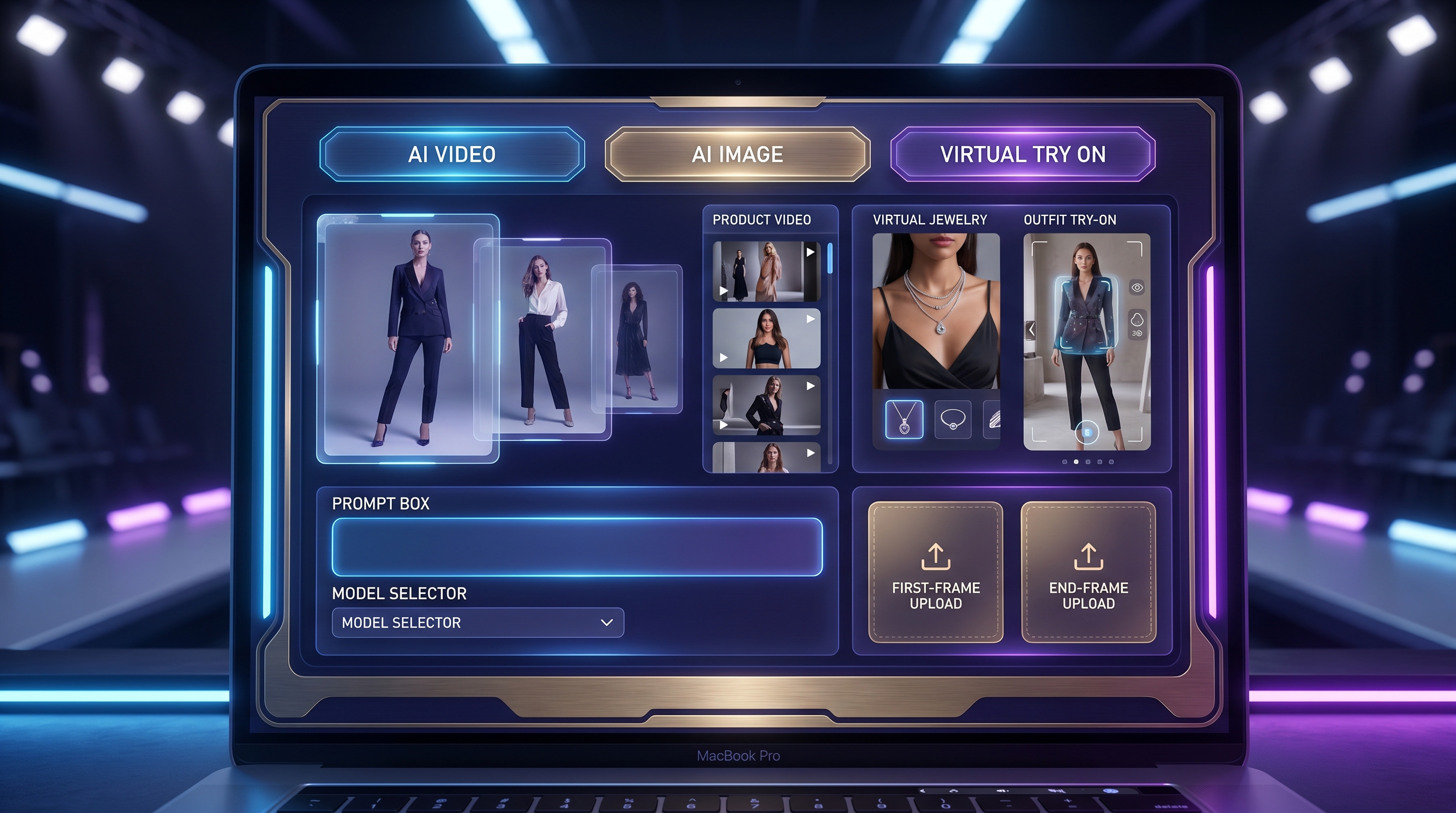
The big shift is the new homepage-header creation interface. From one starting point, users can move between AI Video, AI Image, and Virtual Try On, upload first and end frames, choose a model, adjust aspect ratio, write a prompt, use prompt inspiration, and generate. The update also highlights newer featured models and adds PayPal support as a payment convenience angle. For creators, sellers, and marketers, AITryOn is no longer just a try-on utility. It is becoming an AI image and video generator built around fashion-first creation.
What’s New on AITryOn?
The most important update is not one single tool. It is the way AITryOn organizes the creation journey. The new homepage makes the first decision simple: do you want to create a video, generate an image, or test a virtual try-on? That instantly answers the reader’s main search intent: what is new on AITryOn, and why should creators care?
The homepage-header interface now works like a prompt-to-preview launchpad. A user can begin with AI Video, switch to AI Image, or move into Virtual Try On without entering a separate product maze. The featured model lineup also gives the platform a stronger “model runway” feeling, where creators can compare image, video, and try-on directions before choosing a workflow.
Just as importantly, the update makes AITryOn feel more commercially useful. Fashion creators can test outfit visuals, e-commerce sellers can build product visuals, UGC marketers can prepare social ads, and casual users can preview tattoos, hair, jewelry, or clothes. With PayPal support now part of the update angle, payment flexibility also becomes more visible.
The Homepage Is Now a Creative Cockpit
The new AITryOn homepage works best when you think of it as a creative cockpit. The interface places the first layer of creation directly in the header, so users can begin with a mode instead of a menu: AI Video for motion, AI Image for still visuals, and Virtual Try On for styling previews.
For video workflows, the first-frame and end-frame upload options help guide the beginning and ending look of a clip. A fashion creator can upload an outfit image as the first frame, then describe movement, camera direction, and mood. A product seller can use a product photo as the start point and guide the output toward a short ad.
The model selector adds another layer of control. Instead of treating AI generation as one generic button, the interface encourages users to choose a model for the task. Aspect ratio settings help creators think about where the result will go: vertical social clip, square product post, or horizontal campaign visual. The prompt field gives the creative direction, while panel controls and “Inspire Me” help users who know the vibe they want but not the exact words.
From Fashion Try-On to Full Image and Video Creation
AITryOn’s strongest positioning is now broader than outfit previewing. Fashion try-on is still central, but the platform also supports image generation, photo-to-video, product ads, UGC concepts, social visuals, and style experiments.
For still visuals, the AI Image Generator helps creators build fashion portraits, campaign images, product scenes, and moodboard-ready visuals. For motion, Photo to Video AI can turn a static fashion image into a moving clip, which is useful for reels, product teasers, lookbook videos, and cinematic outfit transitions. If the goal is commerce, Product to Video gives sellers a more direct path from product image to short promotional video.
The update also makes UGC creation easier to imagine. The AI UGC Maker fits brands that need creator-style product demos, testimonial-like ads, or social content variations. For core try-on needs, Clothes Try On remains useful for previewing garments on people, while the AI Clothes Changer helps users transform outfits in existing photos.
The New Model Runway: Latest AI Models Featured
The updated AITryOn experience also feels like a model runway. Different AI models are better suited to different creative jobs, and the homepage now makes model discovery part of the creation flow.
For image creation and editing, Nano Banana AI is a useful starting point for quick image work, while Nano Banana Pro AI is better positioned for controlled image generation, try-on visuals, and polished fashion edits. Seedream 5.0 AI fits users who want image creation with strong design direction, especially for campaign concepts, product visuals, and stylized fashion scenes.
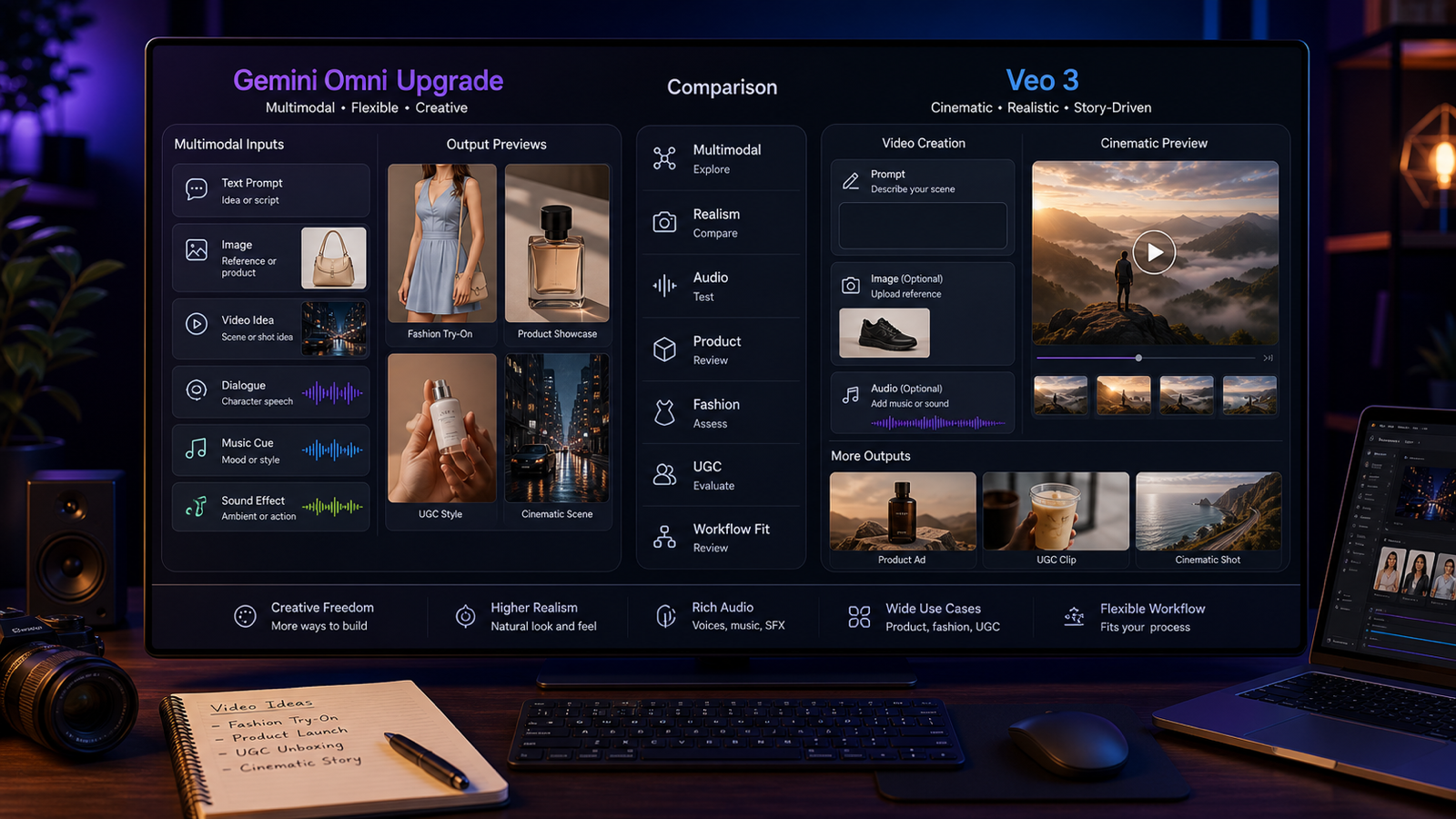
For cinematic video, Google Veo 3.1 AI is a natural model to test when the goal is film-like visuals. Seedance 2.0 AI may be a good choice for creators testing motion, ad concepts, and social video directions. Kling 3.0 AI is worth considering for dynamic movement and creator-style clips, while Hailuo 2.3 AI can be explored for alternate motion styles and fast video experimentation.
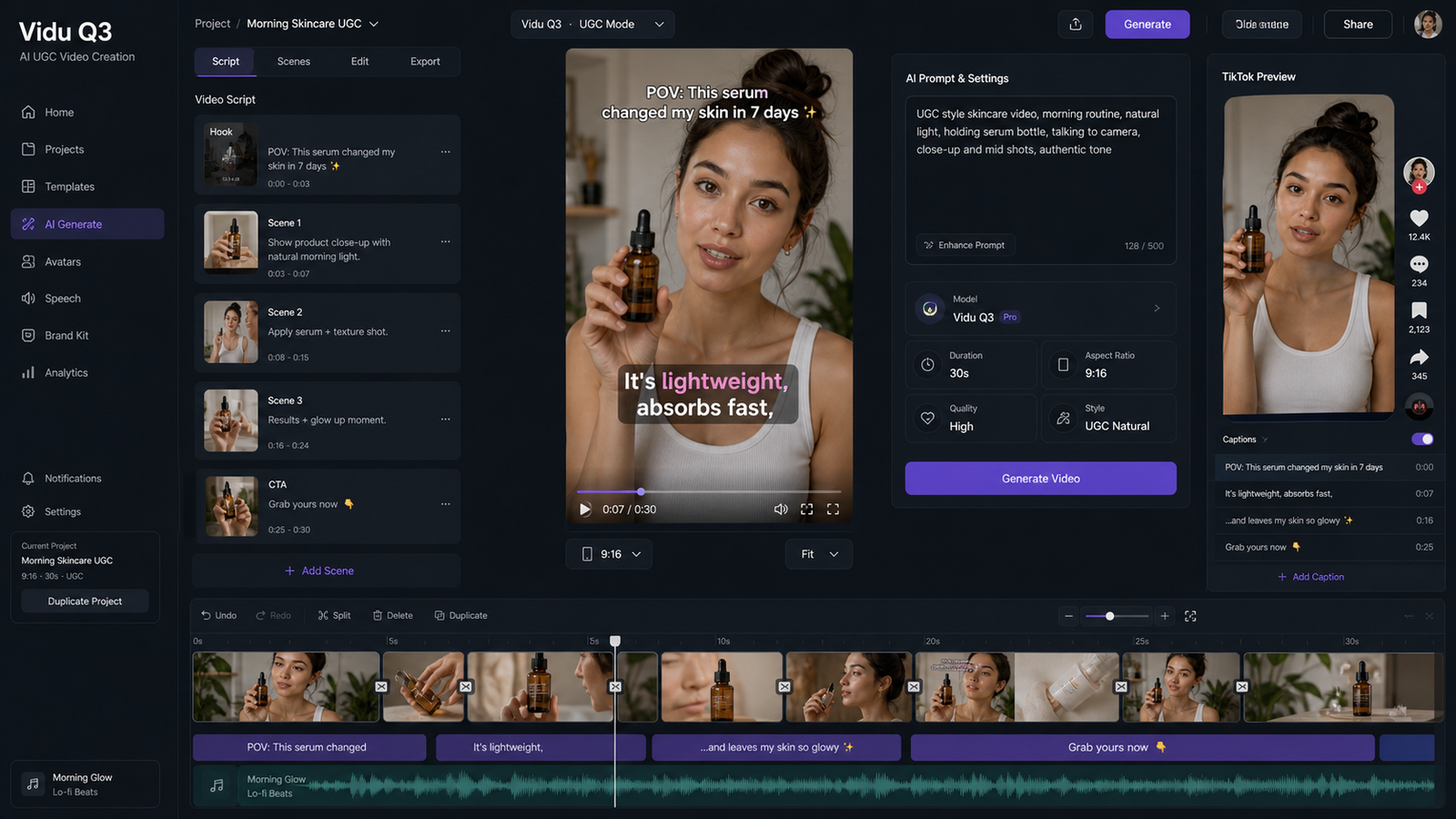
For playful creative ideas, Vidu Q3 AI and Happy Horse 1.0 give creators more options when comparing short-form video aesthetics. The point is not that one model wins every scenario. The better approach is to match model to purpose: image polish, try-on realism, cinematic movement, product video, UGC ad, or fast social test.
Why PayPal Support Matters for Creators
Payment convenience may not sound as exciting as a new model, but it matters for real creators. Freelancers, small stores, international marketers, and independent designers often work with tools across different countries, currencies, and client budgets. When a platform adds a familiar payment option like PayPal, it can reduce friction for users who prefer not to rely on only one payment method.
The key is to describe this carefully. This update should not be treated as a promise about regional availability, refund rules, fee structures, or checkout behavior. But as a user-facing improvement, AI Try On PayPal support signals that the platform is paying attention to convenience, not just generation features.
Smart Workflows to Try After the Update
1. Text prompt to fashion image
Start in AI Image mode. Write a clear fashion prompt with subject, outfit, setting, pose, lighting, and output goal. Use this for lookbooks, campaign images, moodboards, or social posts.
2. Outfit photo to virtual try-on preview
Start with a clean person photo and a garment image. Use the try-on workflow to preview how the outfit could look, then compare several styles before choosing the strongest product-page visual.
3. Product image to short video ad
Upload a product photo, choose a video workflow, and describe a simple ad movement: product rotation, hand interaction, lifestyle setting, or reveal shot. Keep the motion short and specific.
4. Static fashion image to cinematic video
Use a polished fashion image as the first frame. Add camera movement, fabric motion, background atmosphere, and mood. This is ideal for campaign teasers, reels, and fashion launch clips.
5. UGC concept to ad-ready social clip
Start with a clear user scenario: unboxing, mirror review, quick outfit change, or product reaction. Keep the tone casual. UGC ads often work better when they feel native to the feed, not overly polished.
Final Recommendation: Who Should Try the Updated AITryOn?
The updated AITryOn is worth trying if you want fashion, image, video, and try-on tools in one place. Fashion designers can use it to test visual concepts. E-commerce sellers can create product images and short videos. Marketers can experiment with UGC ads and campaign visuals. Social creators can turn still images into reels, outfit clips, or playful video concepts. Casual users can preview clothes, hair, tattoos, and jewelry before committing to a look.
The best reason to try it is the new one-screen workflow. AITryOn is becoming a fashion content launchpad: choose a mode, choose a model, add a prompt or image, and move toward a result faster. It still needs thoughtful prompting and careful review, but the updated interface makes the creative process feel more direct, visual, and creator-first.
Creative Prompts to Try on the New AITryOn Interface
1. Fashion Campaign Image Prompt
Create a high-end fashion campaign image of a model wearing an oversized cream wool coat, black leather boots, and minimal gold accessories. Urban winter background, soft editorial lighting, confident pose, shallow depth of field, luxury magazine style, output goal: homepage banner image for a boutique fashion drop.
2. Virtual Try-On Product Page Prompt
Use the uploaded model photo and garment image to create a realistic virtual try-on preview. Keep the person’s face, body shape, pose, and lighting natural. Apply the satin green dress accurately, preserve fabric texture, clean product-page background, realistic e-commerce styling, output goal: product listing preview.
3. Product-to-Video Ad Prompt
Animate the uploaded handbag product image into a 9:16 short video ad. The handbag rotates slowly on a marble pedestal, soft spotlight moves across the leather texture, camera pushes in smoothly, elegant luxury mood, warm studio lighting, output goal: social media product teaser.
4. UGC Creator Video Prompt
A casual creator stands in a bright bedroom mirror setup, holding a skincare product and explaining why it fits a morning routine. Natural hand gestures, friendly expression, vertical phone-shot composition, soft daylight, authentic UGC style, output goal: short social ad.
5. Cinematic Fashion Video Prompt
A model in a black evening dress walks through a rainy neon street, fabric moving in the wind, reflections on the pavement, slow tracking camera from side angle, cinematic blue and magenta lighting, confident dramatic mood, output goal: fashion reel intro.
6. Jewelry or Tattoo Try-On Prompt
Use the uploaded portrait and jewelry/tattoo reference to create a realistic try-on preview. Place the silver necklace or minimalist wrist tattoo naturally on the person, match skin tone and lighting, keep shadows realistic, clean lifestyle background, output goal: pre-purchase style preview.
Recommended AITryOn Tools and Models
- AI Image Generator — Best for fashion campaign images, product scenes, lookbooks, thumbnails, and image-first creative testing.
- AI Video Generator — Best for turning visual ideas into moving fashion clips, product teasers, and social-ready videos.
- Photo to Video AI — Best when you already have a strong image and want to add camera movement, atmosphere, or motion.
- Product to Video — Best for e-commerce sellers who want short ads from product photos.
- AI UGC Maker — Best for creator-style demos, testimonial-like clips, and social ad variations.
- Clothes Try On — Best for previewing how garments look on a person or model.
- AI Clothes Changer — Best for changing outfits in existing photos while keeping the scene useful.
- AI Tattoo Try On — Best for previewing tattoo placement, size, and style before committing.
- AI Hair Style Changer — Best for testing haircuts, colors, and visual identity changes.
- Virtual Jewelry Try On — Best for necklace, ring, earring, bracelet, and accessory previews.
- Nano Banana AI — Best for quick image edits and creative image tests.
- Nano Banana Pro AI — Best for polished fashion visuals, try-on concepts, and controlled image generation.
- Seedream 5.0 AI — Best for fashion images, product scenes, and campaign-style visual direction.
- Google Veo 3.1 AI — Best for cinematic AI videos and polished motion concepts.
- Seedance 2.0 AI — Best for creator videos, social clips, and ad-style motion tests.
- Kling 3.0 AI — Best for dynamic motion, social video ideas, and movement-focused clips.
- Hailuo 2.3 AI — Best for alternate AI video styles and fast motion experimentation.
- Vidu Q3 AI — Best for testing another visual direction in short-form video workflows.
- Happy Horse 1.0 — Best for playful, cinematic, or experimental AI video ideas.
- Image to Prompt — Best for turning reference images into stronger prompt language.
- Free Background Remover — Best for cleaning product images, model cutouts, and social design assets.
Related Articles
- GPT Image 2 Fashion Prompt Guide: From Outfit Concepts to Virtual Try-On Visuals
- Is Happy Horse 1.0 Good for UGC Content? How to Make Ad Posters
- Seedance 2.0 for UGC Videos: Real Creator Scenarios, Better Prompts, and a Smarter Workflow
- Seedream 4.5 API Guide: How to Use It and When to Try Seedream 5.0
- Best 10 Nano Banana Pro Prompt Guide for AI Try-On Image Generation
- How to Use AITryOn’s Free AI Background Remover for Cleaner Images
- How to Turn Any Reference Image Into Better AI Prompts With AITryOn
- AI Hairstyle Changer Guide: Try New Haircuts Online Before You Commit
People Also Read
- AI Image Generator Guide: Best Models for Text-to-Image and Image-to-Image
- Seedance 2.0 Video Generation Guide: How to Create Better AI Videos
- How to Create Better TikTok Videos With AI That Feels Native to the Feed
- Image-to-Video Guide for Best Models and Prompts
- How to Make UGC Ad Videos With AI
- Kling 3.0 UGC Video Guide: Prompt, Audio, and Ad Variants
- Veo 3.1 vs Luma Ray2: Which AI Video Model Fits Your Workflow?