An AI TikTok video generator is useful when creators, e-commerce sellers, small brands, and marketers need quick vertical video drafts for product demos, try-on clips, unboxings, creator reactions, testimonials, and short ad concepts. AITryon's TikTok tool gives you a practical prompt-to-video workspace: add a product image or first frame, write a UGC-style prompt, choose the visible settings, and generate a short 9:16 draft for review.
This guide explains how to use AITryon's TikTok workflow, then gives copy-ready prompts you can adapt for product videos. Treat AI UGC outputs as creative ad drafts or product video concepts. Before publishing or running paid ads, verify product claims, commercial usage rights, music and audio rights, platform ad policies, and disclosure rules.
How to Use AITryon's AI TikTok Video Generator
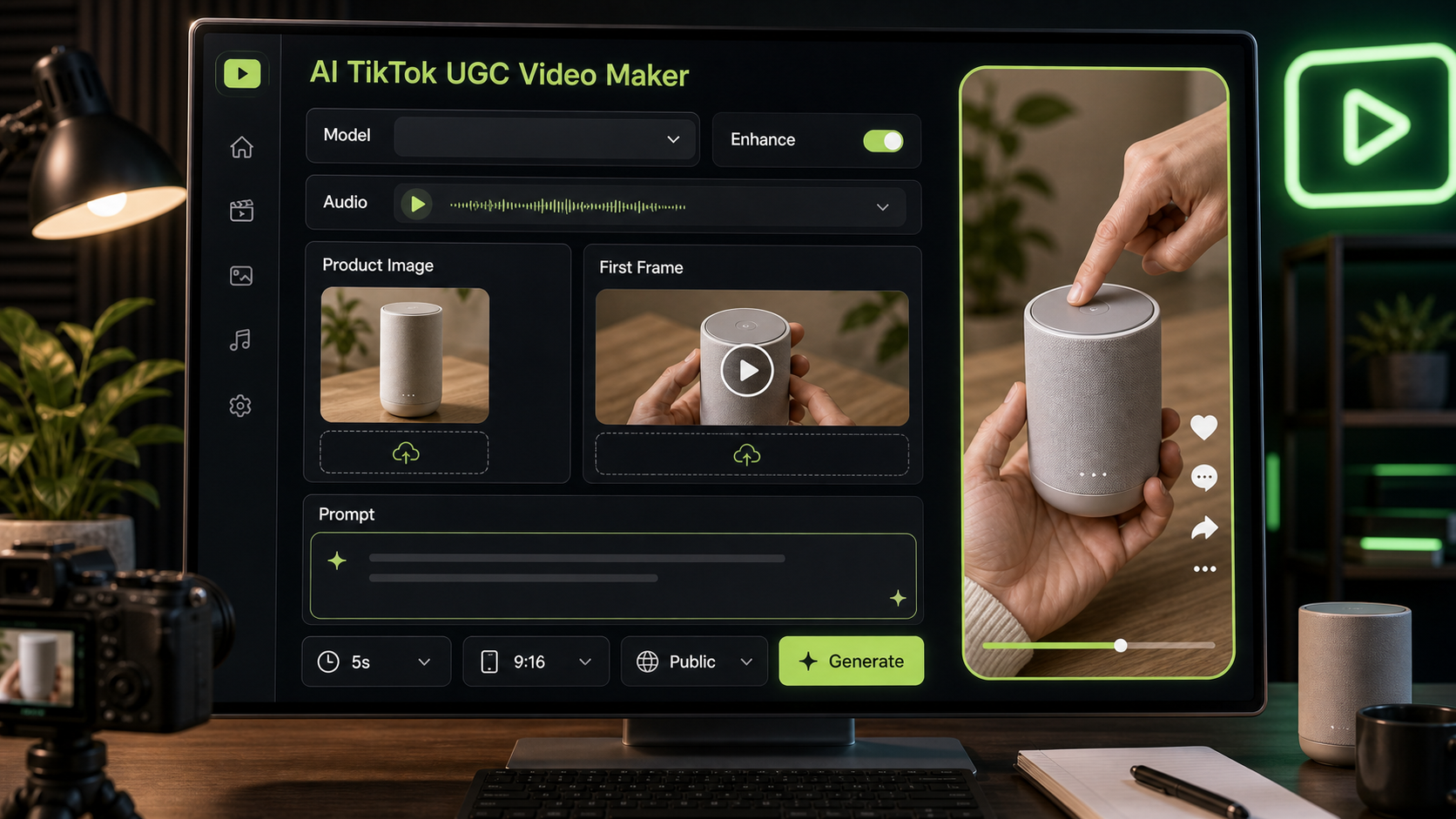
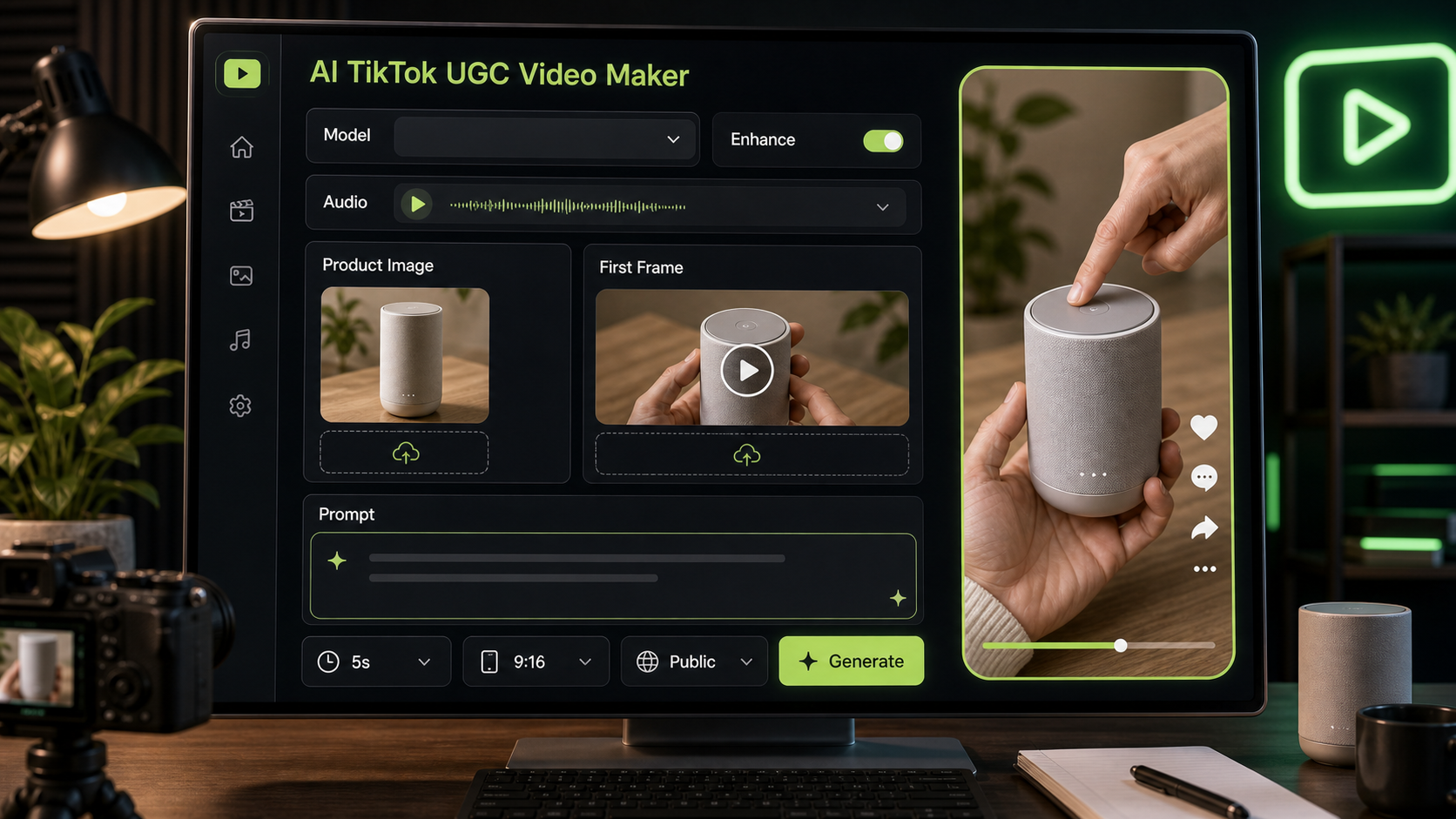
AITryon's AI TikTok UGC video maker is built for short, vertical video creation. The visible tool details include an AI TikTok Video Generator panel, Kling v3.0 Standard model version, Enable Audio toggle, Product Image upload, End Frame option, AI Generation panel, Upload First Frame area, example hint thumbnails, prompt box, Enhance Prompt button, 5s duration, 9:16 ratio, Public toggle, and Generate button.
Use the workflow like this:
- Open the TikTok UGC video generator.
- Choose the visible Kling v3.0 Standard model version if it fits the draft you want.
- Turn Enable Audio on or off depending on whether you want an audio-led draft.
- Upload a Product Image or Upload First Frame when product consistency matters.
- Add an End Frame if you want to guide the final product shot.
- Review the example hint thumbnails for prompt direction.
- Paste your UGC prompt into the prompt box.
- Use Enhance Prompt if you want the tool to expand the idea.
- Keep 5s and 9:16 for short TikTok-style concepts.
- Review the Public toggle before generating.
- Click Generate, then revise the prompt for hook, demo action, proof moment, or CTA.
This makes AITryon a practical AI tool for TikTok product videos when you want a mobile-first draft from either a product idea or a product image.
Reusable Prompt Formula for TikTok Product Ads
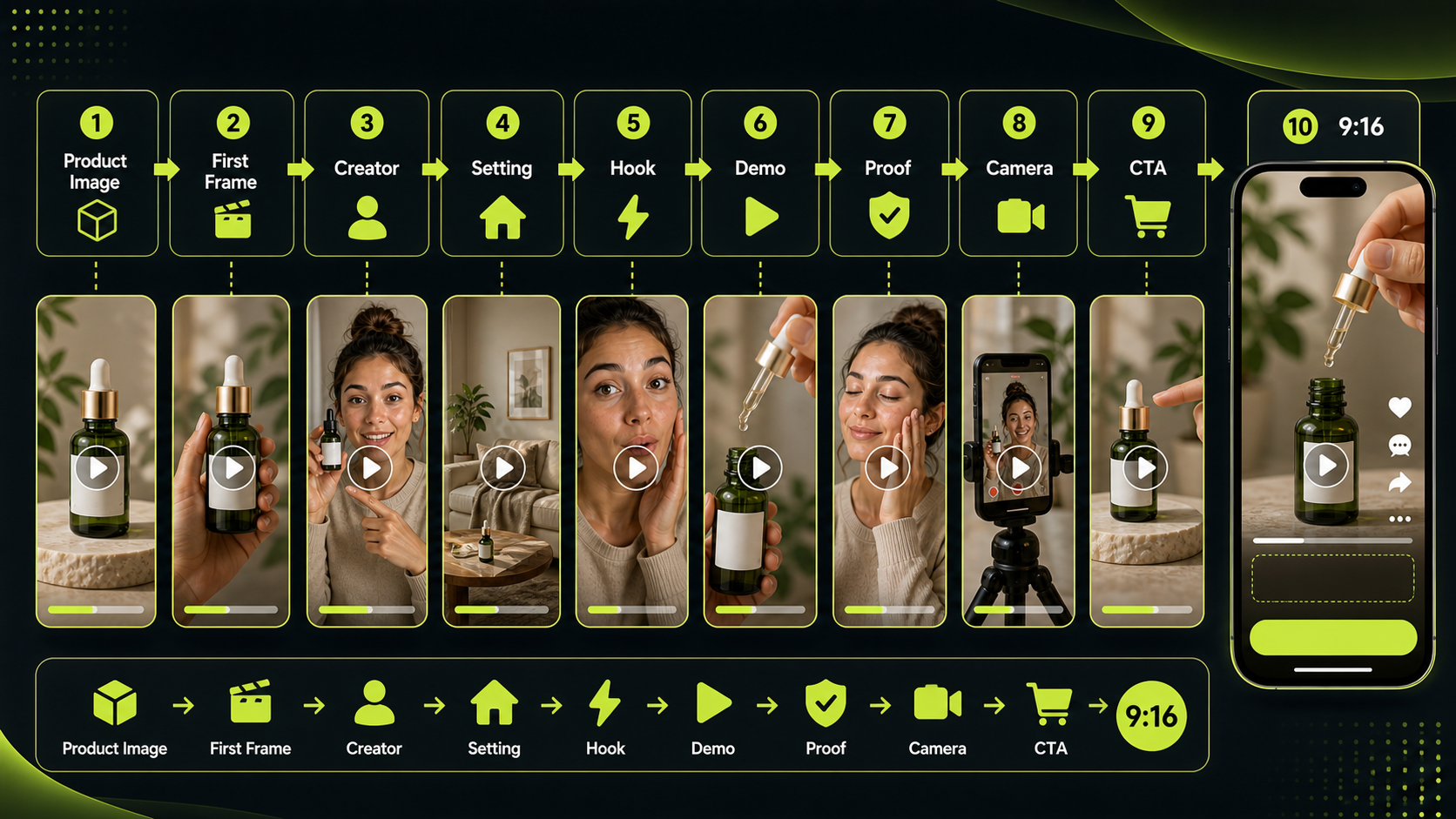
Use this formula when you want an AI TikTok prompt to video tool to create a UGC-style draft:
Create a 9:16 TikTok-style UGC video for [product/service]. Use [uploaded product image / first frame] as the visual reference. A [creator persona] films in [realistic setting] with casual handheld phone-camera energy. Hook: "[first 2-second hook]." Show [product action/demo] clearly. Emphasize [main benefit] without exaggerated claims. Add [proof moment: texture, size, use case, result, convenience, comparison]. Camera: close-up product shots, quick cuts, slight natural motion, stable subject. Mood: authentic, social-native, not overproduced. Duration: 5-10 seconds. End with [CTA].
The best prompts are specific without sounding like a polished commercial. For a vertical TikTok video generator, always include the product, the creator persona, the realistic setting, the first two-second hook, the visible demo action, and the proof moment. Keep claims modest: "I like how it fits in my bag" is safer than a guaranteed performance claim.
When to Use AI UGC and Product-to-Video Tools
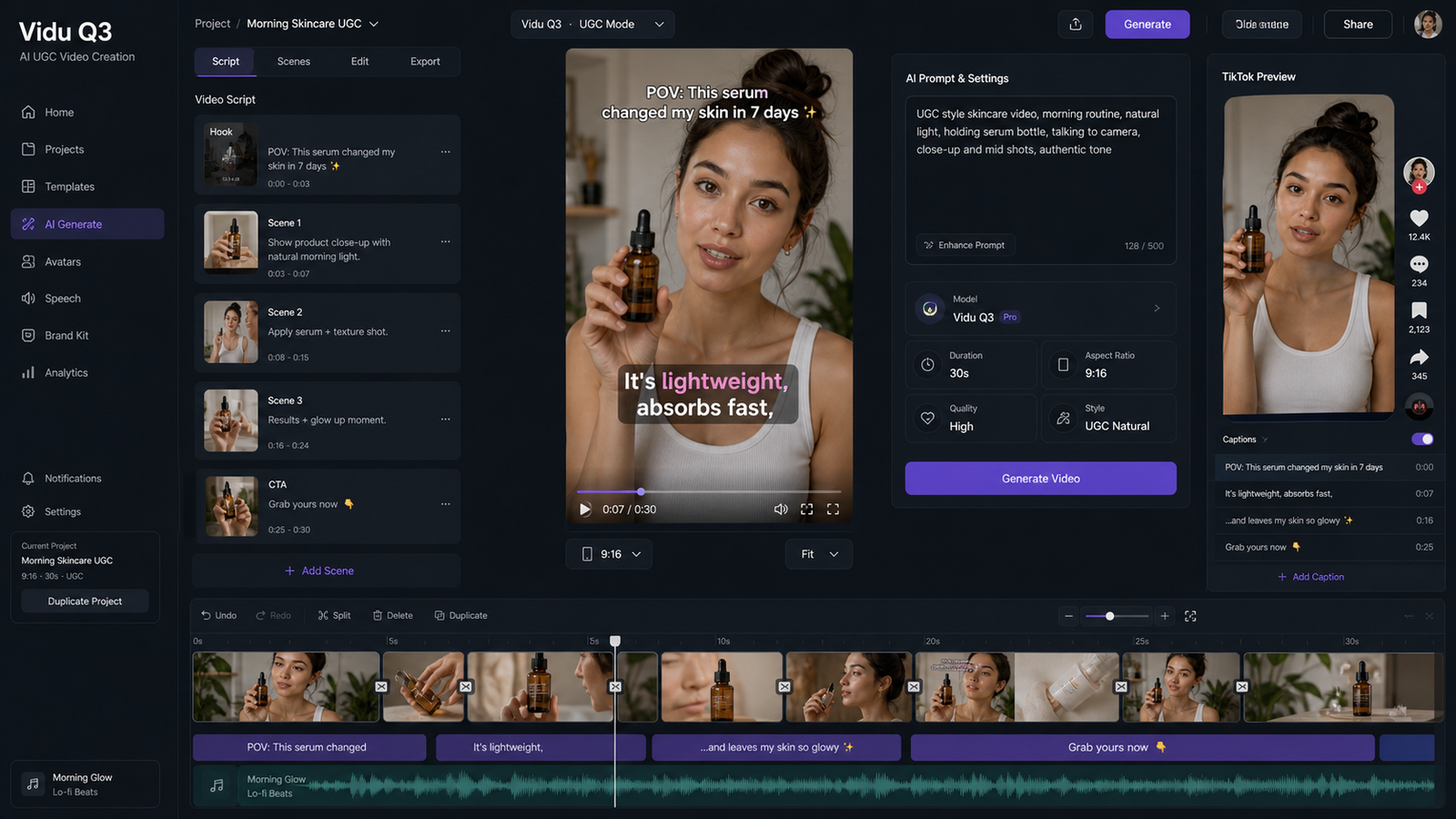
Use AI UGC Maker when the video needs a creator, spokesperson, testimonial-style delivery, or talking UGC format. An AI UGC video maker is useful for creator reactions, product review scripts, and short ads where the human presentation matters. A UGC ad video generator can also help you test several angles before briefing a real creator or editor.
Use an AI product video generator when the product image is the starting point. A product photo can become a short product showcase, a product demo concept, or a mobile ad draft. This is especially useful for product image to TikTok video workflows where the item needs to stay visually consistent.
For model-specific video drafting, try Kling 3.0 AI video generator when you want a text-or-image-to-video workflow with short-video motion. A Kling 3.0 image to video generator workflow can be useful when you want the product image or first frame to guide the motion.
12 Copy-to-Use AI TikTok UGC Prompts
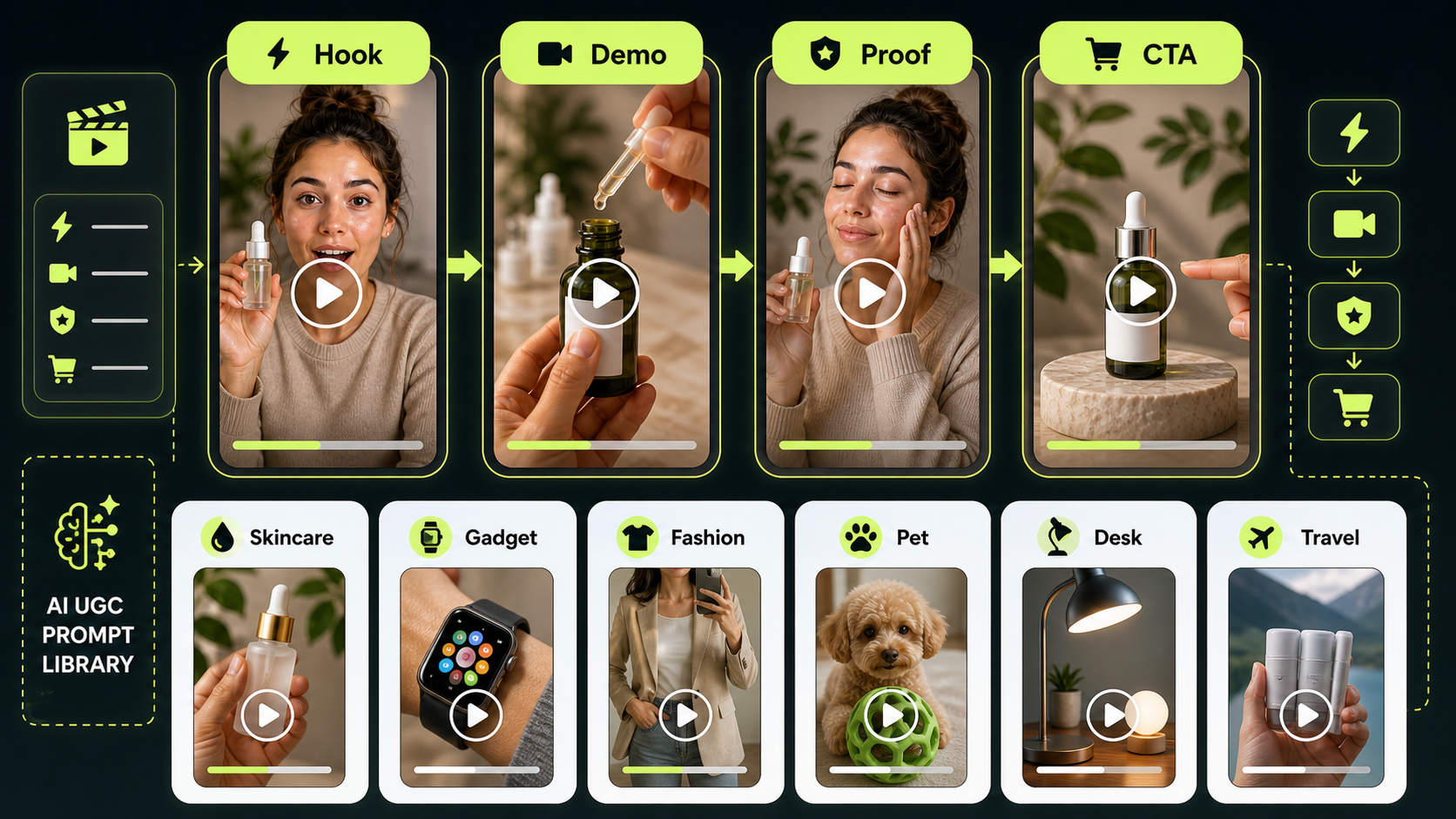
Paste these prompts into AITryon, then replace the product details, creator persona, proof moment, and CTA. For Kling 3.0 TikTok video prompts, keep the scene visual, action-led, and easy to understand in 5-10 seconds.
1. Skincare Serum
Create a 9:16 TikTok-style UGC video for a skincare serum. Use the uploaded product image as the first frame. A beauty creator films in a bathroom with soft morning light. Hook: "I wanted a glow serum that didn't feel sticky." Show the dropper, texture on the hand, and gentle face application. Natural handheld camera, clean close-ups, realistic creator reaction, end with: "Add it to your morning routine."
Best for Kling 3.0 product ad video prompts where the proof moment is texture, not a medical skin claim.
2. Portable Blender
Create a short TikTok UGC video for a portable blender. A creator films on a kitchen counter, adds fruit and milk, blends quickly, then pours the smoothie into a cup. Hook: "This is my fastest breakfast trick." Keep the video casual, bright, and realistic, with the product visible in every key shot.
Best for a simple AI product demo video generator workflow where the product action is the story.
3. Wireless Microphone
Generate a 5-second UGC product video for a wireless microphone. A creator clips the mic onto their shirt at a desk setup. Hook: "Your phone audio might be ruining your videos." Show a quick recording moment, product close-up, and natural creator confidence. Use casual handheld framing.
Best for creator tools, gadgets, and Kling 3.0 UGC video workflow tests.
4. Desk Organizer
Create a TikTok product demo for a desk organizer. Start with a messy desk, then show the creator placing pens, cables, and notes into the organizer. Hook: "My desk finally stopped stressing me out." Use fast but readable cuts, satisfying organization motion, and a clean final reveal.
Best for short before/after-style concepts without exaggerated claims.
5. Travel Backpack
Create a vertical UGC video for a travel backpack. A creator packs clothes, laptop, charger, bottle, and small pouch into the bag. Hook: "I packed three days into one backpack." Show compartments clearly, natural room lighting, handheld camera movement, and a final mirror shot.
Best for product visibility, compartments, and product showcase video generator concepts.
6. Pet Grooming Brush
Generate a TikTok UGC ad for a pet grooming brush. A pet owner gently brushes a calm dog on the floor. Hook: "If your sofa is covered in fur, try this." Show the brush, collected loose hair, and a happy pet moment. Avoid medical claims. Keep it warm and natural.
Best for TikTok ad video generator with AI drafts that need a warm, household feel.
7. Phone Stand
Create a short creator-style video for a phone stand. A student places the phone stand beside a laptop, adjusts the angle, and uses it during a video call. Hook: "Tiny desk upgrade, huge difference." Use close-up product shots and a casual study-room setting.
Best for AI creator video generator style prompts with a simple lifestyle use case.
8. Coffee Subscription Box
Generate a UGC video for a coffee subscription box. A creator opens the package, smells the beans, brews coffee, and takes the first sip. Hook: "This made my Monday feel expensive." Use cozy kitchen lighting, product packaging close-ups, and a relaxed morning mood.
Best for unboxing, sensory product moments, and short ad drafts.
9. Fashion Accessory Try-On
Create a TikTok-style UGC video for a fashion accessory. Use the uploaded product image as the first frame. A creator tries it on in front of a mirror, adjusts the styling, and smiles naturally. Hook: "This one piece made the outfit look finished." Keep motion smooth and realistic.
Best for try-on clips, fashion product demos, and e-commerce styling concepts.
10. Budget Planner Notebook
Generate a product image-to-video ad for a budget planner notebook. A creator sits at a cafe table, opens the notebook, writes spending categories, and flips pages. Hook: "I needed a simpler way to track money." Calm lifestyle mood, close-up pen movement, clean CTA ending.
Best for financial-adjacent products, as long as you avoid guaranteed savings or financial outcomes.
11. Portable LED Lamp
Create a 9:16 UGC video for a portable LED lamp. A creator reads in bed, turns on the lamp, adjusts brightness, and places it beside the book. Hook: "This little lamp fixed my night routine." Warm lighting, soft shadows, cozy bedroom scene.
Best for visual proof moments such as brightness, placement, size, and convenience.
12. Online AI Tool
Generate a TikTok UGC video for an online AI tool. A creator sits at a laptop, looks stuck, types one idea, then reacts to a cleaner draft or visual output. Hook: "When your brain has zero content ideas..." Avoid readable fake UI text. Keep it realistic, casual, and creator-friendly.
Best for SaaS and digital products where the benefit is a smoother starting point, not a guaranteed result.
Prompt Tips for Better UGC Drafts
For an AI product testimonial video maker, keep the wording experience-based. Use "I noticed," "I like," "this helped my routine feel easier," or "here is how I use it." Do not invent real customer results, medical outcomes, financial promises, or celebrity-style endorsements.
For an AI talking UGC video generator, write the first spoken line clearly. The hook should fit the product and sound like a creator would actually say it. "I wanted something that fit in my gym bag" is usually better than a salesy headline.
For a UGC product demo video tool, make the proof visual: texture, size, compartment, brightness, setup, fit, use case, comparison, or convenience. The viewer should understand the product without reading a long caption.
Product Image-to-Video Workflow
Use product to UGC video maker workflows when you already have product photos. Start with the cleanest product image, upload it as Product Image or First Frame, then write a prompt that describes the creator action around it.
Simple workflow:
- Choose a clear product image with no distracting background.
- Upload it as Product Image or Upload First Frame.
- Add an End Frame if you want the video to finish on the product.
- Prompt the creator, setting, hook, demo, proof moment, and CTA.
- Keep the duration short, such as 5s for quick creative drafts.
- Generate several hook variations before choosing one to edit.
An AI e-commerce video generator workflow is strongest when it protects product visibility. Ask for close-up product shots, stable subject framing, natural lighting, and quick but readable cuts.
Kling 3.0 Tips for Short UGC Ads
Use Kling 3.0 short video generator prompts when the idea needs clear motion from text or image guidance. Keep the prompt direct: creator, setting, product action, camera movement, and ending shot.
For Kling 3.0 AI video ad maker concepts, write one prompt per angle. Test a problem hook, a try-on hook, a creator reaction hook, and a product close-up hook. If a draft feels too polished, ask for casual handheld phone-camera energy, slight natural motion, and realistic lighting.
Safety Checks Before Publishing
AI-generated UGC videos should be reviewed before they become ads. Check these items before publishing or running paid media:
- Product claims: Verify any product, health, beauty, finance, fitness, or performance claim.
- Commercial usage rights: Review AITryon's current terms and your rights to uploaded images.
- Music and audio rights: Confirm that any audio, voice, or music can be used commercially.
- Platform policies: Check TikTok, Meta, YouTube, and paid social rules for your category.
- Disclosure rules: Follow local and platform rules for AI-generated content, ads, sponsorships, and endorsements.
- Testimonials: Do not present an AI-generated creator as a real customer.
This keeps the AI product ad video maker workflow useful without drifting into misleading creative.
Related Articles
- Kling AI 3.0 Video Generator: New Features, 1080p Cinematic Results, and a UGC Workflow
- How to Make Scroll-Stopping Product Ads with AI UGC Maker on VirtualTryOn AI
- Seedance 2.0 for UGC Videos: Real Creator Scenarios, Better Prompts, and a Smarter Workflow
- From Prompt to Direction: How Higgsfield and Kling 3.0 Are Changing AI Video
- AI Tryon Photo-to-Video: Transform Images into Stunning Videos
- AITryOn Website Updates: A New Creative Cockpit for AI Fashion Images and Videos
People Also Read
- UGC AI Video Prompts: 12 Copy-and-Paste Templates for Better Ads
- UGC Video Ads Guide: How to Make UGC Ad Videos With UGC Maker AI
- Kling 3.0 UGC Video Generation Guide: Prompt, Audio, and Ad Variants
- How to Use Seedance 2 for AI UGC Ads That Convert
- How to Make TikTok UGC Videos with AI Talking Avatar Generator
- Kling 3.0 AI Video Generator Guide for Creators
FAQ
What should I include in an AI TikTok UGC prompt?
Include the product, uploaded image or first frame, creator persona, realistic setting, two-second hook, product demo action, proof moment, camera style, duration, and CTA.
Should I use a product image?
Use a product image when product consistency matters. It helps guide the opening shot, packaging, color, and product shape, especially for product image-to-video workflows.
Can AI UGC videos be used in paid ads?
They can be useful as paid ad concepts, but review claims, commercial usage rights, music and audio rights, platform policies, and disclosure rules before publishing.
How long should a TikTok UGC draft be?
For early ad testing, 5-10 seconds is often enough to test the hook, product demo, proof moment, and CTA. Longer versions can be created after the core angle is clear.
Conclusion
AITryon's AI TikTok video generator is a practical way to turn product images, first frames, and prompt ideas into short TikTok-style UGC drafts. Use the visible controls, such as Kling v3.0 Standard, Enable Audio, Product Image, Upload First Frame, Enhance Prompt, 5s duration, 9:16 ratio, Public, and Generate, to shape the output before you iterate.
The best prompts stay grounded: show the product clearly, use a realistic creator setting, lead with a short hook, include one proof moment, and end with a soft CTA. Keep AI UGC videos as creative drafts until your claims, rights, audio, platform policies, and disclosures are checked.